
What happens if I edit an Authentication object?
An Authentication object stores the credentials used to authenticate API integrations with external services.
Because the same Authentication object can be shared by multiple API Call actors, updating it allows you to change authentication details in one place instead of updating every individual API call.
Important: Changes are applied wherever the Authentication object is used, so you should plan updates carefully to avoid disrupting live integrations.
Edit an Authentication object
Start from the Authentication Objects list and locate the Authentication object you want to update.
By default, the list is sorted by ID in descending order, but you can use the search and filters to quickly find the required object.
From the Actions menu, select Edit.
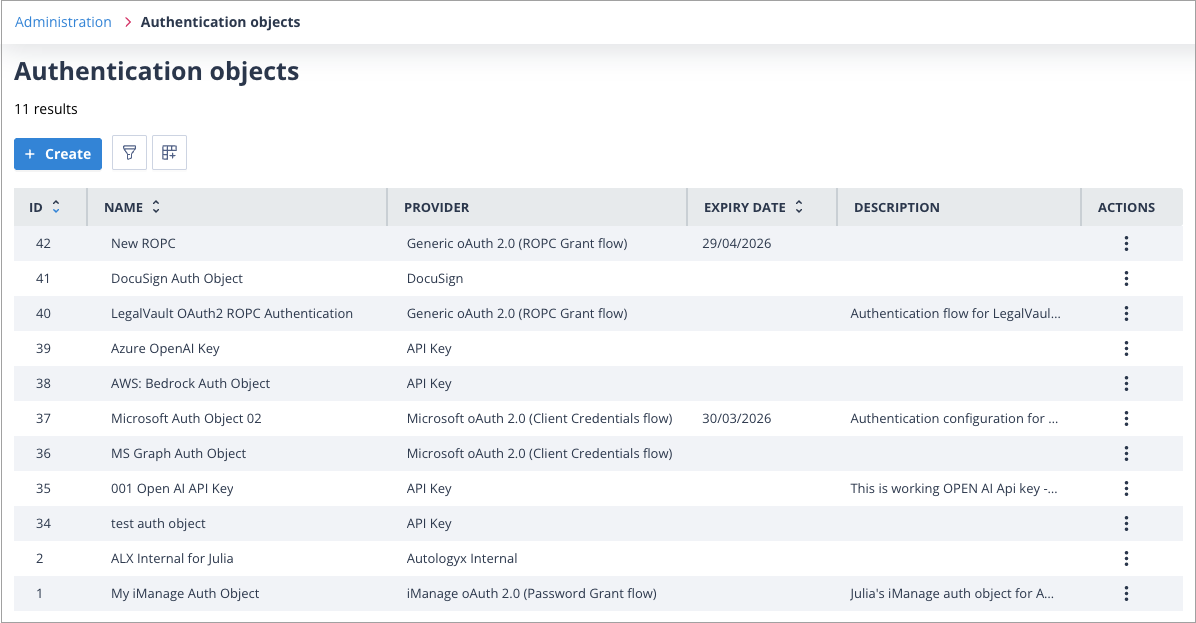
The Authentication Object configuration page opens.
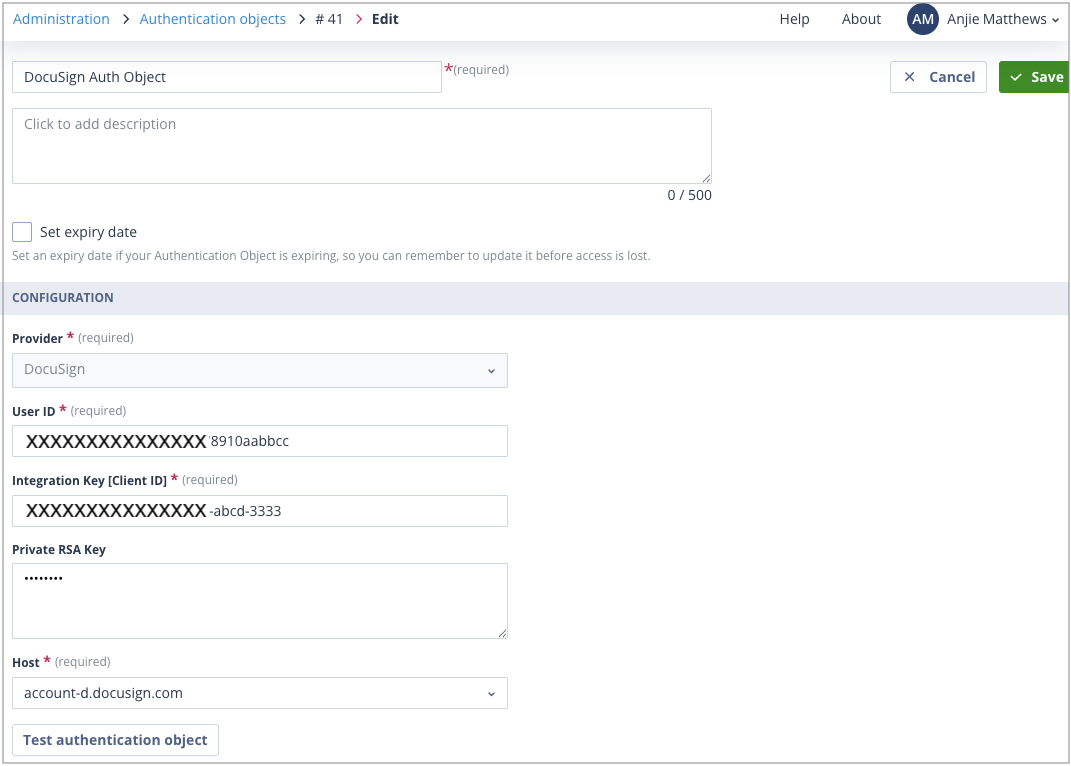
Sensitive values, such as passwords or client secrets, are displayed as asterisks (*****) rather than their actual values. This helps prevent credentials from being exposed while still allowing authorised users to update them.
Only users with a Super Admin account type, or users whose Role includes the appropriate permissions, can edit Authentication Objects.
Updating credentials
The Provider field is fixed once an Authentication object has been created and cannot be changed.
To update a credential, click into the appropriate field. The existing value is cleared for security reasons, allowing you to enter the replacement value.
After updating the required information, click Save.
The updated Authentication object is immediately available to every API Call actor that references it.
Token refresh behaviour
For Autologyx Internal Authentication objects, changing the username or password may not take effect immediately.
Authentication tokens are refreshed every 24 hours. Until the current token expires, the Sequencer continues using the existing authentication token.
This means there may be a short delay before integrations begin using the updated credentials.
Things to remember
- Updating an Authentication object automatically updates every API Call actor that uses it.
- The Provider cannot be changed after the Authentication object has been created.
- Sensitive credential values are hidden and must be re-entered when updated.
- Changes to Autologyx Internal Authentication credentials may not take effect until the current authentication token expires.