
Users and Groups visibility
From Catalyst 1.10 onwards, visibility of users and User Groups is controlled through List permissions.
List permissions determine which users and User Groups appear throughout the platform when someone needs to select people or groups.
This helps ensure that users can only see and select the users and groups they are allowed to work with.
How visibility works
List permissions control who can see and select users and User Groups across Catalyst.
They affect areas such as:
- task assignment
- record ownership
- Object Class ownership
- Permission Sets
- user-type fields
- filters and dropdown lists
If a user does not have the relevant List permission, the user or User Group will not appear in selection fields.
User-type field exception
There is one exception.
If a user-type field has been configured with specific users or User Groups, those configured options are available to users who can create or edit records containing that field.
This applies even if the user would not normally have permission to list those users or User Groups.
In this situation, limited details such as name and email address may be visible for the selected users.
How List permissions are granted
Permissions for viewing and listing users and User Groups are closely connected.
When a user has permission to view a User Group, they can also list the members of that group.
This allows users to select the relevant users or User Groups in areas where visibility is required.
User Group Permission Sets
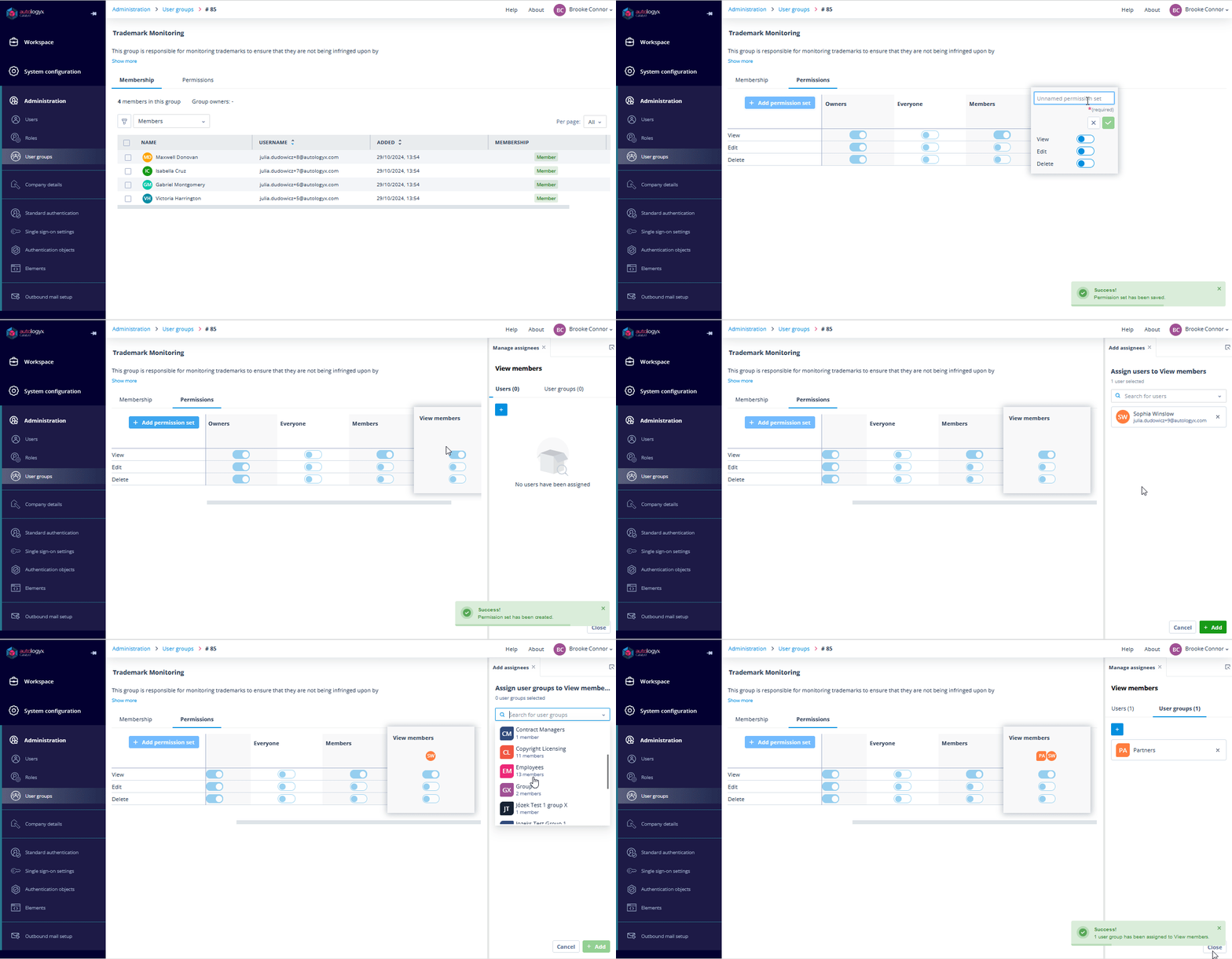
Each User Group has default Permission Sets that control who can view and interact with the group.
Owners
Owners have full permissions for the User Group:
- View
- Edit
- Delete
These permissions cannot be modified for Owners.
Owners can view the User Group, list its members, and manage the group.
Members
The Members Permission Set applies to all members of the User Group who are not Owners.
By default, Members have View permission. This allows them to see the User Group and list other members in places such as task assignment, default task assignee selection, and Permission Set assignment.
Everyone
The Everyone Permission Set applies to users who are not Owners or Members of the User Group.
By default, no permissions are granted.
This means users outside the group cannot list the group's members unless additional permissions are assigned.
Custom Permission Sets
Custom Permission Sets can be created to provide more precise visibility.
For example:
- a legal team may need visibility of a compliance User Group
- a team leader may need visibility of a group they do not own
- a department may need access to specific users without seeing all users in the system
API-based visibility for Config Admins
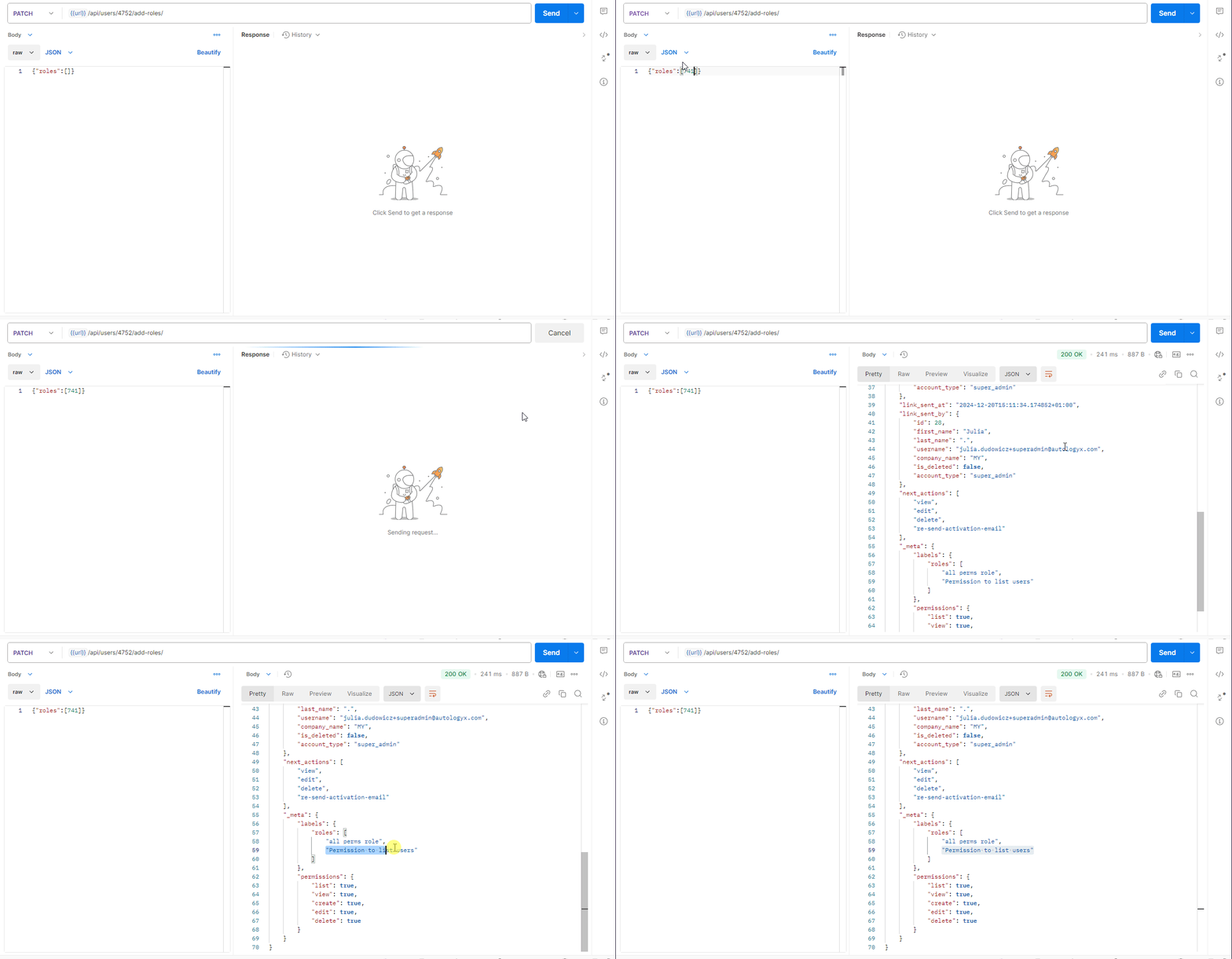
Config Admin users can be granted the users.list permission through the API by using a dedicated Role.
This permission allows them to list and view all users across the system, even if those users are not part of User Groups they own.
This is useful where trusted administrators need broader user visibility while other users remain restricted to their assigned groups.
Super Admin visibility
Users with a Super Admin account type have full List permissions across the platform.
They can view and list all users and User Groups, including full user account details.
Visibility for 1-time completion users
Users with a 1-time completion account type cannot be assigned to User Groups.
However, they still need to be visible for some actions, such as:
- task assignment
- filtering
- user-type fields
Visibility of 1-time completion users is automatically available to:
- Super Admin users
- Config Admin users with the appropriate
users.listpermission granted through the API
This allows task-specific users to be assigned where required without exposing other user information more widely.
Where List permissions matter
List permissions affect any part of Catalyst where users or User Groups can be selected.
Examples include:
- Task ownership and assignment
- Object Class ownership
- record ownership
- Object Class Permission Sets
- Record Permission Sets
- user-type fields
- default task assignees in Sequences
- User Group management
- dropdown autocompletes and filters
Users can always list themselves. This ensures that a user can select themselves when needed, such as assigning themselves to a task.
Things to remember
- Users can always see and select themselves.
- Viewing a User Group also allows its members to be listed.
- Super Admin users have unrestricted visibility across the system.
- Config Admin users require the
users.listpermission to view all users. - 1-time completion users cannot belong to User Groups.
- User-type fields may display configured users even when normal List permissions would otherwise prevent them from appearing.
- User Group visibility is controlled through User Group Permission Sets.
- The user who creates a User Group automatically becomes its Owner and a member of the group.
- The maximum number of User Groups you can have in your system is 1,000.