
Configure AI/MCP integrations
AI/MCP integrations are available from System configuration > Integrations. You can enable or disable supported integrations and, for integrations in the AI/MCP category, manage their MCP connectors.
When to use this
Use this area when you need to enable an AI/MCP integration, review its integration configuration, or open its MCP connector management.
Before you start
You need access to System configuration > Integrations and the permissions required to edit integrations.
Find an AI/MCP integration
All integrations in the ai_mcp category are displayed in the Integrations UI and are sorted alphabetically within each Integrations tab.
Integration tiles that support MCP are labelled with MCP in the title in the later 1.20 UI change.
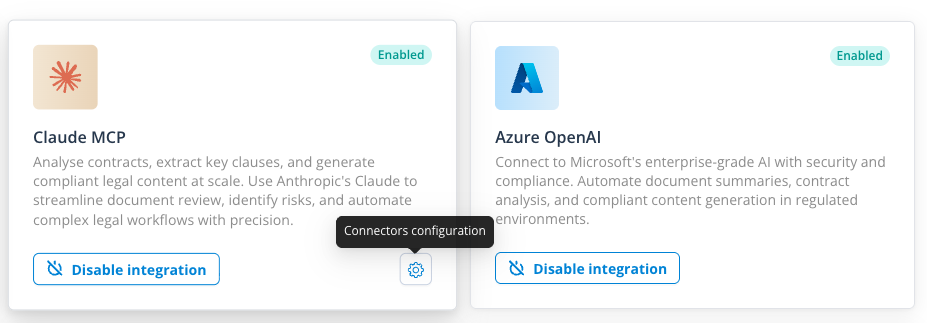
Enable or disable an integration
Open the required integration and change its enabled state in the same way as other integrations. The Claude integration was moved from a hard-coded UI implementation to the normal integration API flow as part of this release.
Manage MCP connectors for an integration
Each integration in the AI/MCP category supports MCP connector management. Use its connectors configuration control to open the MCP connectors list, where you can create and maintain connectors for that integration.
Review OAuth endpoint fields
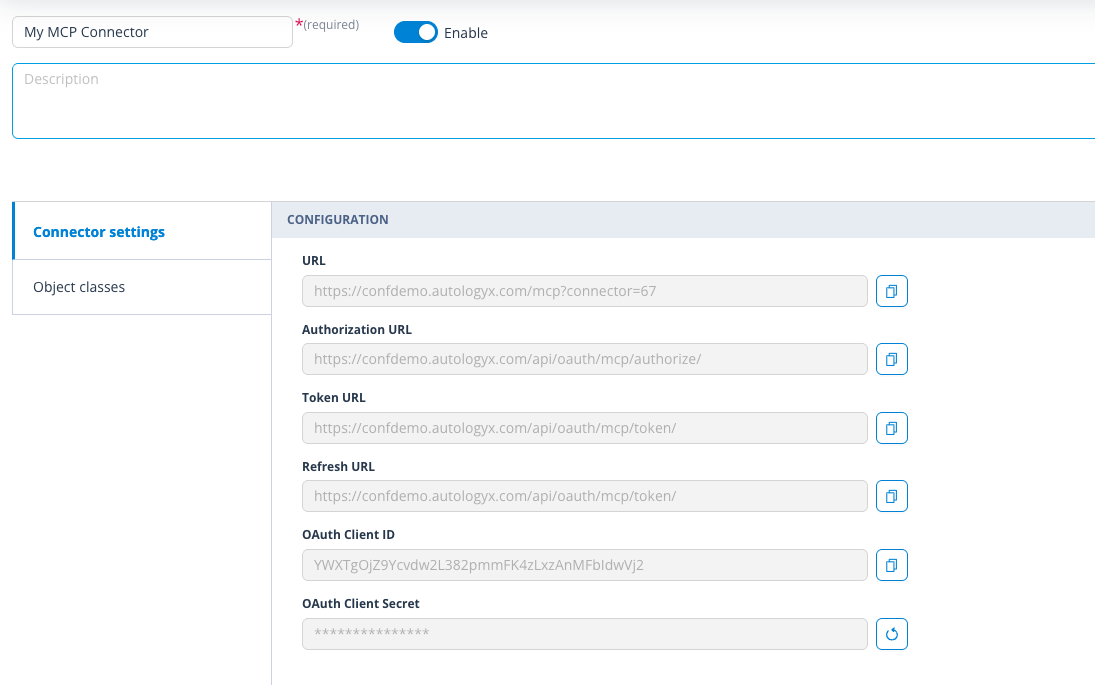
The 1.20 integration configuration adds the following URL fields to the create and edit integration interfaces:
- Authorization URL
- Token URL
- Refresh URL
These values are populated for the earlier OAuth flow and appear under the existing integration fields.
Things to remember
- The integration-category implementation itself is not a visible workflow change; it is the basis for grouping and exposing AI/MCP integrations consistently.
- MCP connectors associated with an Object Class become available in that Object Class's Applied AI permissions selector.
- Exact integration names available to a customer may depend on the configured/released integration set.
Useful info
- Connector lifecycle management is handled from the integration's MCP connectors page.
- Object Class associations are configured on the connector itself.