
Properties
Properties are found in the side panel of the following forms.
Forms
Available properties
The available properties are:
- ALX ID - the record ID which is applied on creation and which will be used as the Identifier if no other field has been chosen as such for the Object class.
- Created date/time - displays the date/time the record was created.
- Updated date/time - displays the date/time the record was last updated. This value will be the same as Created date/time on creation of the record, but will change as soon as one of the fields in the record is amended.
- Owners (not Card view) - displays the avatar of the owner of the record.
Using properties on a form
The Properties components can be dragged and dropped onto the form in the same way as other components.
Once added to the form canvas, they become greyed out on the side panel.
Example: The below shows the Properties being used on a Create and edit view.
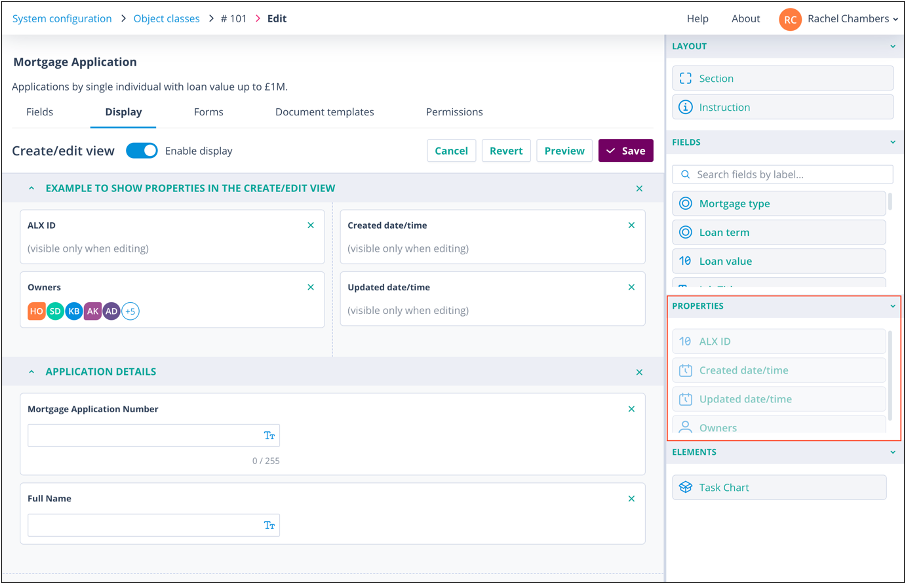
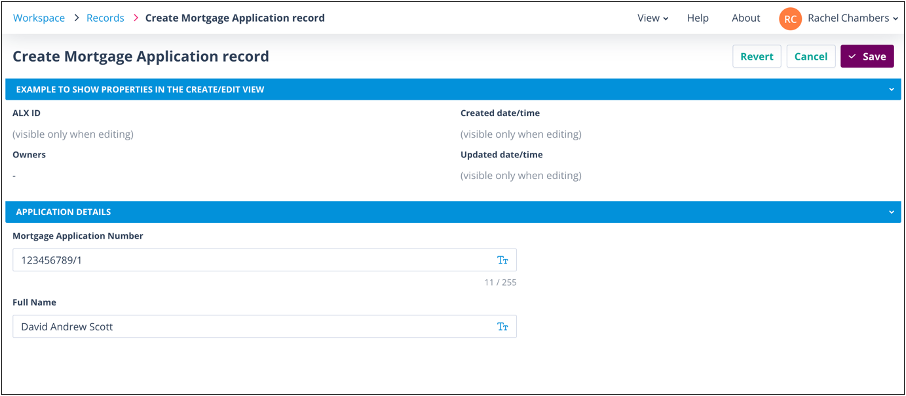
When using this form to create a record:
- ALX ID, Created date/time and Updated date/time will display "(visible only when editing)".
- The Owners field cannot be populated.
- Placeholder avatars are shown instead.
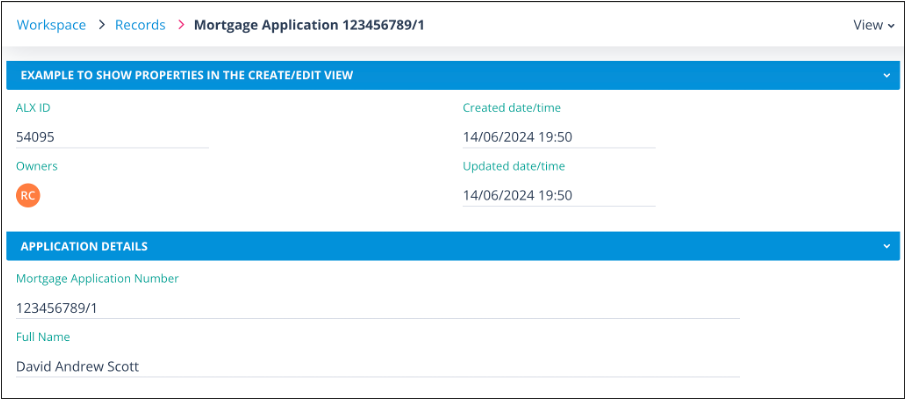
These properties will be automatically set on creation of the record.
Once the record has been created, the properties are populated, as shown below.
Useful info
- A record can have only one Owner.
- The User who manually creates a record will automatically become the Owner.