
What happens if I change the properties of a field used in conditional logic?
Numeric fields are often used in conditional logic to display subsequent sections.
In this example, the field is being used to show or hide the next section, Dependent's Details.
Please note that this example uses a standalone field in a Task template.
The screenshot below shows that the numeric field Number of Dependents was originally created without any validation.
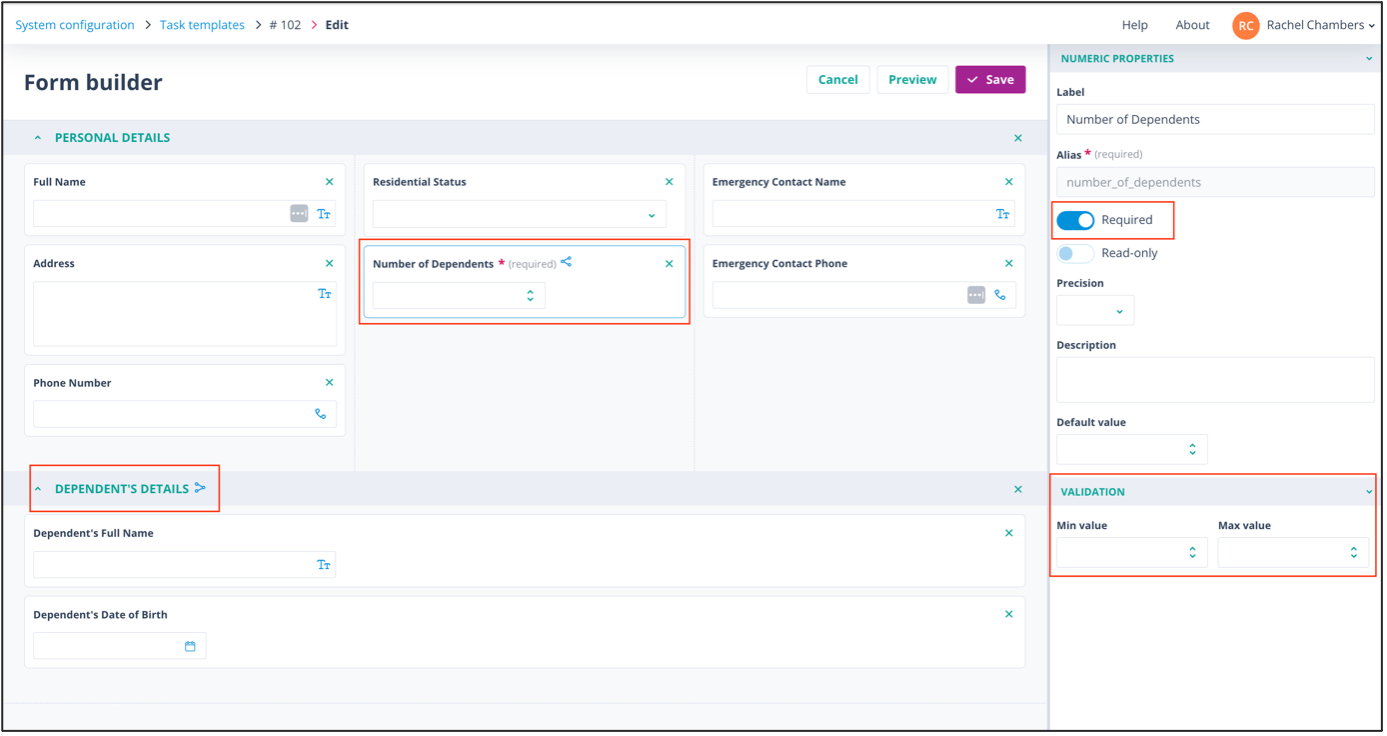
Values 1, 2, 3, and so on are used to display sections with the appropriate number of fields to capture dependents' details.
If validation is added
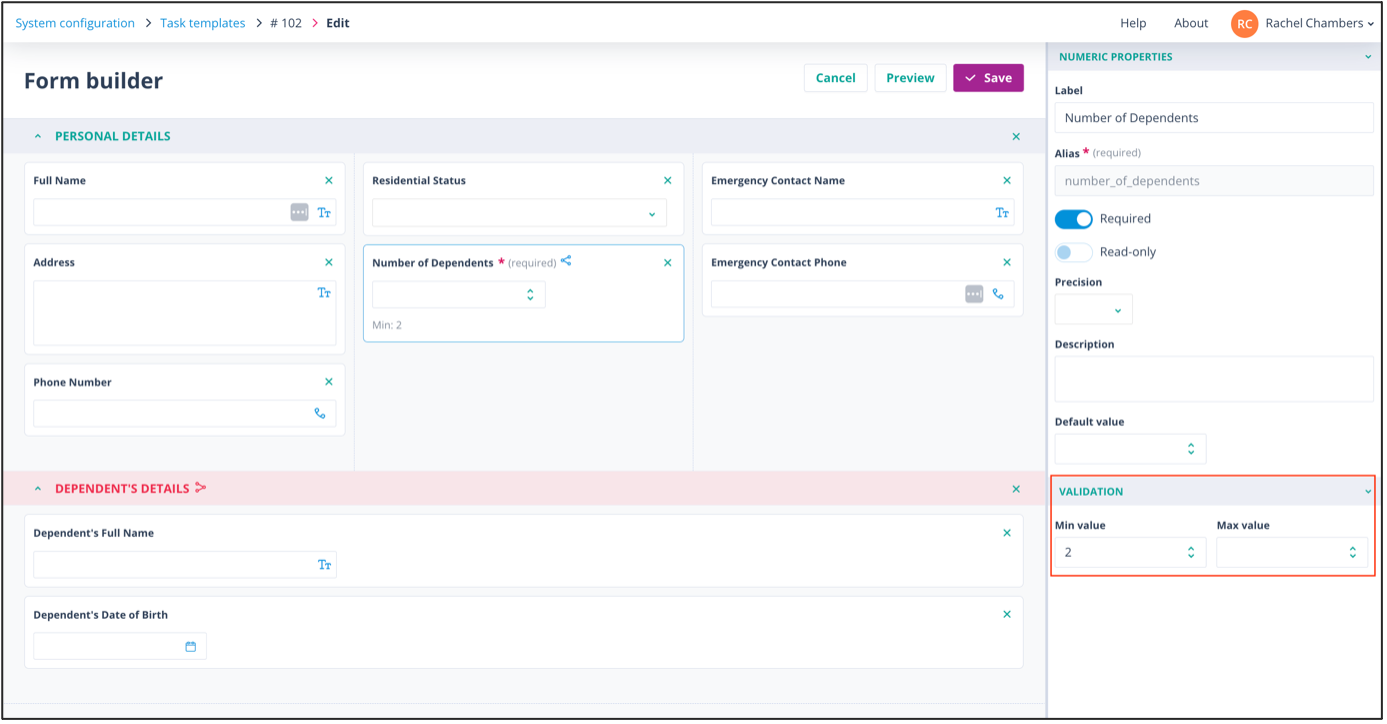
If validation is added so that a condition can no longer be met, the affected sections are highlighted in red.
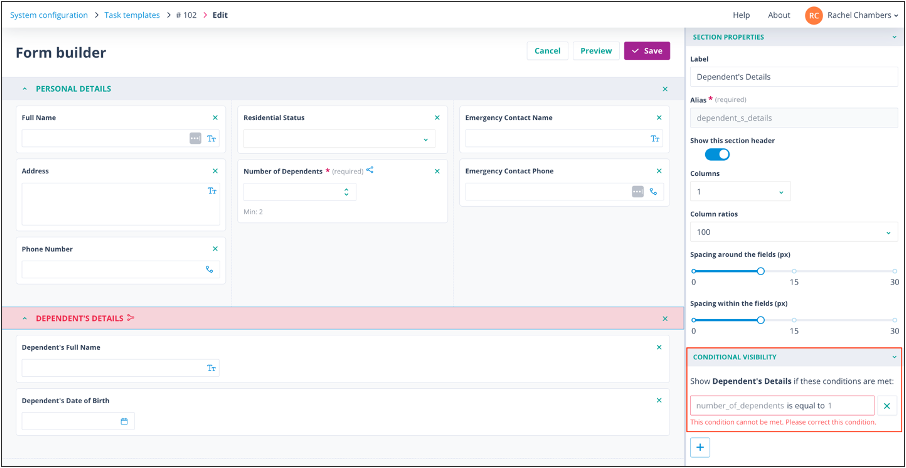
When you click on the highlighted section, an error message explains that the condition cannot be met.
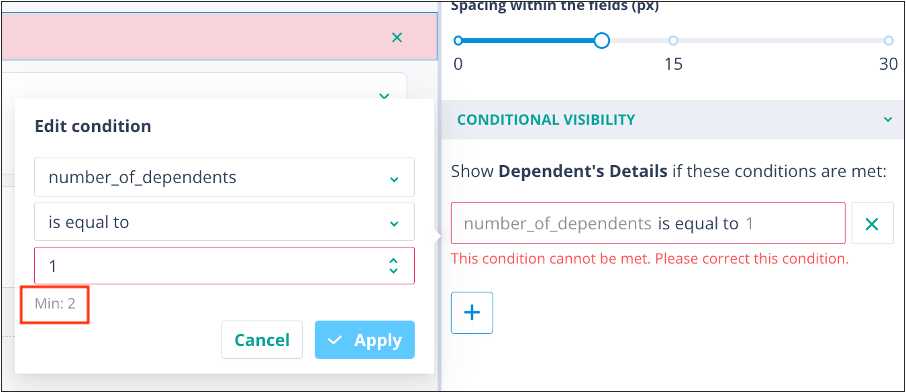
Clicking on the condition opens the Edit condition modal, where you can see why the condition can no longer be met.
In this example, the minimum allowed value in the field Number of Dependents has been changed to 2.
However, the condition in Conditional Visibility was configured as:
field_number_of_dependents is equal to 1Because of the revised validation, this condition can never be met.
Note: The Edit condition modal displays Min 2.
To return the section to a valid state, do one of the following:
- remove or amend the field validation
- amend the condition
- remove the invalid condition
Similarly, single and multi select field types are often used to control the display of subsequent sections because the pre-defined options leave little room for data-entry errors.
In this example, the field Gender was originally created with six options.
Each option is used to display a further section containing gender-specific questions.
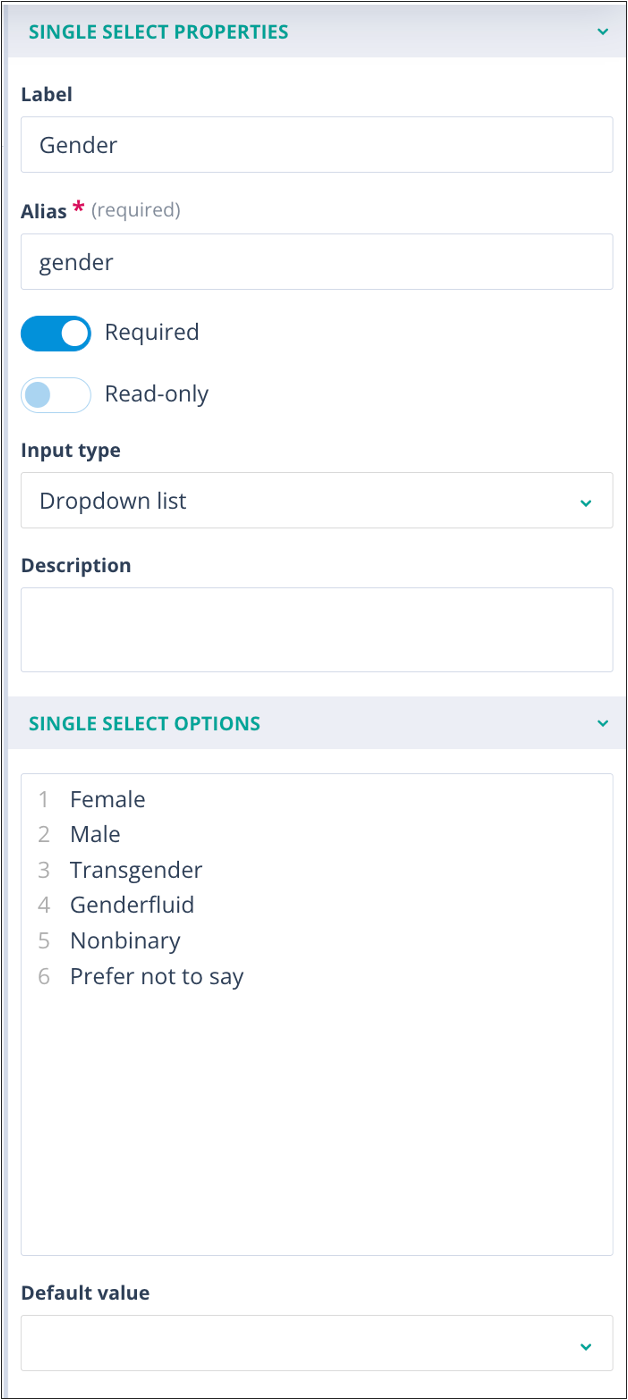
If one of these options is removed or amended, the affected section is highlighted in red.
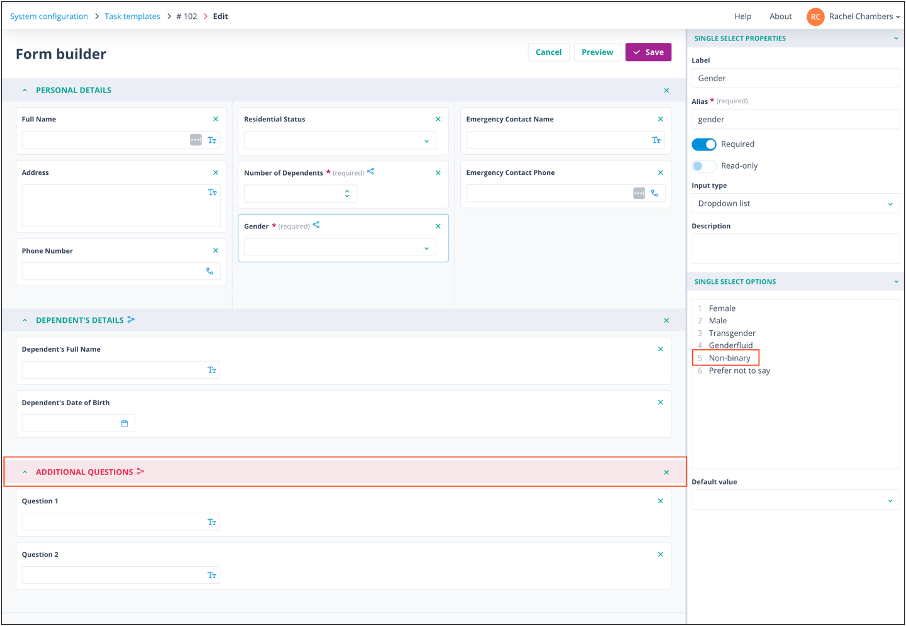
If an option is amended or removed
When you click on the highlighted section, an error message explains that the condition cannot be met.
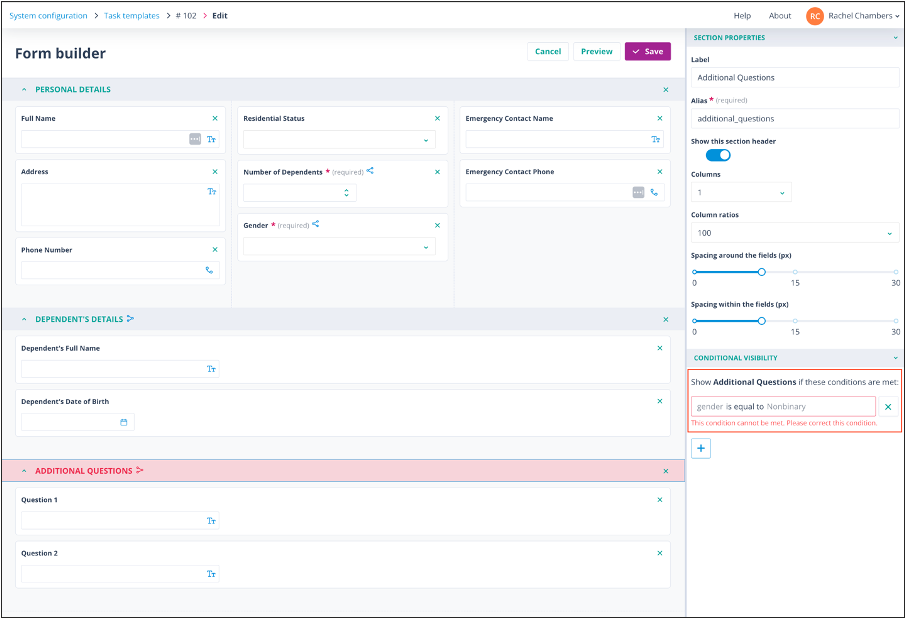
Important: An amended option is treated as if it has been removed.
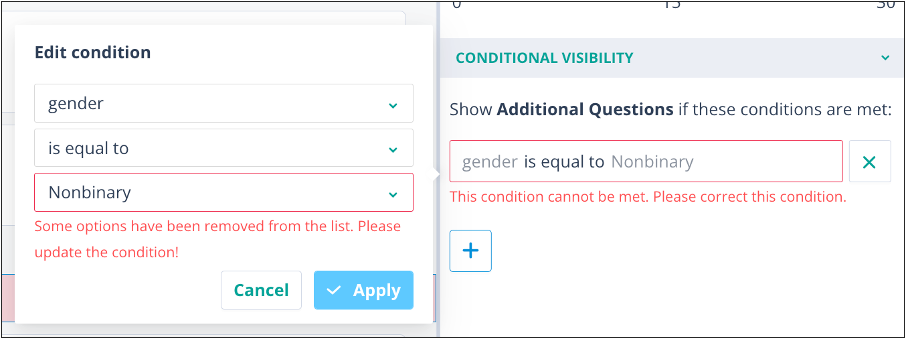
As before, you can amend the condition or remove the invalid condition.
In this example, replacing the removed option will resolve the issue. The order of the options does not matter, provided the required option exists.
Things to remember
- Fields used in conditional logic should normally be marked as Required.
- If validation prevents a condition from being met, the affected section is highlighted in red.
- Changing or removing select-list options can invalidate conditional logic in the same way as changing validation rules.
- An amended option is treated as a removed option for conditional logic purposes.
- Invalid conditions can usually be resolved by updating the validation, restoring the option, amending the condition, or removing the invalid condition.