
Analytics Database
Have you ever wondered how to connect the dots between your daily operations and their long-term impact? Our new Analytics Database bridges this gap by unifying critical data sources. This powerful combination gives you visibility into both current operations and historical patterns.
Through an ETL (Extract, Transform, Load) process, we sync and consolidate data from the two sources into the Analytics Database, built on ClickHouse:
- Resource Database (PostgreSQL): The operational backbone of Catalyst, containing real-time, transactional data like object records and task statuses.
- History Events Database: The repository for historical event tracking, including audit trails, permission changes, and field-level updates.
This allows you to work with a single source of truth for reporting while keeping operational and historical data separate for optimal performance. Incremental updates are synced every 30 minutes to ensure data freshness. Large datasets are processed in chunks to maintain performance even in high-volume environments.
What’s inside the Analytics Database?
Here’s what each table brings to your analytics:
1. Object Records (objects_objectrecordfield - Resource Database)
Analyze the completeness of critical fields, monitor updates to object records, and ensure vital data is consistently captured across workflows.
2. Tasks (tasks_task - Resource Database)
Gain visibility into task statuses, monitor overdue items, track completion trends, and evaluate workload distribution among team members to optimize project management.
3. Fields (fields - History Database)
Access detailed information about field configurations, including aliases and labels, to audit and optimize how fields are utilized across your processes.
4. Object Records History (object_records_history - History Database)
Track historical changes to object records, including event timestamps, event types, and associated record IDs. Ideal for auditing and understanding the lifecycle of key records.
5. Permission Sets (permission_sets - History Database)
Analyze modifications to permission sets, analyze changes over time, and ensure that access controls are properly configured and enforced throughout your organization.
6. User Groups (user_groups - History Database)
Leverage user group data to identify group-based actions. This ensures better tracking of team contributions and alignment with role-based responsibilities.
7. Users (users - History Database)
Analyze user-level activity to determine who created or modified records, completed tasks, or owns specific workflows. This helps in accurately attributing actions to individuals, improving accountability and visibility across processes.
Analytical potential with ClickHouse
With ClickHouse as its backbone, the new Analitycal database empowers analysts to leverage SQL to extract deep insights tailored to their needs. Whether you want to calculate task completion trends, review audit trails, or assess workflow bottlenecks, the flexibility of SQL opens the door to limitless possibilities.
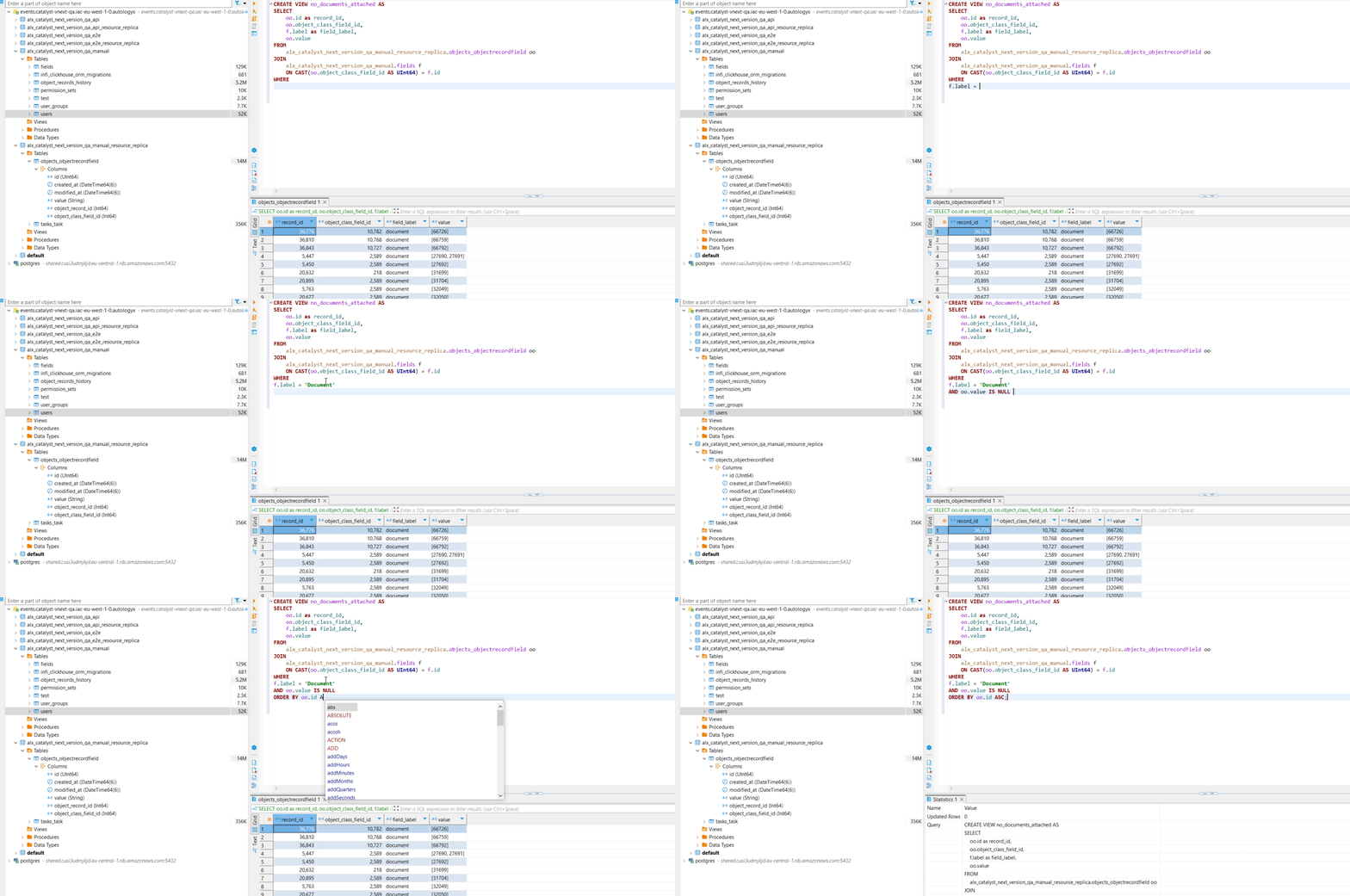
Moreover, ClickHouse enables the creation of Views - virtual tables that can consolidate data from multiple sources, pre-aggregate information, and simplify complex queries. For your organization, this means:
- Faster, more consistent reporting with standardized data models.
- The ability to generate tailored datasets that align with specific business goals.
- Easier integration with BI tools, as Views can act as ready-to-use datasets for visualizations and dashboards.
Real-world application: enhancing due diligence insights
When legal teams work on a complex M&A due diligence process, they often face the daunting task of managing and reviewing thousands of documents. The Analytics Database simplifies this process by providing a comprehensive view of all relevant data and enabling detailed analysis to inform decision-making.
Document Review Intelligence
- Track contracts flagged for high-risk clauses and ensure they receive priority in the review pipeline.
- Monitor the progress of pending document reviews, identifying gaps and delays before they escalate into critical issues.
- Analyze bottlenecks in the workflow to understand where and why delays are occurring in the review process.
- Evaluate reviewer performance to allocate resources more effectively, matching tasks with the right expertise.
Streamlining Processes with Dashboards
- Visualize average review times for different document types, such as employment agreements or supplier contracts, to identify inefficiencies.
- Pinpoint peak activity periods, enabling better resource planning during critical stages of the process.
- Display completion rates by department, ensuring accountability and alignment across teams.
Proactive Risk Mitigation
- Quickly identify documents with missing or incomplete data, such as unsigned contracts or missing clauses.
- Detect compliance issues early, such as documents that don’t adhere to legal or regulatory standards, reducing exposure to risk.
- Leverage historical data to understand recurring risk patterns and prevent similar issues in future processes.
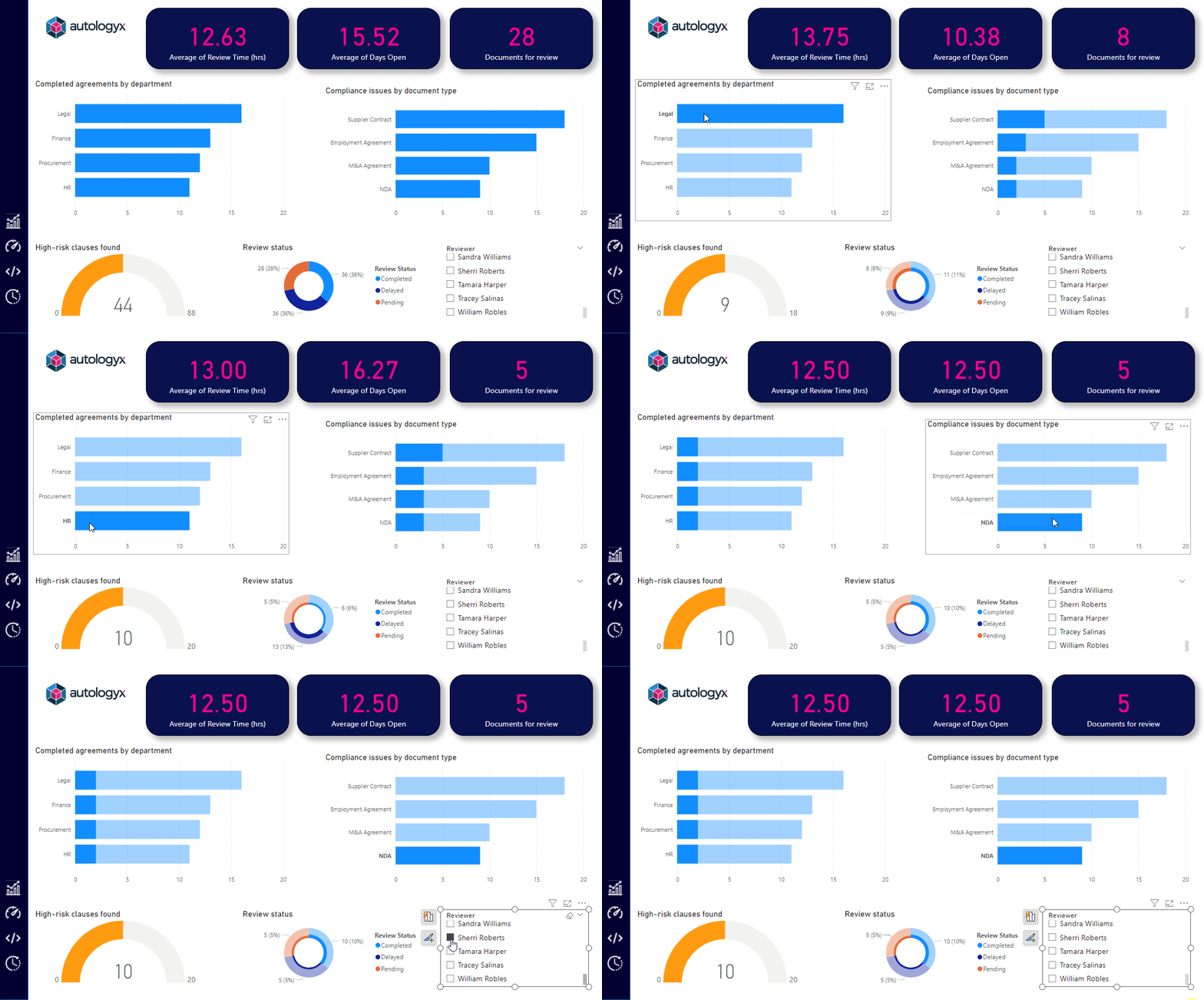
For organizations with this feature enabled, connecting to the Analytics Database is straightforward through standard BI tools. Whether you're using Power BI's DirectQuery for real-time analysis or Tableau for comprehensive visualizations, you're just a few clicks away from transforming your operational data into strategic insights.
Each table and field is meticulously structured to deliver the depth of analysis you need, without compromising system performance. From operational efficiency to strategic planning, the Analytics Database equips you with the tools to stay ahead in a data-driven world.