
Groups as Task assignees
Managing tasks across large teams shouldn't require an army of administrators. Our new User Groups in Tasks feature changes task management, replacing endless individual assignments with intelligent group-based automation. As people join or leave groups, their task assignments instantly adjust to match their roles. No more manual updates, no more missed assignments, just seamless task distribution that scales with your organisation.
Assigning User Groups to tasks
The first place where you can assign User Groups to tasks is in the Create Task panel. Here, User Groups are now available alongside individual users in the same selection area. You can choose to assign individual users, entire User Groups, or a combination of both as task assignees.
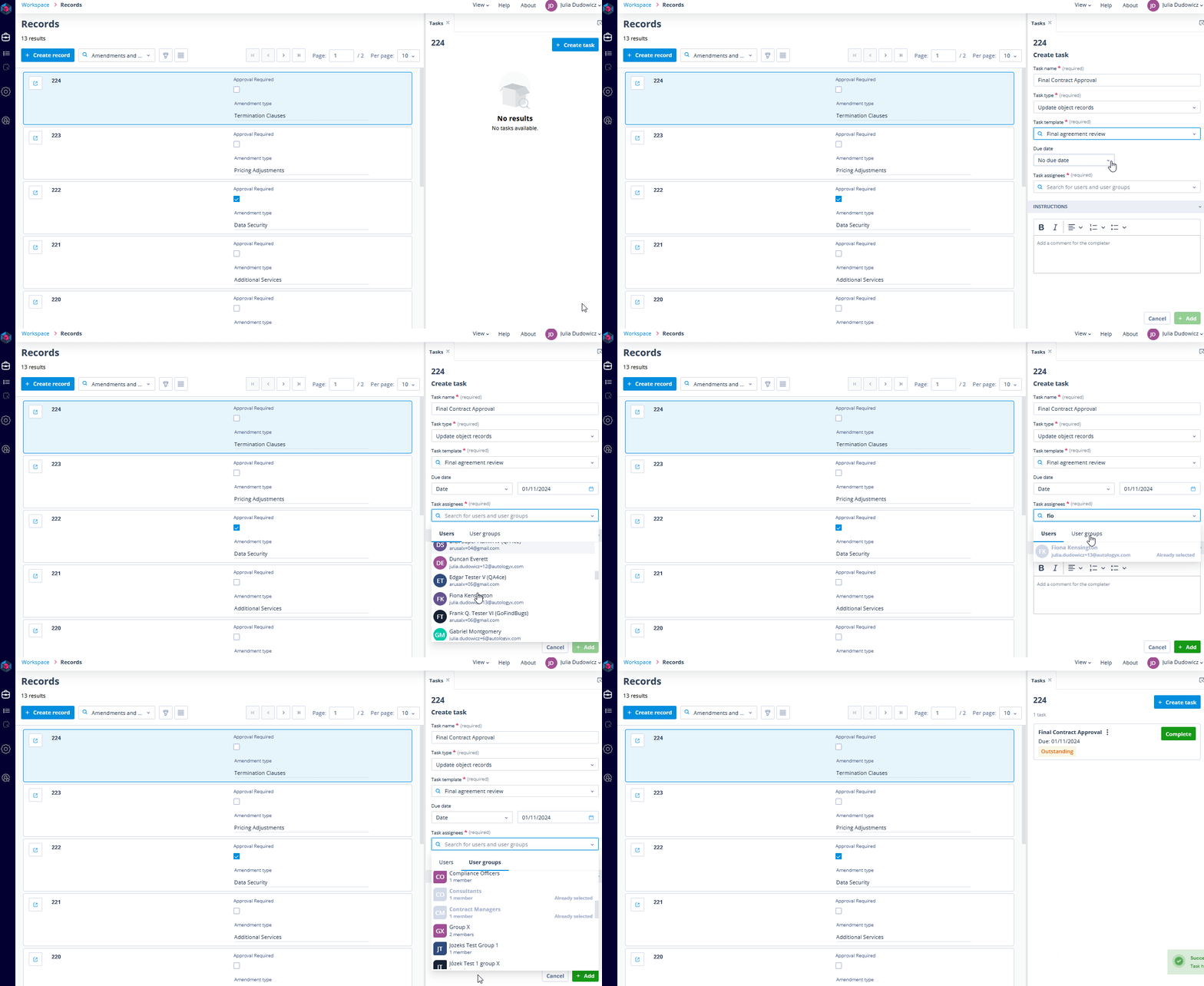
When you select a User Group as a task assignee, all members of that group are automatically assigned to the task. If any changes occur within the group - such as users being added or removed - these changes are reflected in the task assignments without the need for manual intervention. Whether you’re managing a project with multiple teams or assigning tasks across departments, this functionality ensures that everyone required is automatically on board.
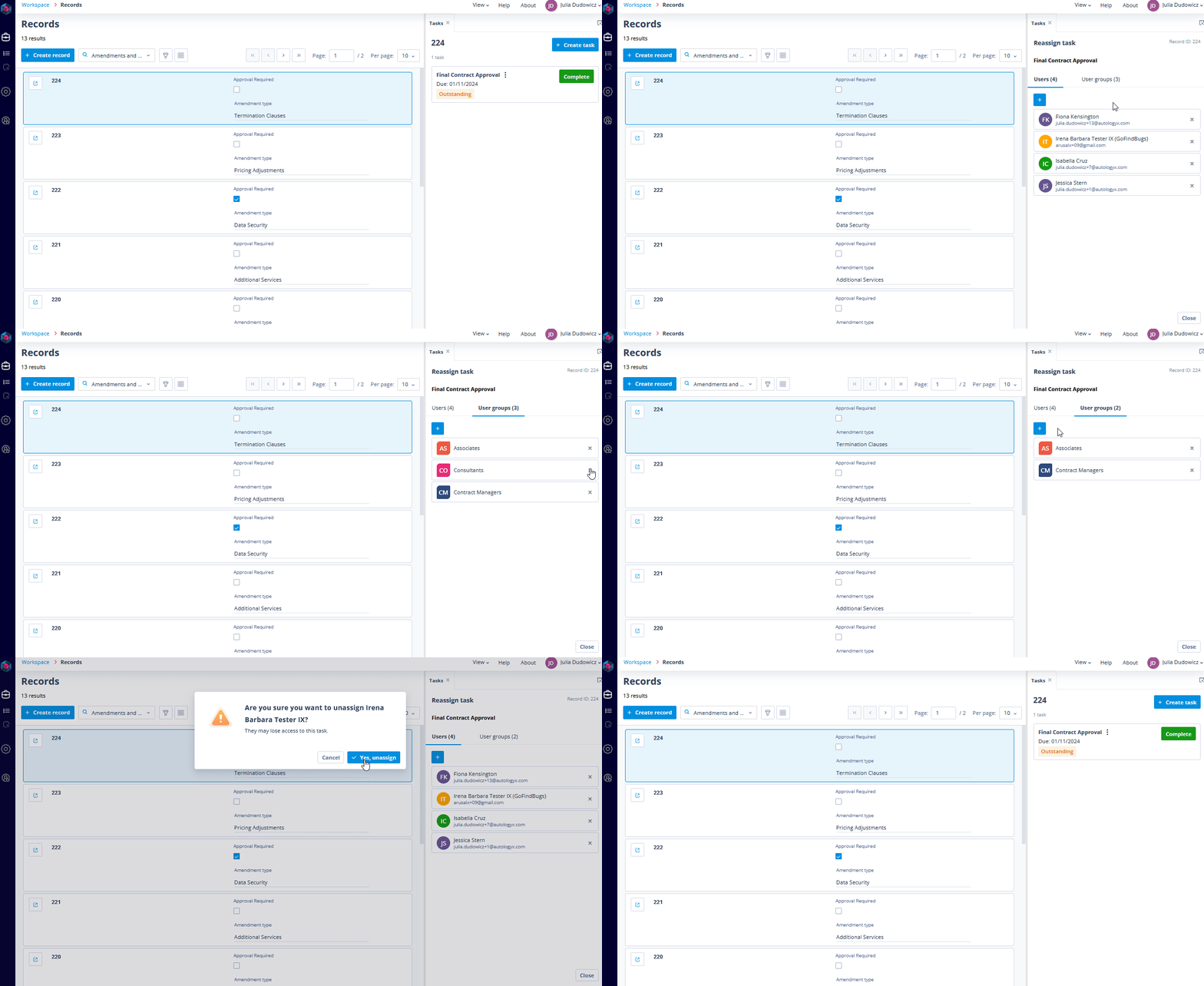
Permissions and limits
Permissions: You can only select users and groups for which you have permission to list. This maintains the security and integrity of task assignments within your workflows.
Limit: By default, you can assign up to 10 User Groups to a single task. All selected groups will appear as task assignees both in the task list and within the individual task details.
Filtering tasks by User Groups
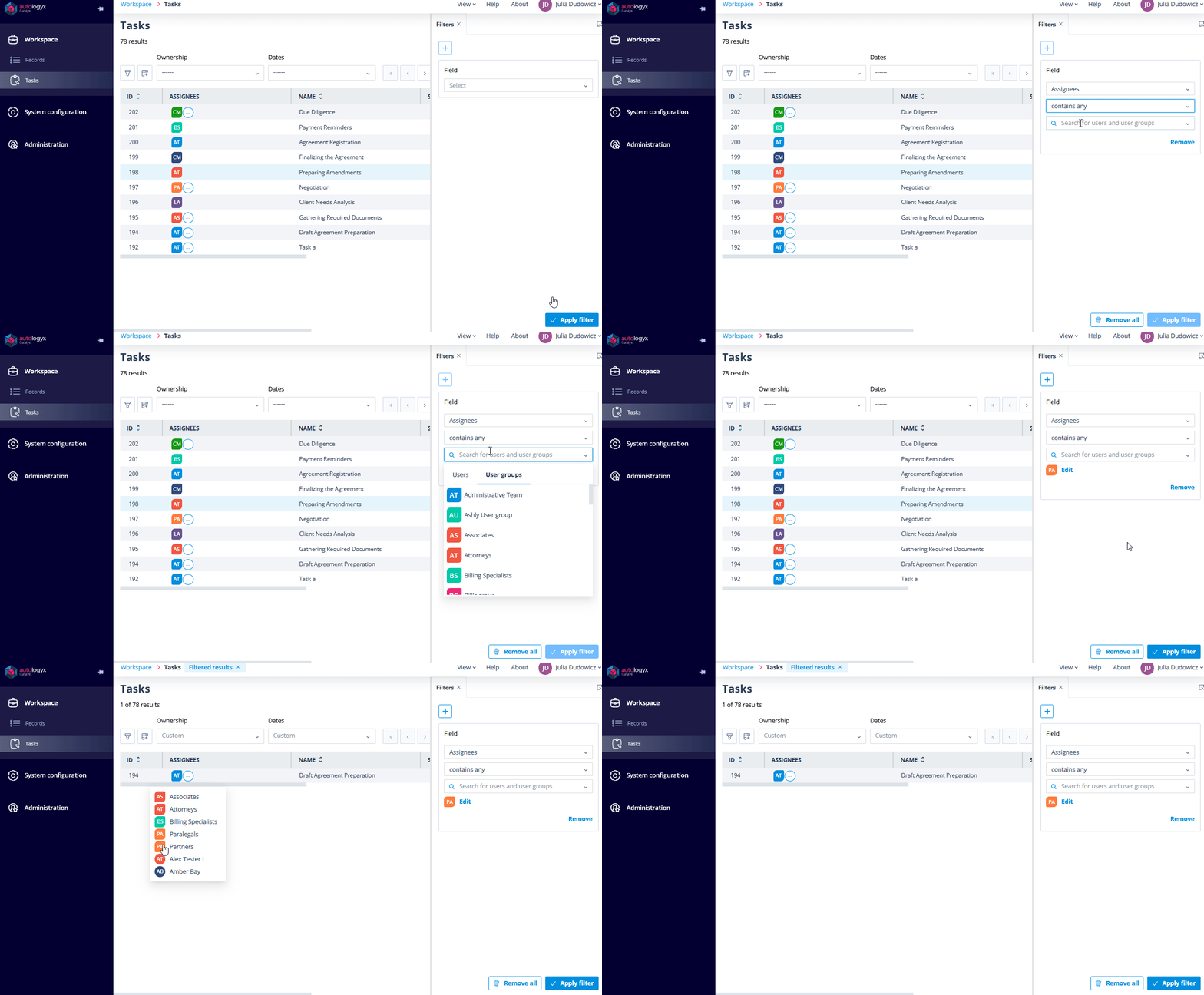
We've made task filtering more flexible by adding the ability to filter by User Groups. In addition to the existing "Tasks I'm Only an Assignee Of" filter (which works as before), you can now precisely search for tasks assigned to specific groups. This allows for more granular analysis of your tasks.
Summary
The introduction of User Groups to task management represents a significant leap forward in automating and streamlining task assignments. You can now assign entire departments with a single click, while automated group sync ensures task distribution updates as teams evolve. This approach to task management means instant updates and reduced administrative overhead.