
Azure OpenAI integration
The power of OpenAI's latest models is now at your fingertips with Azure OpenAI actor in Catalyst - this integration provides a simple, scalable, and enterprise-ready solution.
With support for OpenAI’s most advanced models, you can leverage cutting-edge AI capabilities directly within your business processes. Plus, full compatibility with Azure OpenAI Service means you can use both standard models and your own custom deployments, giving you maximum flexibility.
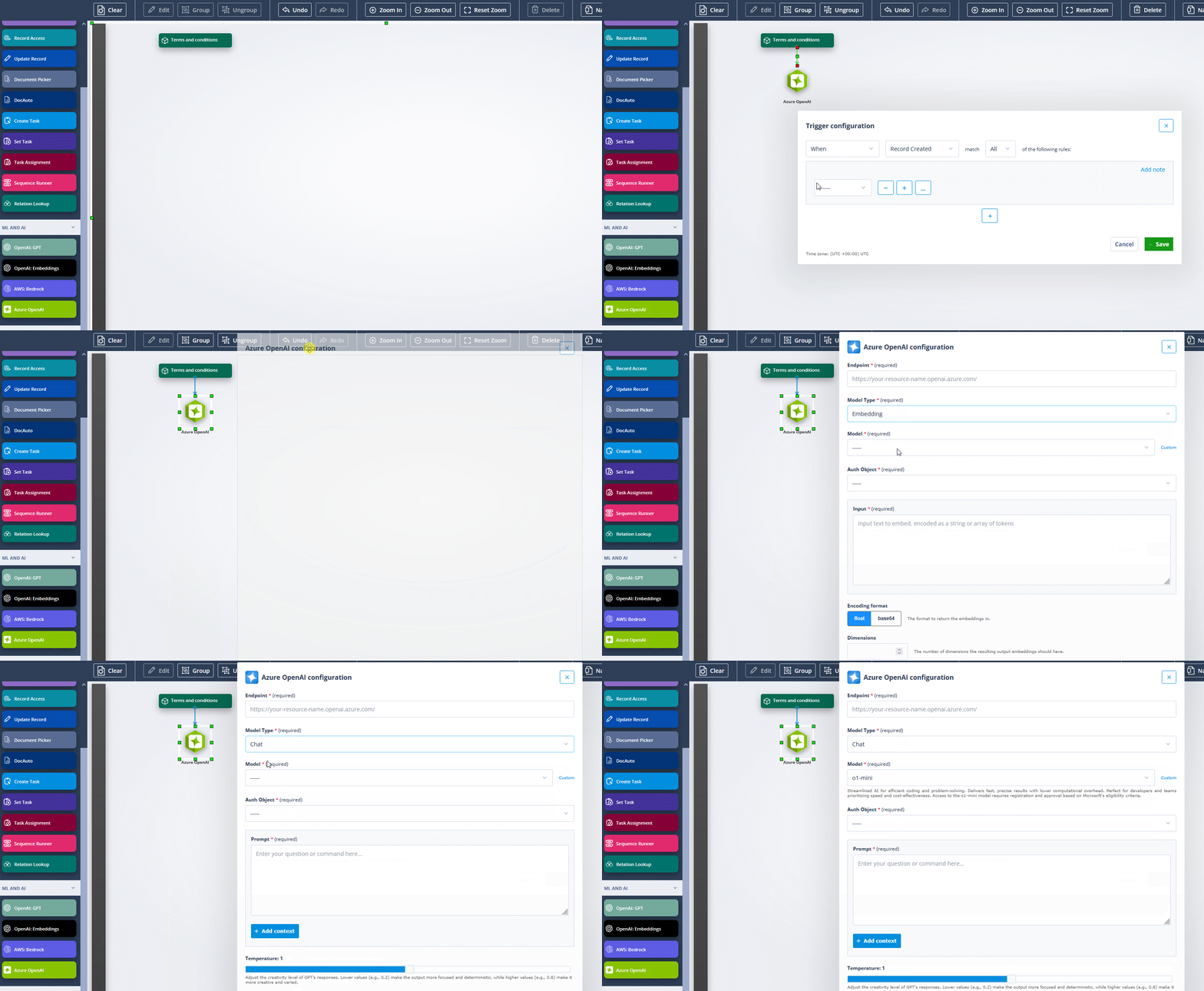
Chat models
OpenAI’s latest chat models are designed to handle complex reasoning, generate high-quality responses, and support real-time interactions.
Ideal for:
- Customer service automation – AI-powered virtual assistants and chatbots for instant query resolution.
- Document drafting & summarisation – automate contract generation, policy explanations, and legal document reviews.
- Knowledge retrieval – seamless integration with databases for AI-powered insights and internal knowledge management.
Supported models: GPT-4o, GPT-4o mini, GPT-4, GPT-3.5 Turbo, o1, o1-mini
Instruct models
For businesses requiring precise, instruction-following AI, Instruct models excel in structured input-output tasks.
Ideal for:
- Process automation – AI-driven workflows for compliance checks, policy analysis, and regulatory document processing.
- Decision support – AI-powered data interpretation, risk analysis, and financial forecasting.
- Content generation – generating reports, summaries, and structured responses tailored to business needs.
Supported models: GPT-3.5 Turbo Instruct
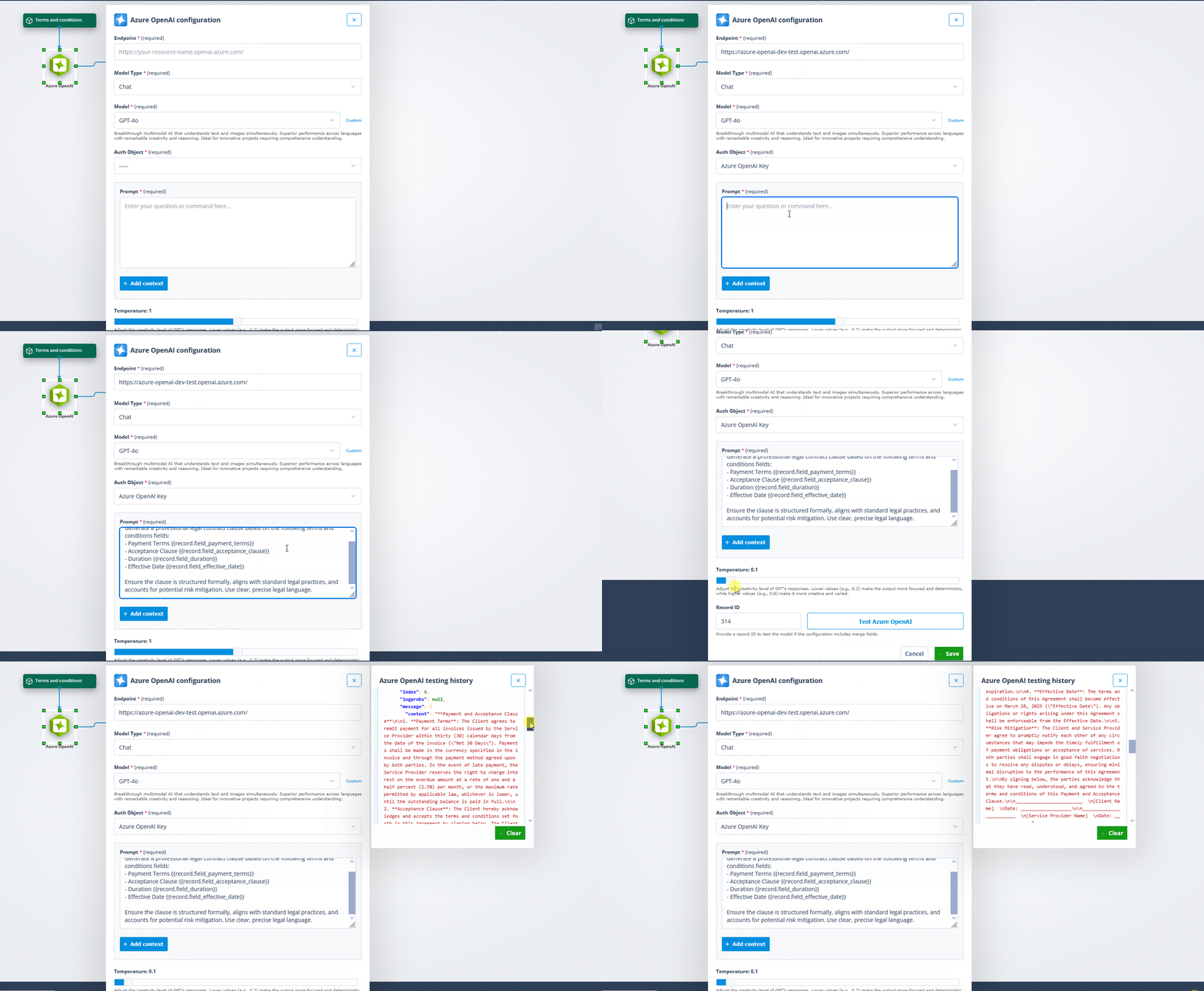
Embedding models
Embedding models convert text into numerical vectors.
This enables:
- AI-driven search – more relevant and intelligent search results based on contextual meaning rather than keywords.
- Recommendation engines – personalising customer experiences by understanding user behaviour and preferences.
- Data classification & clustering – automatically organising large volumes of unstructured data for deeper insights.
Supported models: text-embedding-3-large, text-embedding-3-small, text-embedding-ada-002
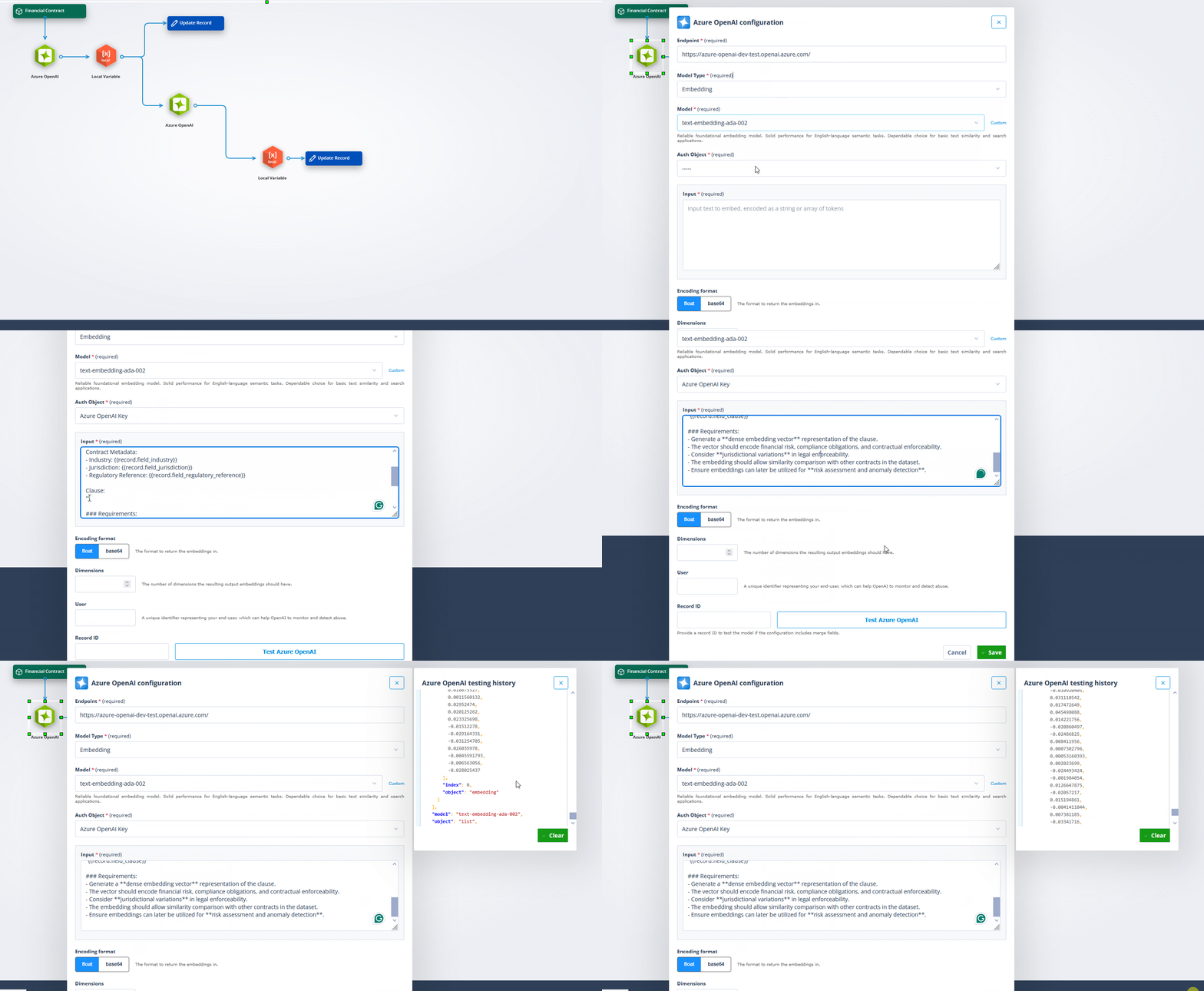
Configuration
Setting up Azure OpenAI Actor in Catalyst is straightforward, allowing businesses to tailor AI capabilities to their specific needs.
Endpoint: The endpoint field defines where requests are sent, ensuring seamless communication with Azure’s API.
Model type: Choosing the model type - Chat, Instruct, or Embeddings - determines how AI will process the input, whether it’s generating conversational responses, executing task-specific instructions, or transforming text into vector representations.
Specific model: Once the model type is set, a specific model needs to be specified - either from the supported list or a custom model deployed in the Azure OpenAI Service.
Authentication: Authentication is handled through the Authentication Object, ensuring secure access to the selected model.
Prompt and context: For Chat and Instruct models, the prompt and context fields shape the AI’s responses, allowing users to provide relevant details or set constraints.
Additional parameters: Additional parameters, like temperature, help fine-tune outputs - higher values generate more diverse responses, while lower values keep them precise and predictable.
Embeddings-specific fields: With Embeddings models, instead of a prompt, users enter the text input to be converted into numerical vectors. The configuration also includes encoding format, which dictates how text is processed, and vector dimensions, allowing businesses to optimise search accuracy and similarity matching.
User parameter: A user parameter can be specified for tracking or personalisation, ensuring that AI outputs are contextually relevant.
Availability and outcome
Availability: This integration is available for customers with this feature enabled. If your organisation is leveraging Azure OpenAI Service, you can now unlock the full potential of AI in your business operations with minimal setup.
Outcome: The Azure OpenAI actor marks a turning point in how businesses can apply AI to their operations. With a straightforward setup, flexible model options, and enterprise-grade security through Azure, you're now equipped to transform customer interactions, automate document processing, and extract insights from mountains of data - all while keeping your information within your secure environment. The AI revolution is here in Catalyst, ready for you to put it to work.