
Delayed account activation
Perfect timing is crucial when managing organisational access, especially in scenarios where coordination and precision matter. Whether you're preparing for a department-wide rollout where every team member needs access at the same time, setting up intricate permission structures before users even log in, or ensuring compliance with mandatory review processes before granting system access, timing plays a key role.
Our new delayed account activation feature streamlines these challenges, allowing you to control when and how accounts become active, ensuring a well-orchestrated user experience.
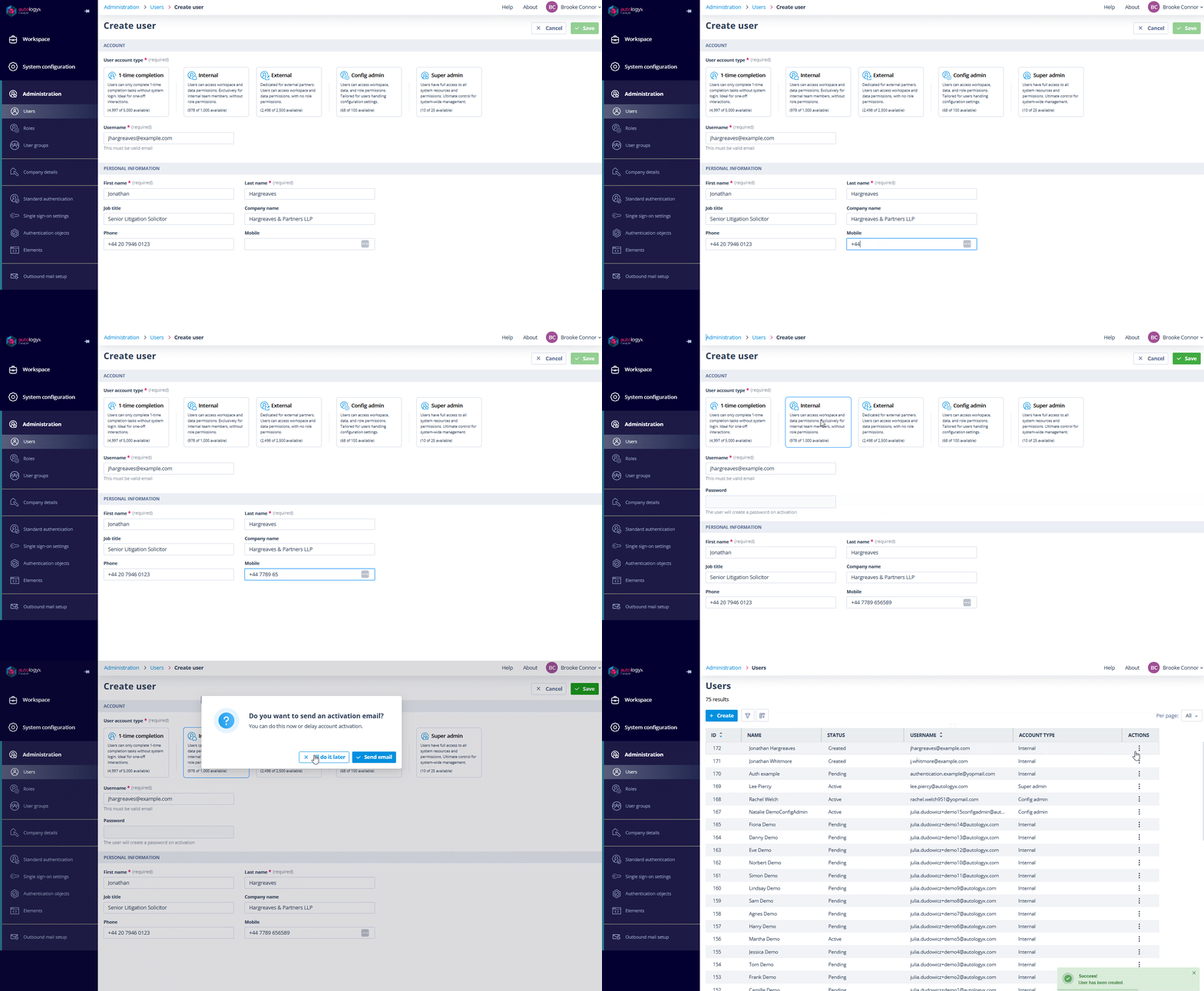
Delayed activation when creating a user
When adding a new user, you can decide whether to send the activation email immediately or hold off until a later time. If you choose not to send the email at the time of creation, the user will be listed in the system but won’t be able to set up their account until an activation email is sent.
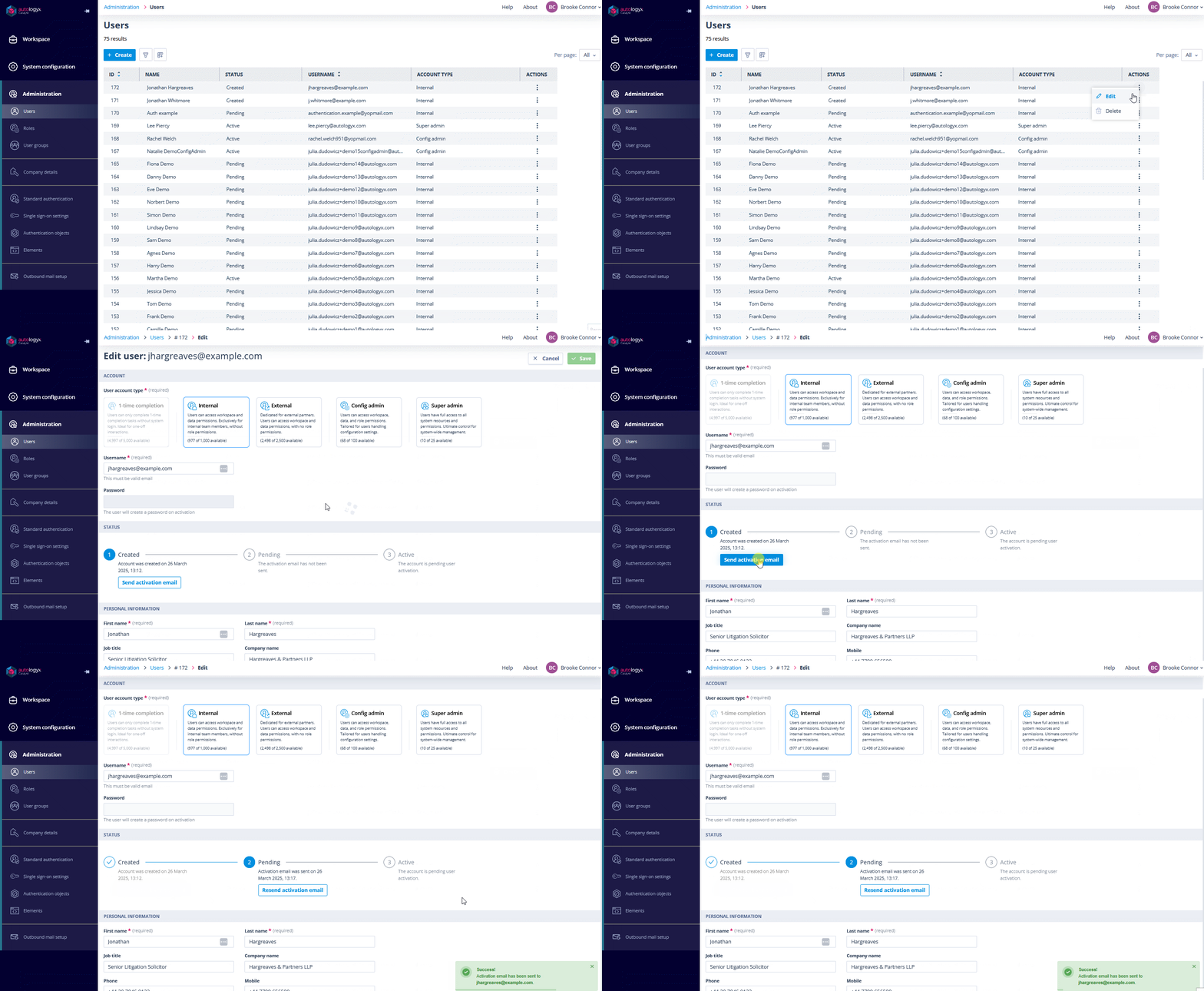
User details status section
To make account management easier, we’ve updated the User details page with a new Status section.
Here’s what you’ll see:
- Created – the user has been added to the platform, but their activation email hasn't been sent yet. If needed, you can send it manually from this page.
- Pending – the activation email has been sent, but the user hasn’t completed their account setup. You can see the last time the email was sent and resend it if necessary.
- Active – the user has successfully activated their account, with details on when the activation occurred.
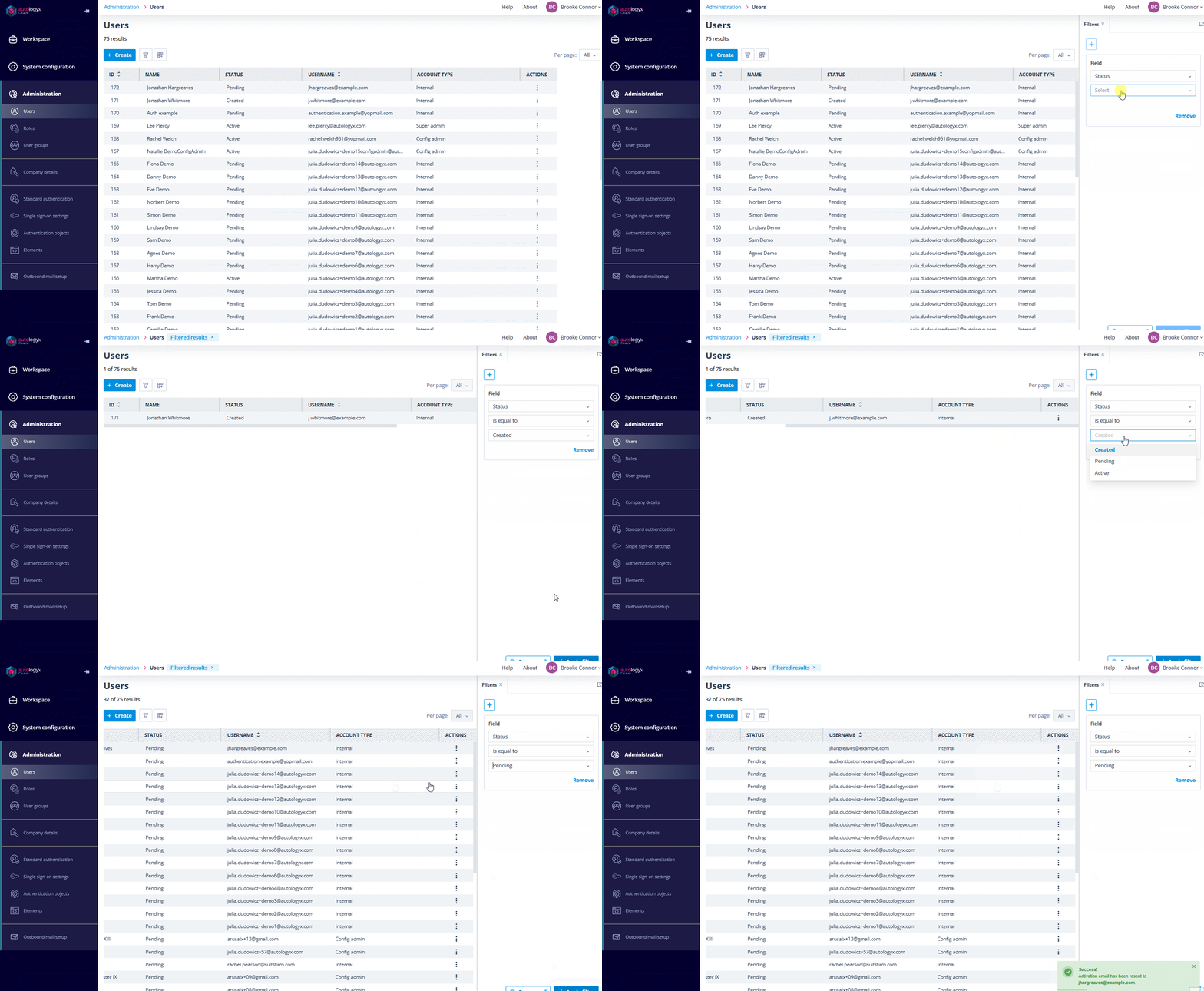
User List updates
The User List now includes a status column, making it easy to filter and identify users who haven't activated their accounts.
In summary, delayed account activation gives you control over the entire user activation timeline, letting you create accounts now but activate them precisely when it makes sense for your organisation. No more rushed setups or premature access grants!