
Multipart data support in API Call actor
Our new Multipart Data support for the API Call actor arrives just in time to solve one of your biggest integration headaches. This powerful addition lets you send diverse content types - text parameters and file attachments in a single, well-structured request to services like DocuSign, without writing a single line of custom code.
Multipart data allows you to send different types of content in a single request. This is essential for APIs that require both structured data and file uploads, such as document signing platforms, media processing services, or form submissions.
Configuration
When configuring an API Call actor with the POST method, you’ll now see an additional option: Multipart Data. Selecting this opens a dedicated Multipart Configuration section, where you can define multiple parts of the request.
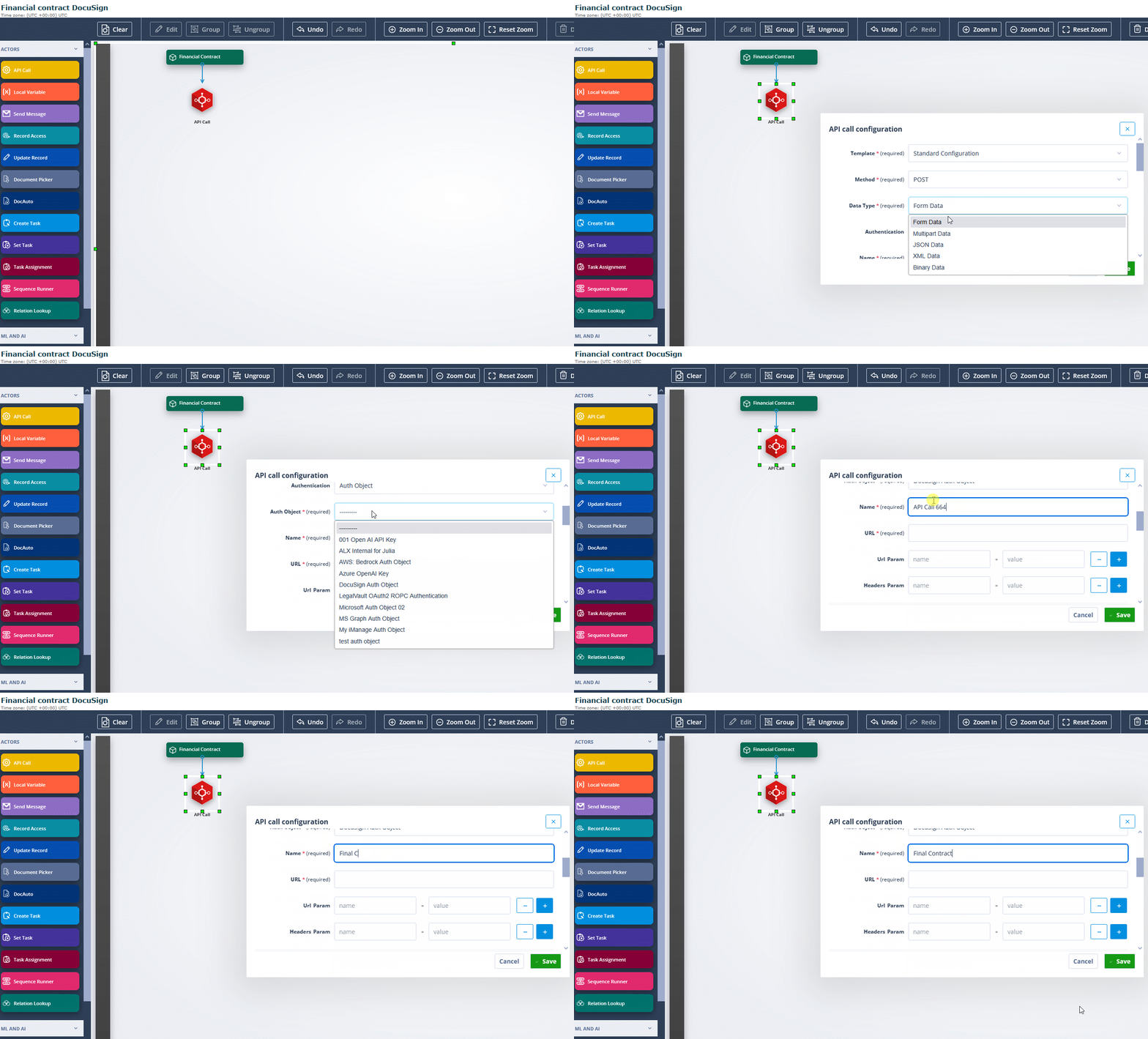
Key configuration details
- Each request part can be either Text or File.
- The default setup includes two parts, but you can add or remove parts as needed.
- Text parts allow you to specify metadata (e.g., “documentId” for DocuSign).
- File parts let you attach documents from the connected Document Picker.
- Each part is automatically structured with Content-Disposition and optional Content-Type fields.
Request parts
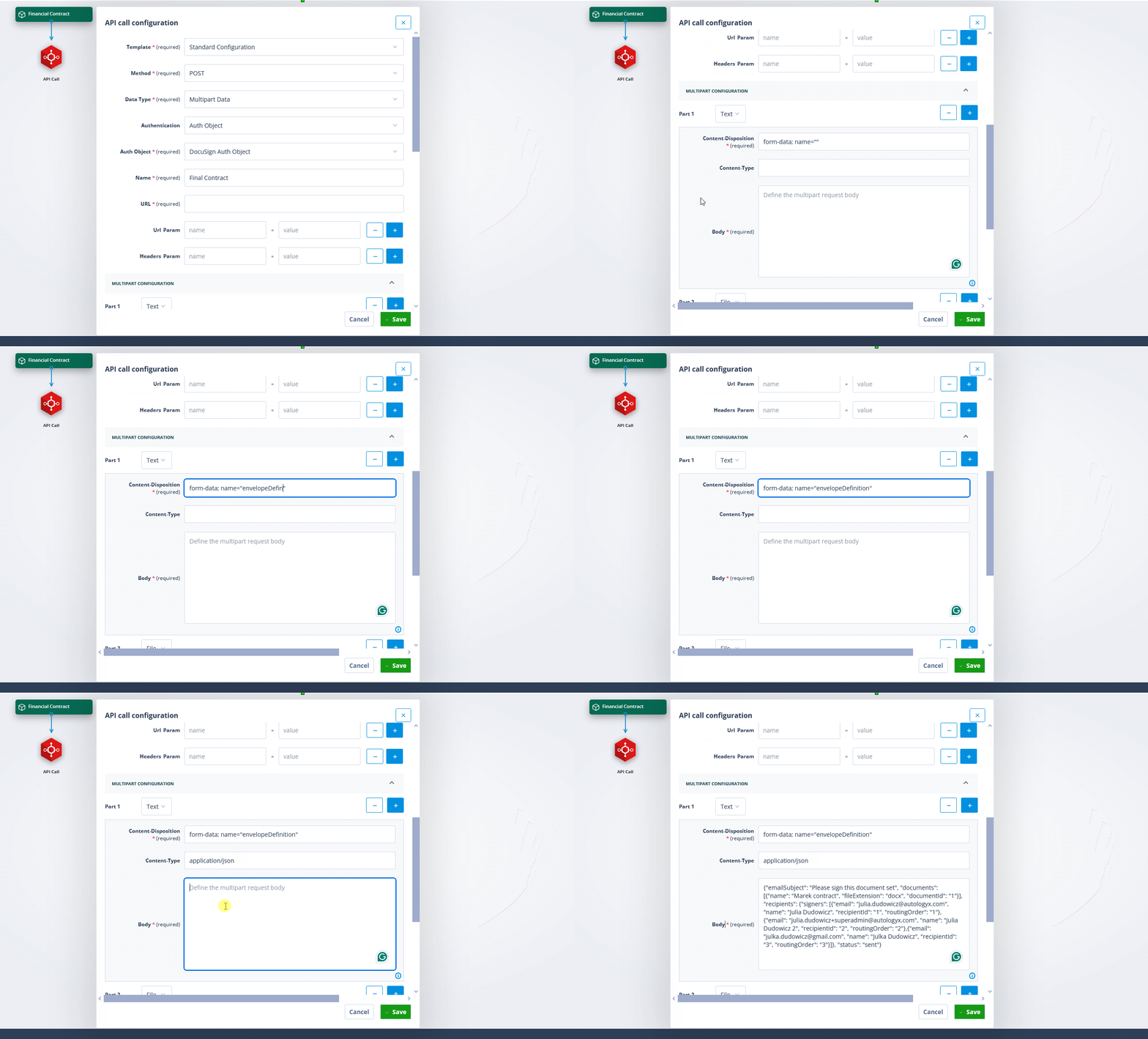
Each part in a multipart request follows a structured format:
Text parts
- Content-Disposition (required): This defines how the data should be treated in the request. It’s pre-filled with
form-data; name="", where you must specify the parameter name required by the target API. Ensure that 'name' is specified in Content-Disposition. You can also add custom attributes required by the target service, such as ‘documentId’ for DocuSign compatibility. - Content-Type (optional): Specifies the type of content being sent. This is empty by default but can be set if needed.
- Body (required): The actual text content being sent. This is where you define values like metadata, IDs, or descriptions.
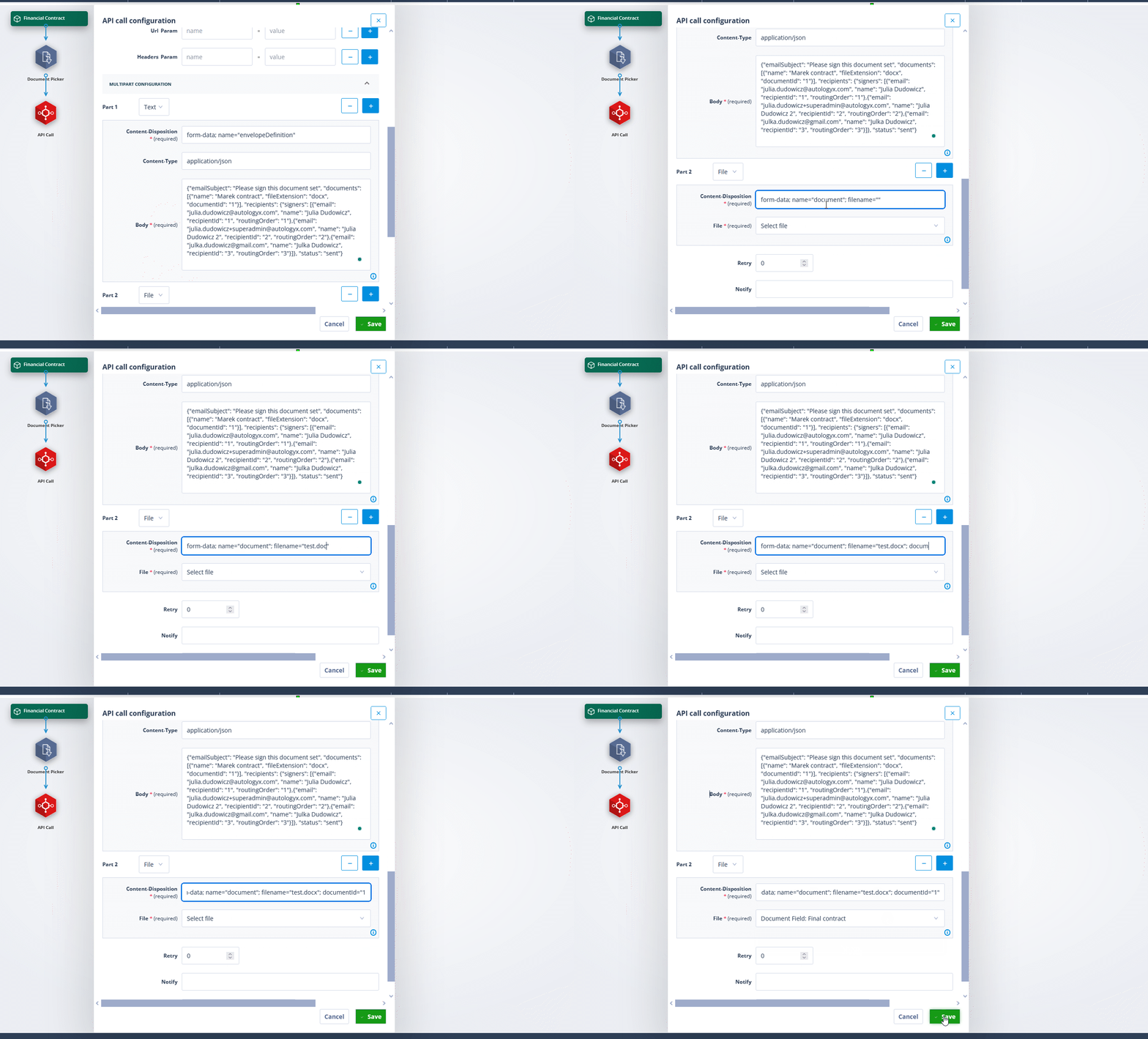
File parts
- Content-Disposition (required): Similar to text parts, but includes
filename=""to indicate a file is being sent. - File (required): You must select a file from the connected Document Picker. Only one file can be sent per field, and if multiple files exist, the most recently uploaded one is used.
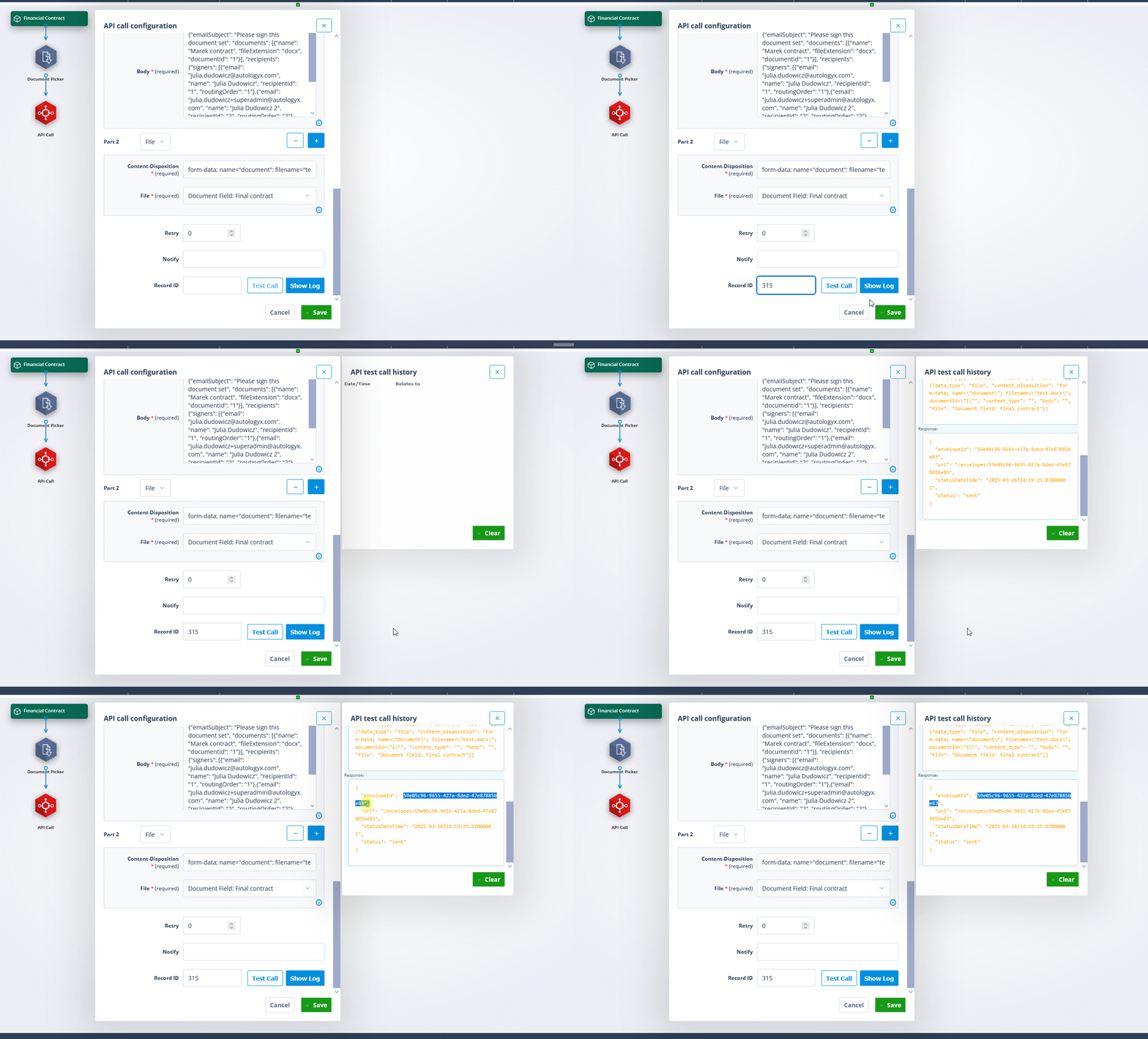
Managing multipart requests
Adding new parts is simple - just click the "+" button. You can freely rearrange, remove, and modify parts without losing configuration. The system ensures that only valid multipart requests can be saved, and you can test the request before finalising the setup.
Part order and file selection
The API Call actor maintains the correct order of parts in the request, ensuring seamless integration with external providers. If multiple files are available for a document field, the most recently uploaded file is used automatically.
This new feature expands API Call actor capabilities, making it easier to work with services like DocuSign, media uploads, and other APIs requiring multipart data. By providing meticulous control over request composition whilst ensuring provider compliance, multipart data support represents a significant advancement in Catalyst's integration capabilities.