
Authentication object changes
Authentication credentials power your most critical integrations—email delivery, API connections, and ML services. When they expire or disappear unexpectedly, entire workflows can fail without warning. This release transforms how you manage these essential components.
Automatic expiry notifications
Authentication objects now monitor their own lifecycle. Fourteen days before any credential expires, the system automatically emails the person who created it. The notification includes the object's name and precise expiry timestamp, giving you proper lead time to refresh tokens or update passwords.
If the original creator no longer has an account, no notification is sent, preventing emails to inactive addresses whilst maintaining security boundaries.
Complete usage visibility
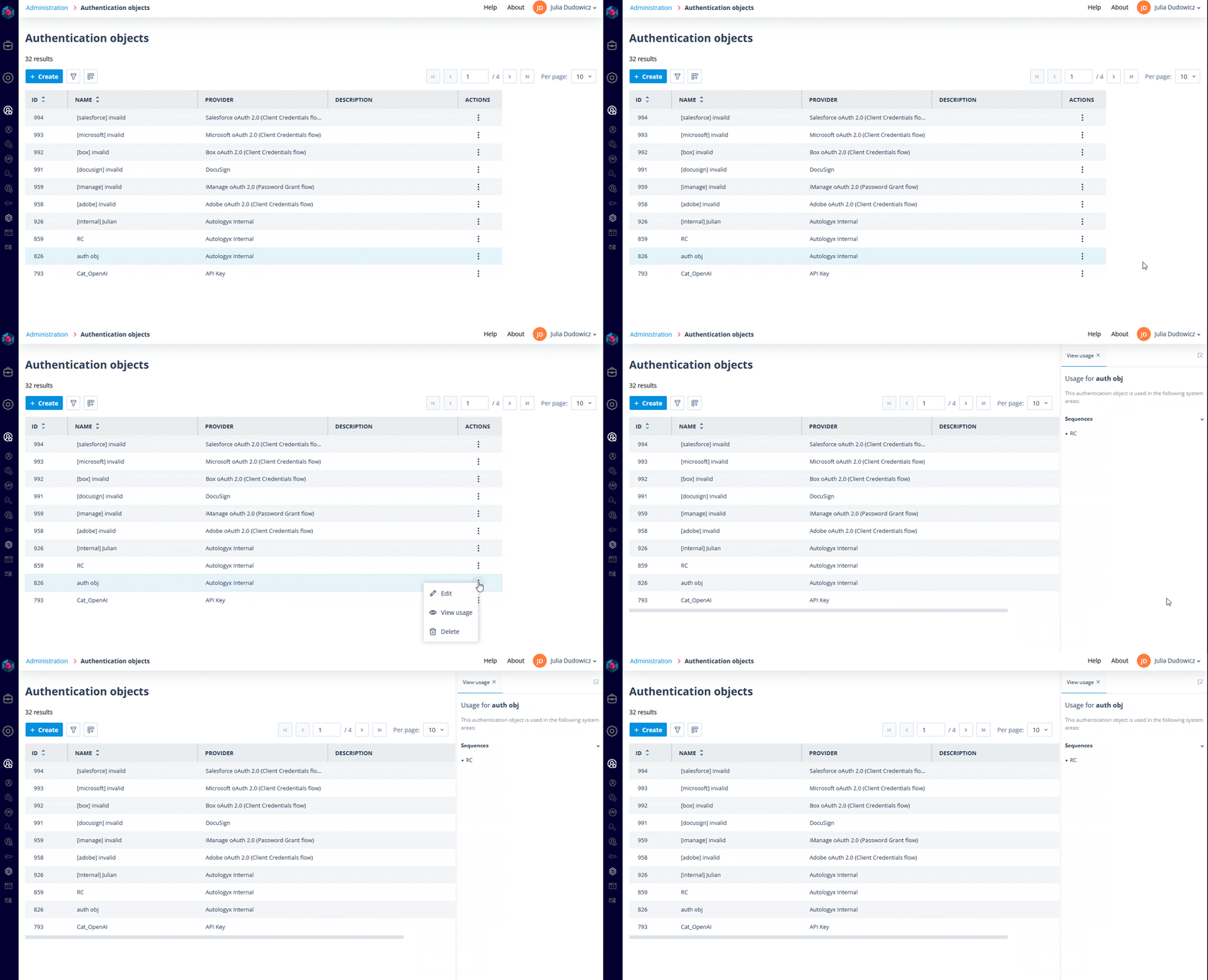
Each authentication object now displays a comprehensive usage panel showing exactly where it's deployed across your platform. When you're reviewing credentials, you'll see:
- Sequencer integrations: Every sequence using the object, listed by name for immediate identification of dependencies.
- System email configuration: Clear indication when the object powers your outbound mail setup.
This visibility eliminates guesswork when managing credentials and helps you understand the true impact of any changes.
Deletion protection
Authentication objects currently in use cannot be deleted. The system prevents the removal of any credential that would break active sequences or system functions. This safeguard stops accidental deletion of SMTP credentials that handle system emails, API tokens powering live integrations, or any other authentication that keeps your workflows running.
Summary
Your authentication infrastructure now operates with built-in intelligence. Credentials announce their approaching expiry, reveal their dependencies clearly, and protect themselves from destructive changes.
These improvements reduce the maintenance overhead of complex automation while preventing the silent failures that can disrupt business operations. Your integrations stay stable, your team stays informed, and your workflows keep running.