
File upload component
Does your team handle cases with hundreds or even thousands of documents? Traditionally, that meant manually creating records one by one, navigating complex forms, and spending hours in front of screens. But not anymore.
Overview
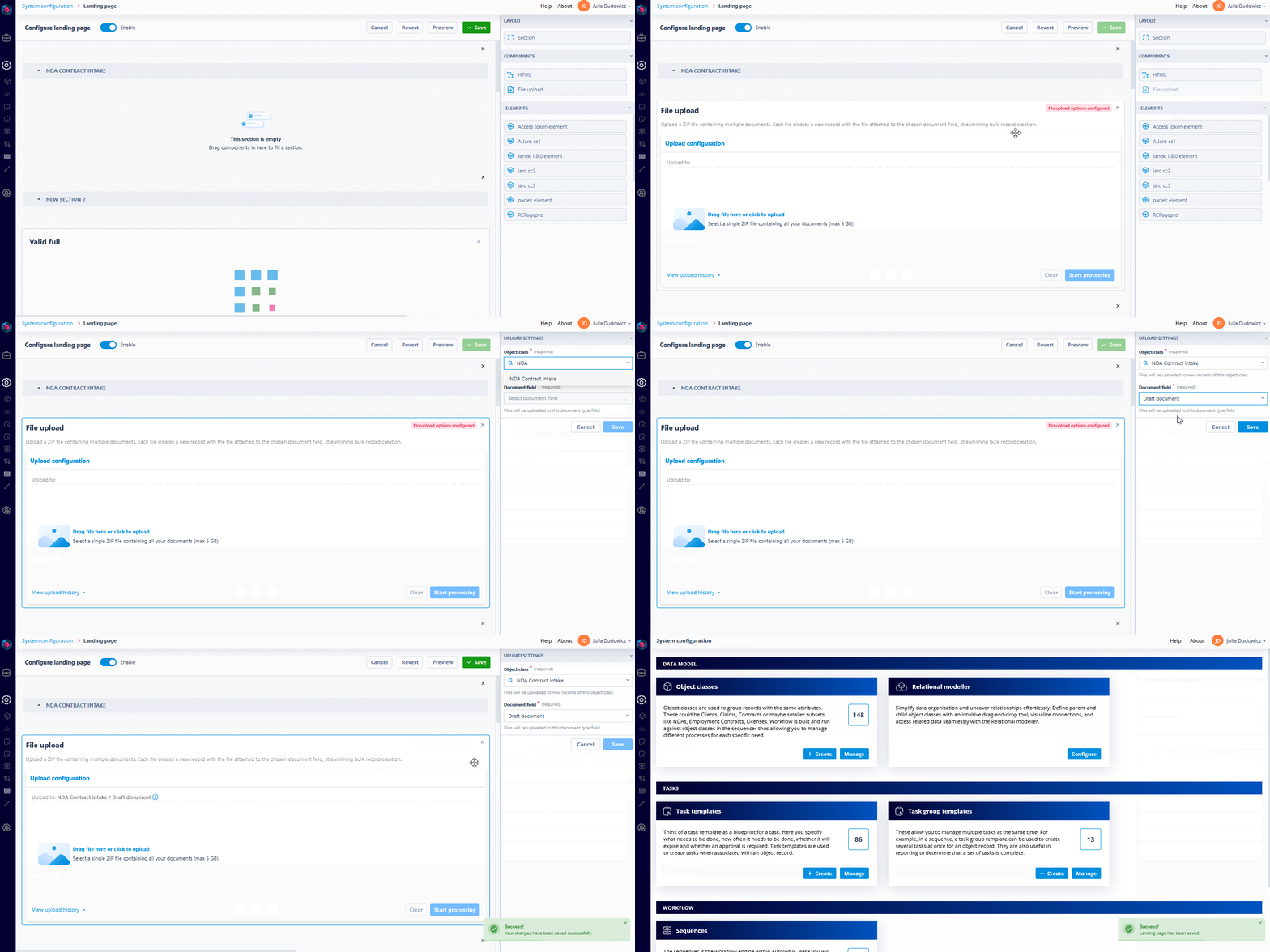
The File upload component is available as a drag-and-drop module on any Landing page. Once added, administrators can configure:
- The Object class for which new records should be created
- The specific document-type field into which each uploaded file will be attached
- An optional custom header and description text to guide end users
User experience
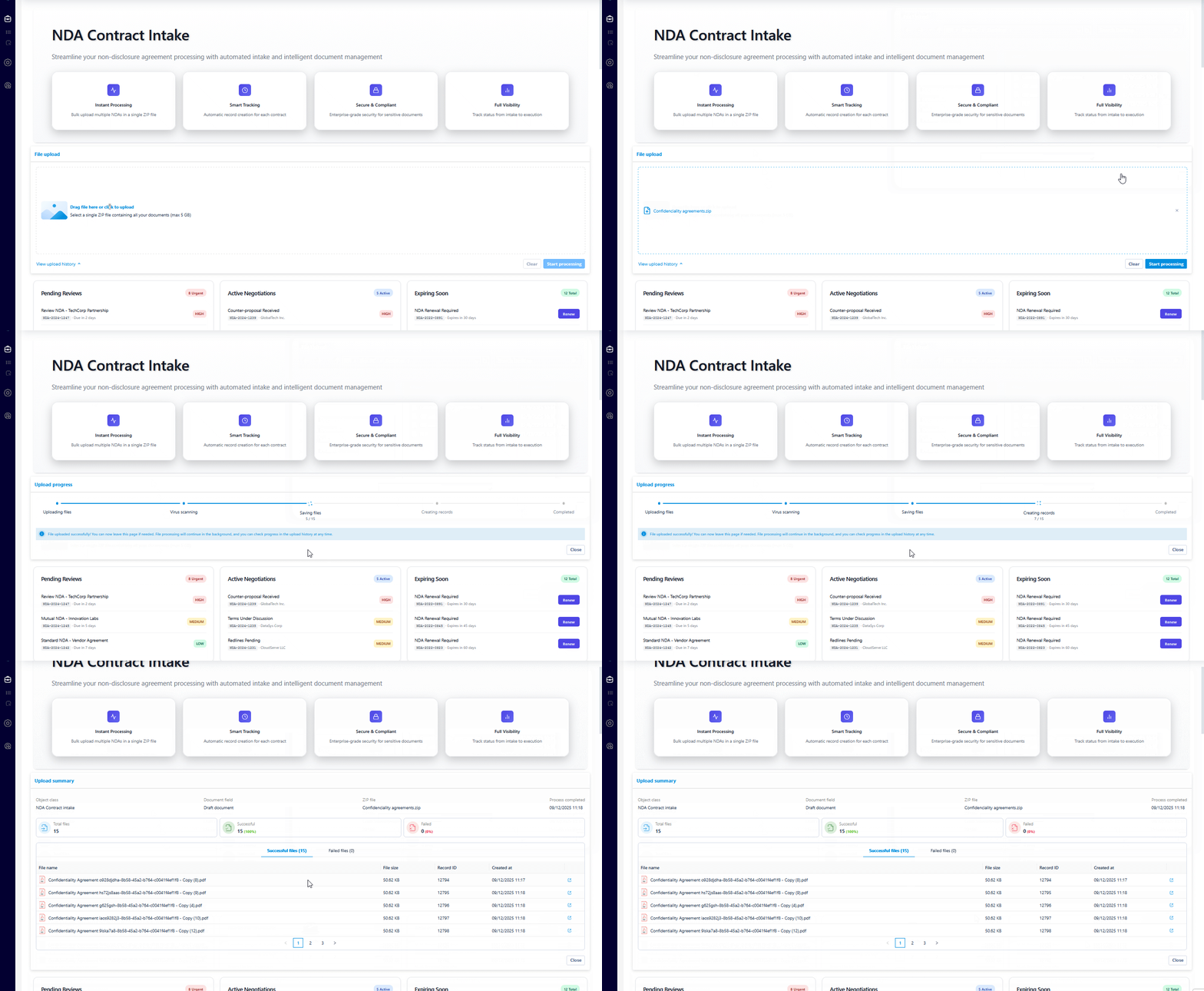
From the user’s perspective, the process is simple:
- Upload a
.ziparchive containing the documents to ingest - Click “Start processing”
- Done — the user can grab a coffee while we do the rest
File requirements
The ZIP must contain only documents — no subfolders or nested structures. Every file will be treated as a separate, standalone entry.
Maximum ZIP file size: 5GB
What happens behind the scenes?
This is where Catalyst really earns its name.
Step 1: Upload
The ZIP is uploaded directly through the user interface and streamed securely to Catalyst’s servers. The user must remain on the page during this step, and clear visual feedback is provided.
Step 2: Secure file processing
Once the upload completes, Catalyst takes over:
- Antivirus scan: Every file is scanned for known threats. If malware or corruption is detected, that file is isolated and marked as failed.
- Extraction and validation: The archive is unpacked. Each file is inspected and validated individually to ensure it meets document field requirements.
- Record creation: For each valid file, a new record is created within the target Object class. The file is automatically attached to the specified document field.
Results and history
Once done, users get a clear summary showing how many records were created and which files failed. Any errors appear under a “Failed files” tab — just one click to see what didn’t process and why.
Even if the user leaves the browser or goes offline, nothing is lost. The component remembers every upload. Users can revisit the upload history, check ongoing processing, or review detailed summaries of past uploads.
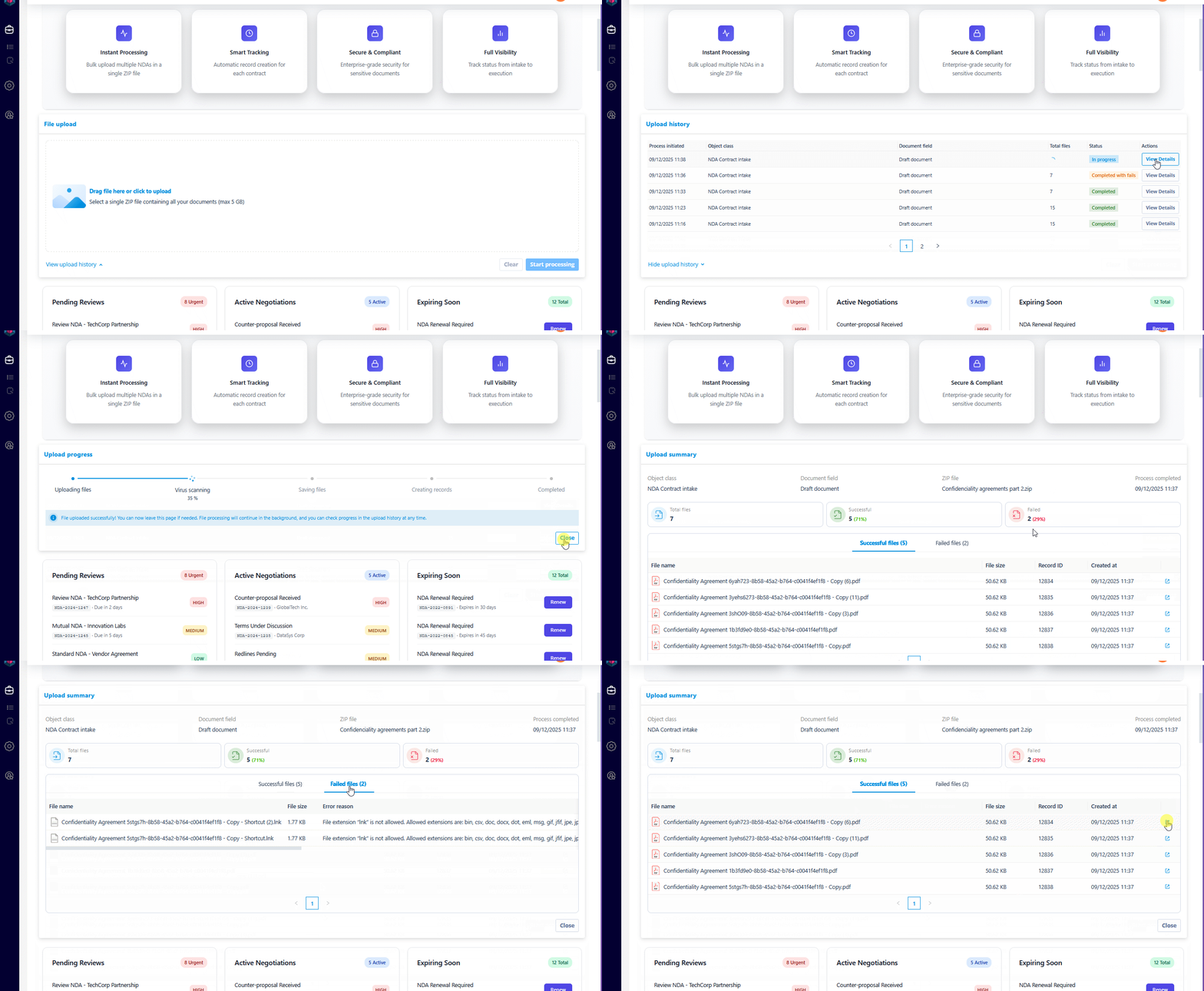
This entire process runs in the background. Users are free to navigate away, log out, or get on with other tasks.
Integration with Catalyst automation
Most powerful of all, this isn’t just a standalone tool. The File upload component integrates directly with Catalyst’s broader automation framework. After upload:
- You can immediately launch a Sequencer workflow to enrich records, route them for review, or notify users
- Records are fully usable, searchable, and filterable like any other manually created item
- Each file is automatically indexed and attached without manual input
Scale and use cases
We support ZIPs up to 5GB. How much fits into 5GB? That depends on the file types, but for standard legal PDFs (~250 KB each), that’s well over 20,000 documents in a single upload. Lawyers and legal teams can now automate record creation in batches, eliminate human error, and reclaim hours and budgets.
This is built for professionals who work with vast document sets: mass discovery, contract ingestion, employment disclosures — anywhere volume would traditionally block progress. Our File upload component streamlines these scenarios, letting your team focus on what truly matters: legal analysis, strategy, and client relationships.