
iManage integration
We know many of our clients rely on iManage as their daily workspace for documents and matters. That’s why this release brings the two worlds closer together, allowing you to access your iManage documents directly from Catalyst record views, with no context switching and no extra tabs.
Here’s how it works and what you need to do to get started.
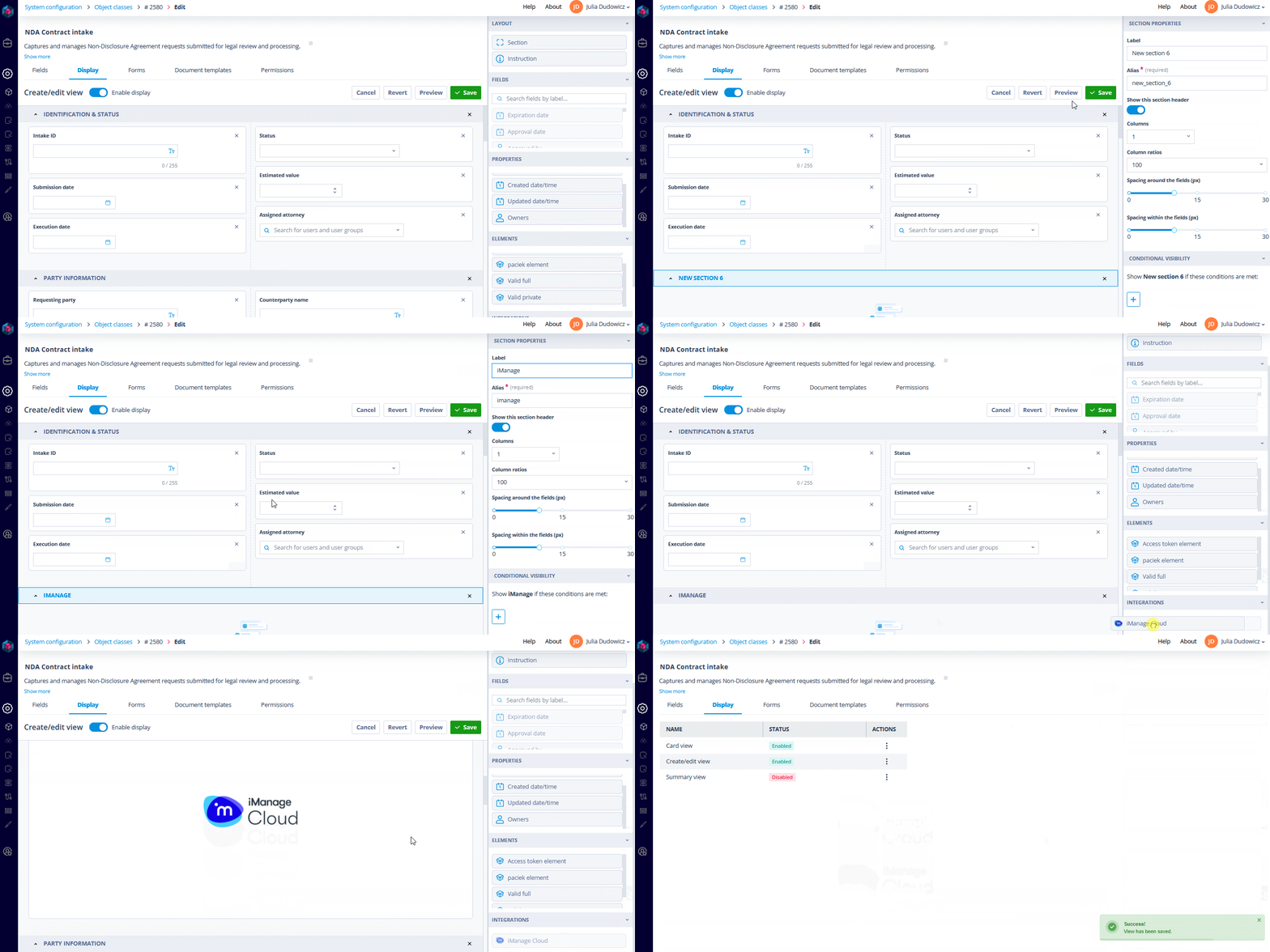
Adding the iManage component to the form
Once the iManage integration is both active and enabled, Catalyst form designers will notice a new section in the Create/edit record display form builder under Integrations. Inside it is a drag-and-droppable iManage Cloud component.
Just drop it anywhere onto your record layout, hit save, and you’re ready to go.
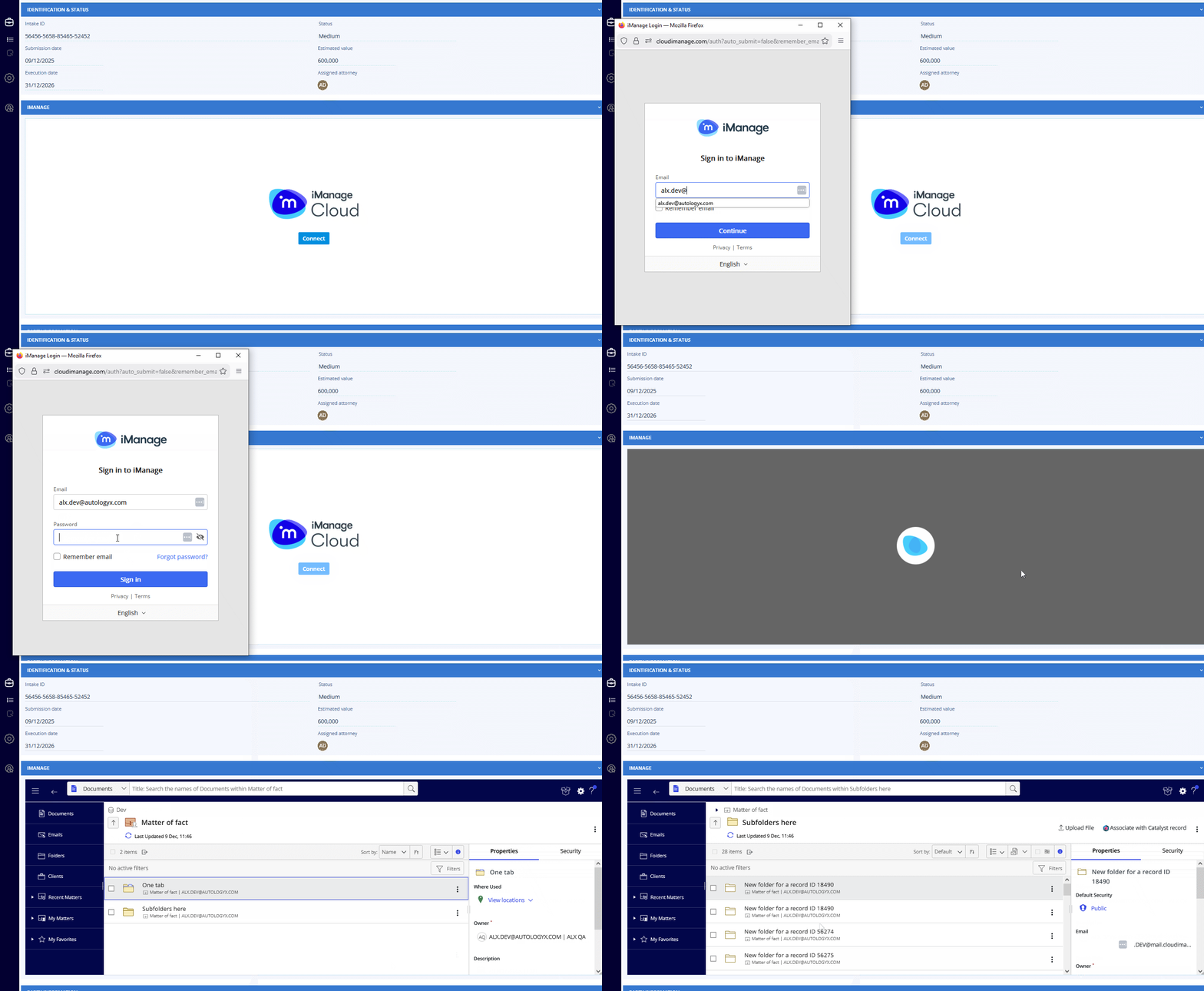
From that point forward, any user opening that record will be prompted to log in to iManage. This is a one-time authentication using OAuth 2.0 (Authorization Code Grant flow), secure and enterprise-ready.
After that, they can:
- Browse documents stored in iManage directly inside the record
- Navigate between folders or matters
- Preview files without leaving the Catalyst UI
The best part: You only need to sign in once. Your session is remembered until your token expires - no repeated logins or broken workflows.
Predefine which iManage folder opens per record
Every matter operates differently, and default context is critical. That’s why we’ve introduced two complementary ways to define which iManage folder should appear first when a user opens a record.
Assign the folder directly in the iManage component
When viewing the iManage component on a record:
Right-click any folder → select “Associate with Catalyst record”.
Catalyst will automatically bind the currently selected iManage location to that record - no API calls, no configuration steps. The next time anyone opens the record, the component will automatically jump to that folder. This is the quickest option for day-to-day users who prefer working visually rather than configuring automation.
Assign the folder programmatically via API
For teams automating matter setup, onboarding flows, or bulk operations, the assignment can also be done using the new endpoint:
POST /api/integrations/{integration_id}/object-record-metadata/{record_id}/Where:
integration_id= the ID of your iManage integrationrecord_id= the ID of the Catalyst record you're linking to
Payload example:
{"imanage\_location":"iManage\_folder\_id"}The next time a user opens that record, the iManage component will jump straight to the assigned folder or matter. If no location is set, it will load the default iManage screen.
Simplify API Calls with built-in templates
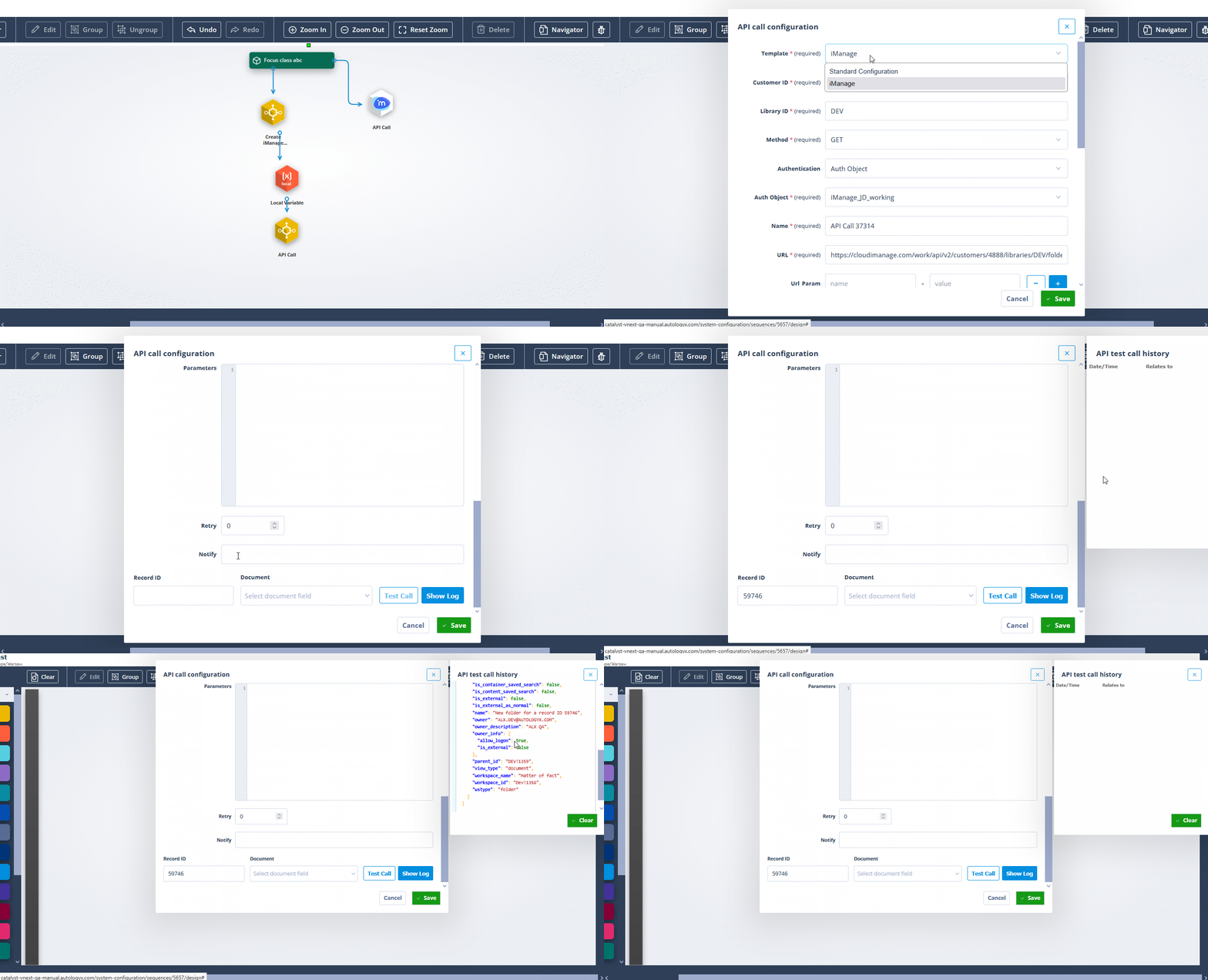
Working with the iManage API inside Catalyst just got easier too. When the integration is enabled, you’ll find a dedicated API Call template inside the Sequencer, tailored specifically for iManage.
This helps you:
- Send files to iManage or retrieve documents back into Catalyst
- Configure parameters quickly
- Avoid manual guesswork with auth headers or endpoints
Use it in automation workflows to connect your records with the right files, at the right time, without custom scripting.
This integration makes working with documents across Catalyst and iManage feel natural. You can browse files, upload new versions, and jump between Matters and |all without leaving the record, switching tabs, or losing your flow.
You stay in context, with everything you need right where you expect it. And most importantly, it all happens inside Catalyst - the tool your team already relies on to manage the work that matters most.