
Integrations
We know that no matter how powerful one system is, real work happens across many tools: document management, eSignatures, communication platforms, and now AI. With this release, Catalyst gives you a clear and simple way to manage all those connections from one central spot. Everything stays in sync, and the most important processes happen exactly where they should: in Catalyst.
Centralised integrations management
There’s now a dedicated space in Catalyst: System configuration → Integrations
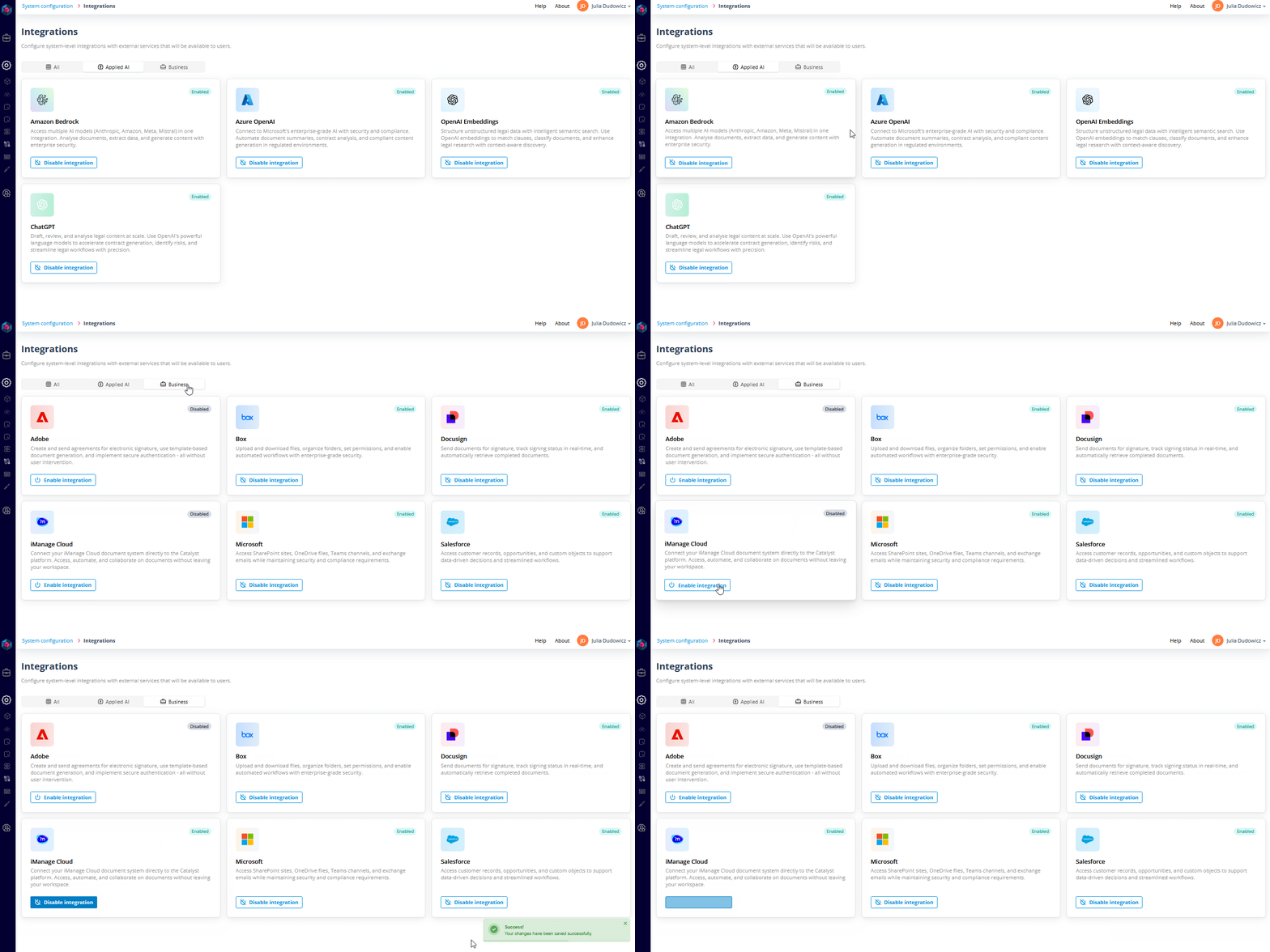
From there, Super Admins can easily see which integrations are available and which ones are already active.
Integration categories
The list is split into two categories:
- Integrations: tools your teams may already rely on, including:
- iManage Cloud
- DocuSign
- Adobe Sign
- Microsoft
- Salesforce
- Box
- Applied AI: AI providers such as:
- OpenAI: GPT
- OpenAI: Embeddings
- Azure OpenAI
- AWS Bedrock
Requesting and enabling integrations
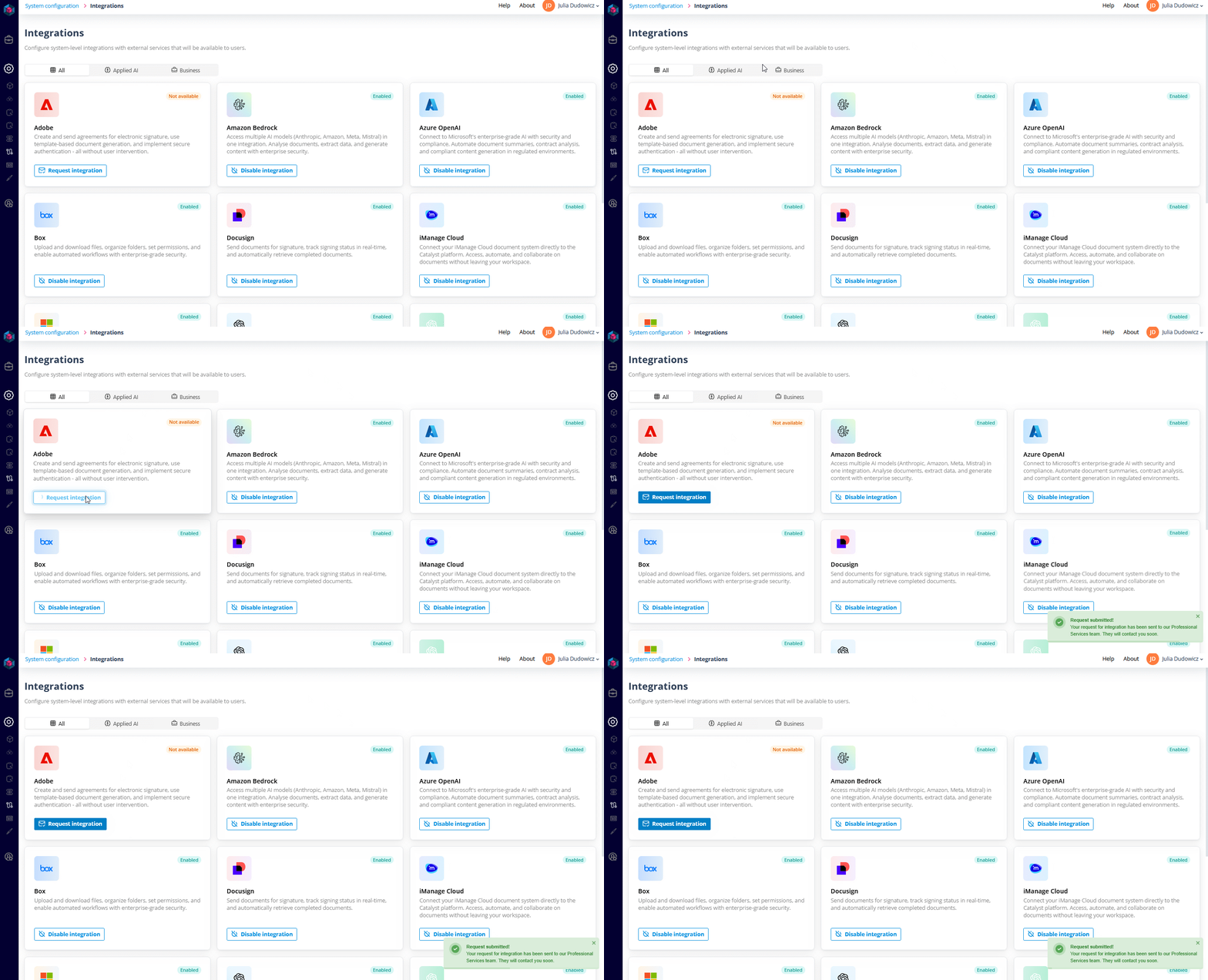
Need an integration that’s not yet active? You can request it directly from this screen. Our Professional Services team will take it from there and help you get set up.
Once it’s ready, turning it on or off is just a click away.
What integrations enable
Each integration opens up new possibilities inside your workflows:
- Create Authentication Objects for services like iManage or Microsoft and use them in Sequencer’s API Call actors to securely pull documents from external systems or send files and data back to them, all as part of an automated process.
- Use Adobe Sign or DocuSign to send documents for signature directly from Catalyst, fully integrated into your process flows.
- Add AI where it makes the most impact, with provider-specific actors that let you classify, extract, summarise, and review content using OpenAI, Azure, or Bedrock.
Why this update matters
Integrations have always been part of Catalyst, but until now, they’ve been tucked away in different places. With this update, there’s finally a clear, unified way to handle them, with the flexibility to scale, switch providers, or roll out new capabilities when you need them.
It also means less time coordinating across tools and more time designing the processes that matter. You control which systems connect and how they work together, while Catalyst takes care of the heavy lifting in the background.
This makes it easier to build automation that’s useful and easier to trust that everything’s running the way it should.