
Tasks for one - time completion users
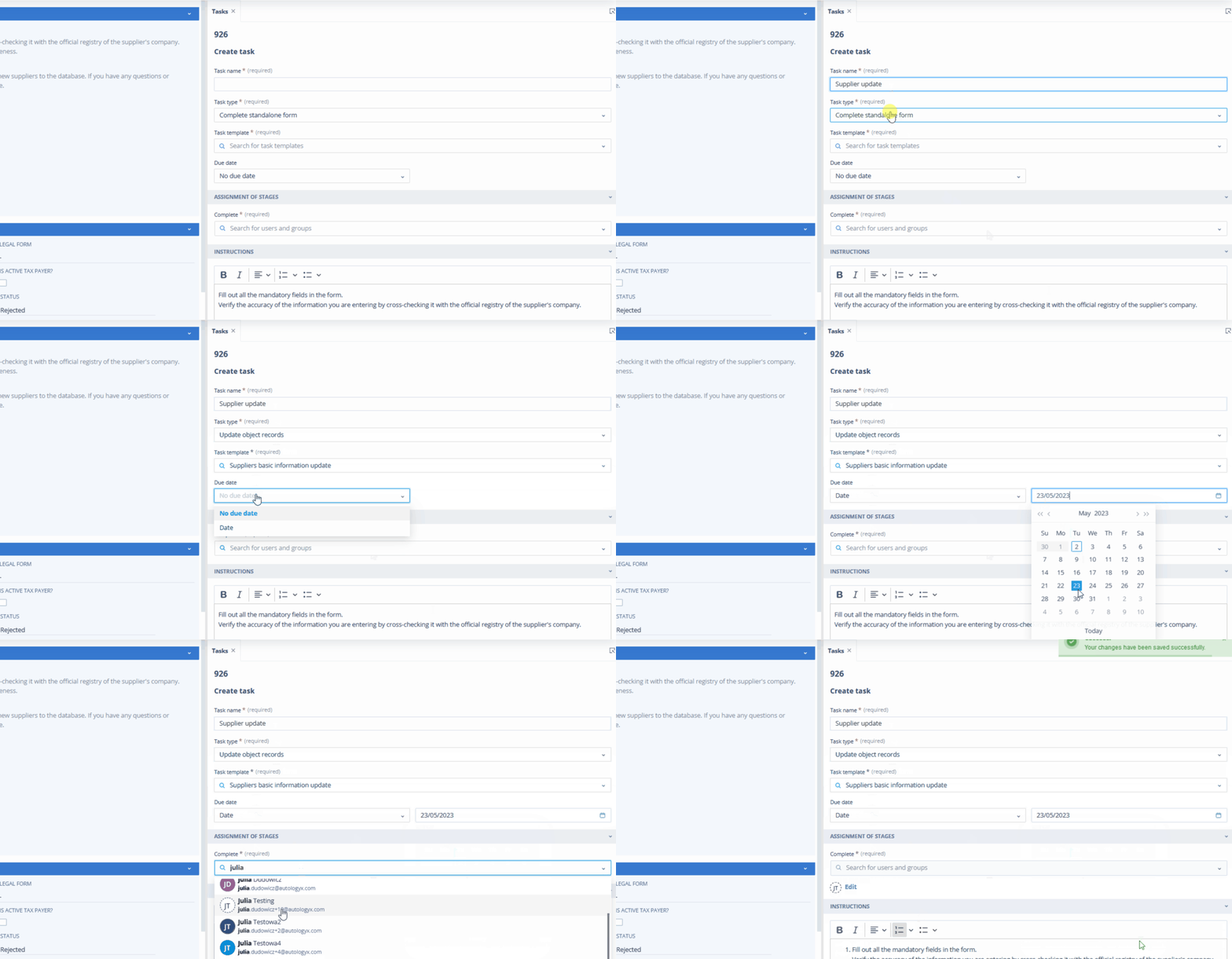
We are thrilled to announce a major update to the Autologyx platform: one-time completion users can now complete tasks.
This new feature provides more flexibility in task delegation and streamlines the workflow, helping you get more done in less time.
How it works
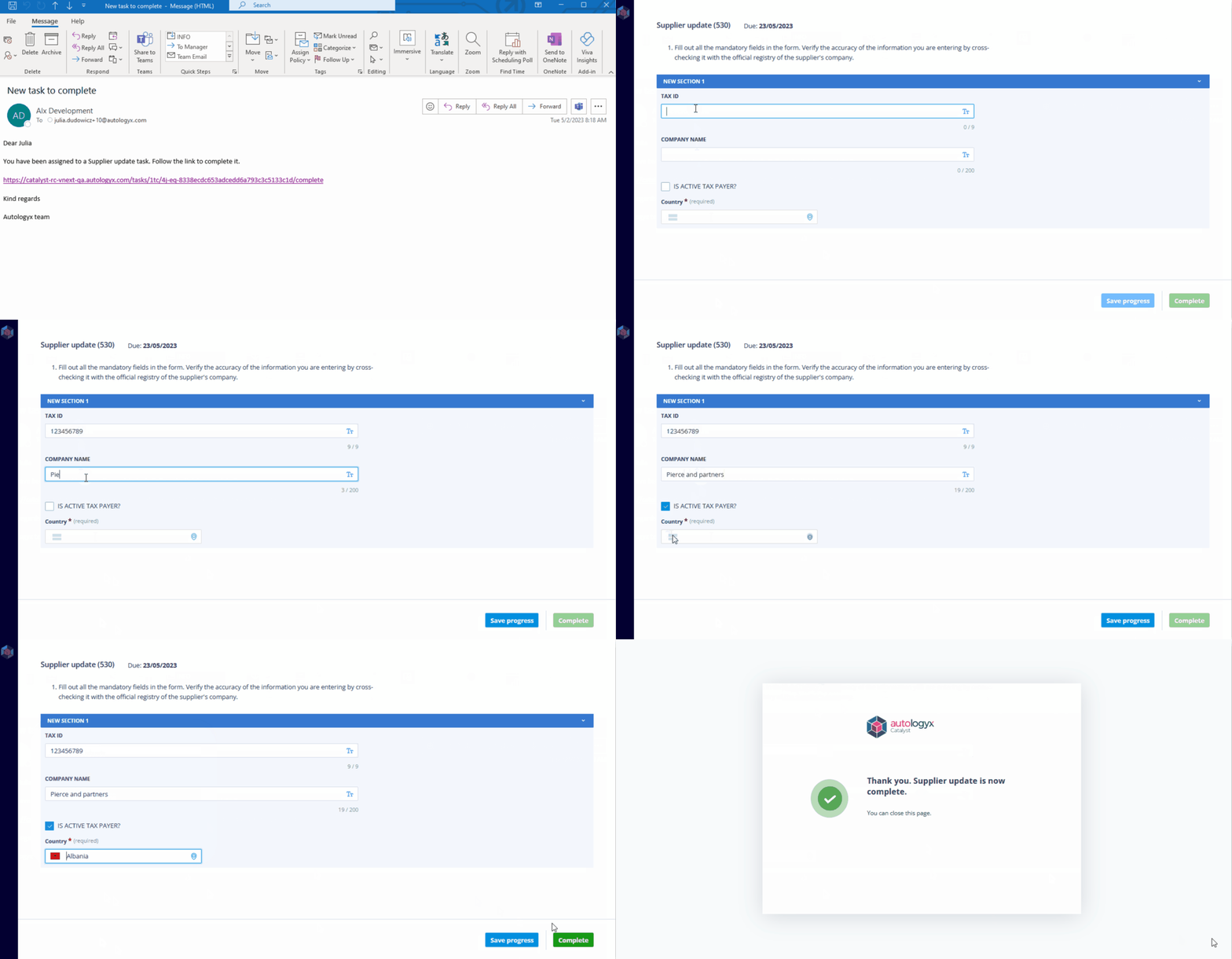
Once a task has been assigned to a one-time completion user, they will receive an email containing a unique token for the task's form - either a Standalone form or Update record.
All they need to do is click the link provided in the email to be redirected to the task form.
One-time completion users can complete their assigned tasks without having to create an account or log in to the system, saving time and effort.
On the form
The user will find all the relevant information for the task, including:
- the due date, if applicable
- the task name
- instructions
- selected fields to be completed
The user can save their progress at any time by clicking the "Save progress" button, allowing them to edit the form at a later time if needed.
When the one-time completion user is ready to complete the task, they simply click the "complete" button.
Why this is useful
Tasks assigned to one-time completion users can be used to collect data from them or to update a specific record.
This feature makes it easy to delegate tasks to people who are not part of your team but who need to complete specific tasks.
We believe that this new feature will revolutionize the way you manage tasks and increase productivity.