
Autologyx Catalyst 1.20 release notes
AI agents become far more valuable when they can work with live business data - but connection without control is not enough.
As AI becomes more deeply embedded in legal work, governance increasingly needs to operate at the point of execution: controlling what agents can access, what they can do and creating a clear record of their activity.
This release introduces the foundations for governed MCP connectivity in Autologyx Catalyst, giving organisations a clearer way to connect approved AI tools while maintaining visibility, permissions and control.
Manage MCP Connectors in one place
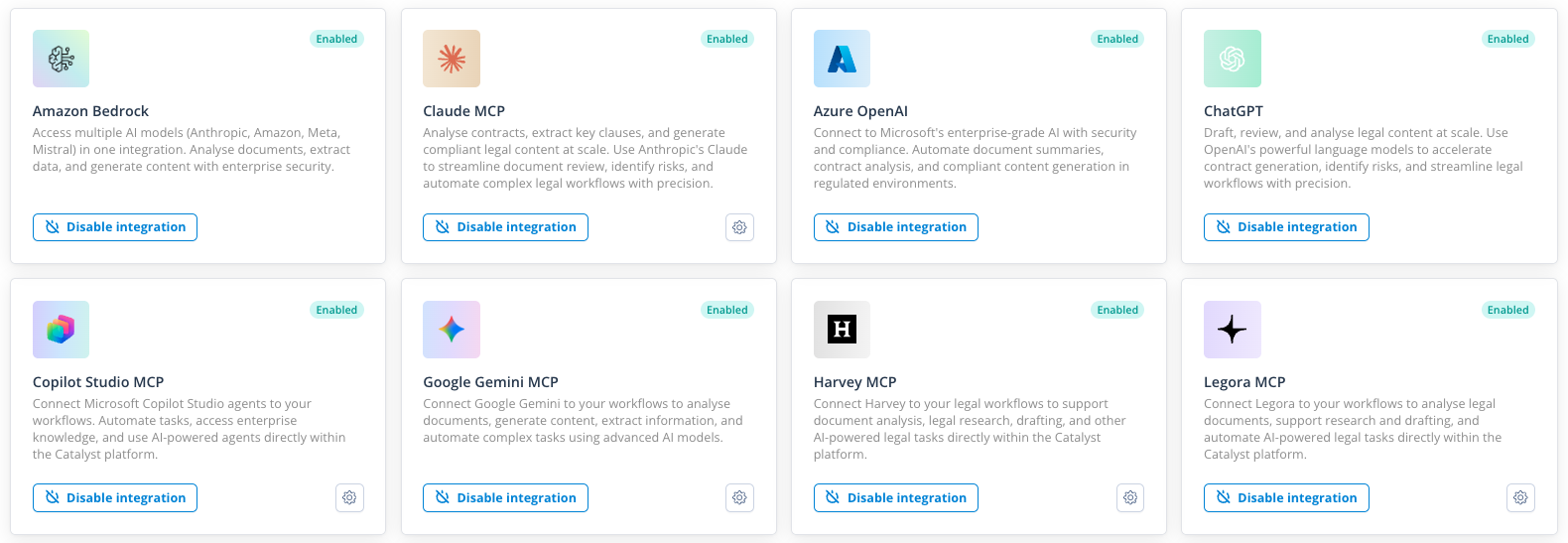
You can now create, configure and manage MCP Connectors directly in Catalyst. From one place, you can:
- Create and manage MCP Connectors linked to the right AI integration
- Choose what data AI agents can access by controlling which Object Classes each connector can access
- Generate a unique MCP Server URL for every connector
- Control who can manage MCP Connectors through permissions
- See every MCP Connector at a glance, with filtering and sorting
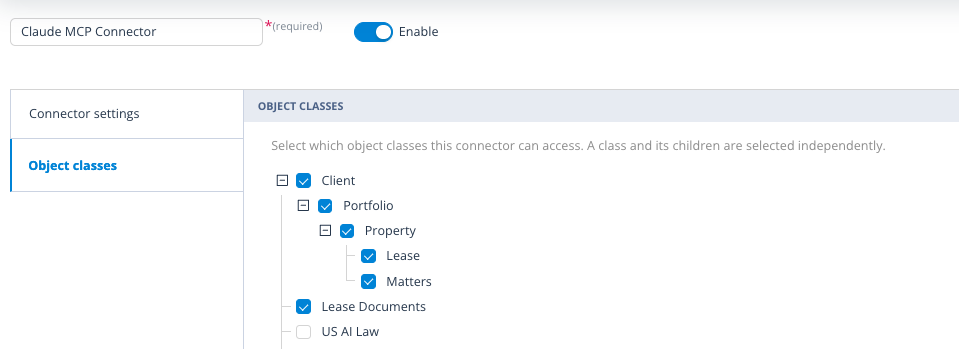
MCP Connector provider restrictions
Each MCP Connector is tied to the AI integration it was created for, preventing it from being reused with a different provider and helping configurations remain deliberate and predictable.
Choose which MCP tools are available
New backend API functionality lets you list the MCP tools available, see which tools are configured for a connector and update its allowed toolset. This lays the groundwork for precise control over what each connected AI service can do.
Note: Tool restrictions are not yet enforced. This release introduces the backend configuration needed to support that control.
Bring MCP into the Catalyst permission model
MCP Connectors can be configured within Class and Record Permission Sets, so access to Object Classes, records and tasks can be governed using the same permission model already familiar to Catalyst administrators.
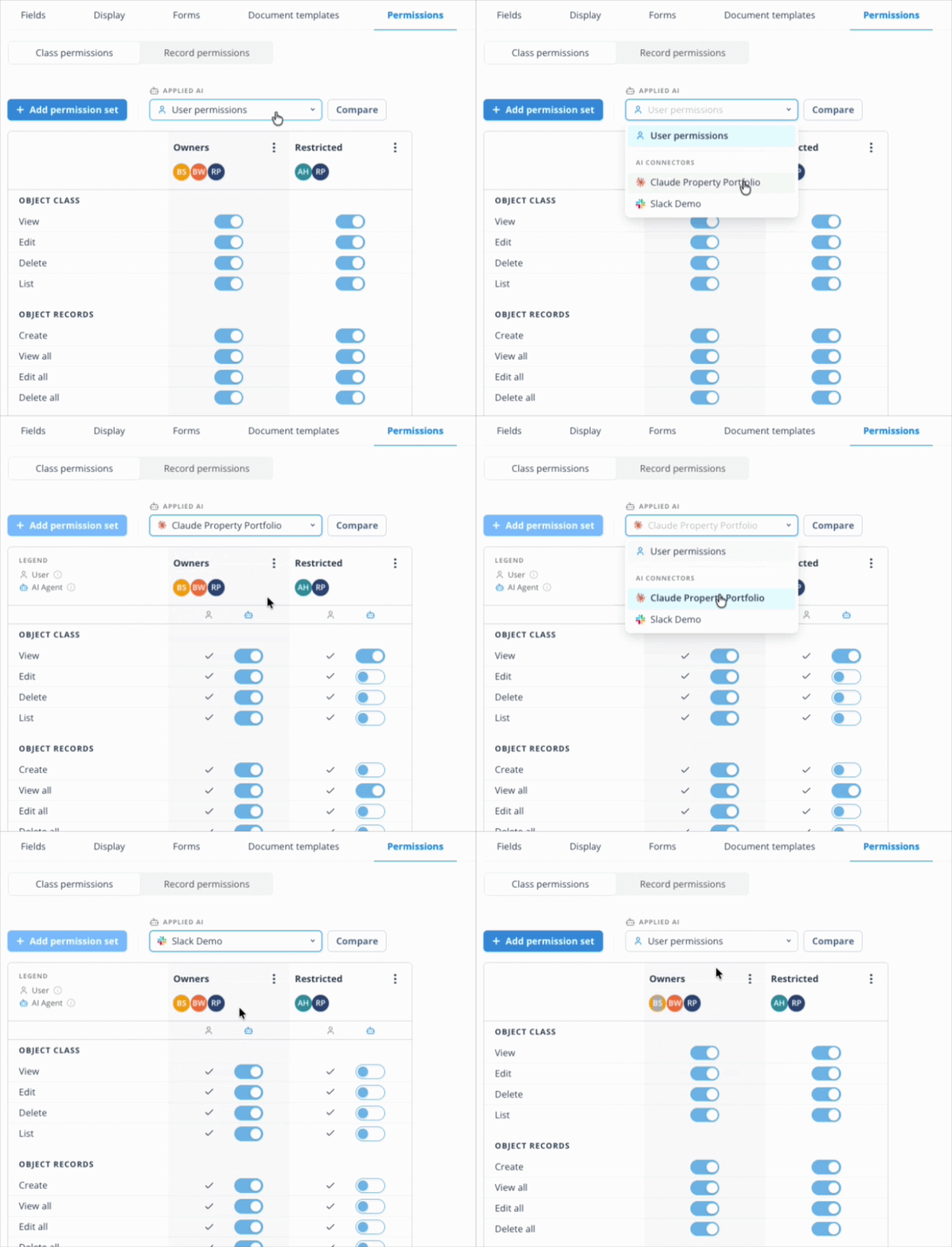
Authorised users can manage permissions and assignees, with Enable All and Disable All actions making broader configuration changes faster.
Important: Users cannot grant an MCP Connector permissions beyond those they hold themselves.
See MCP Connector permissions side by side
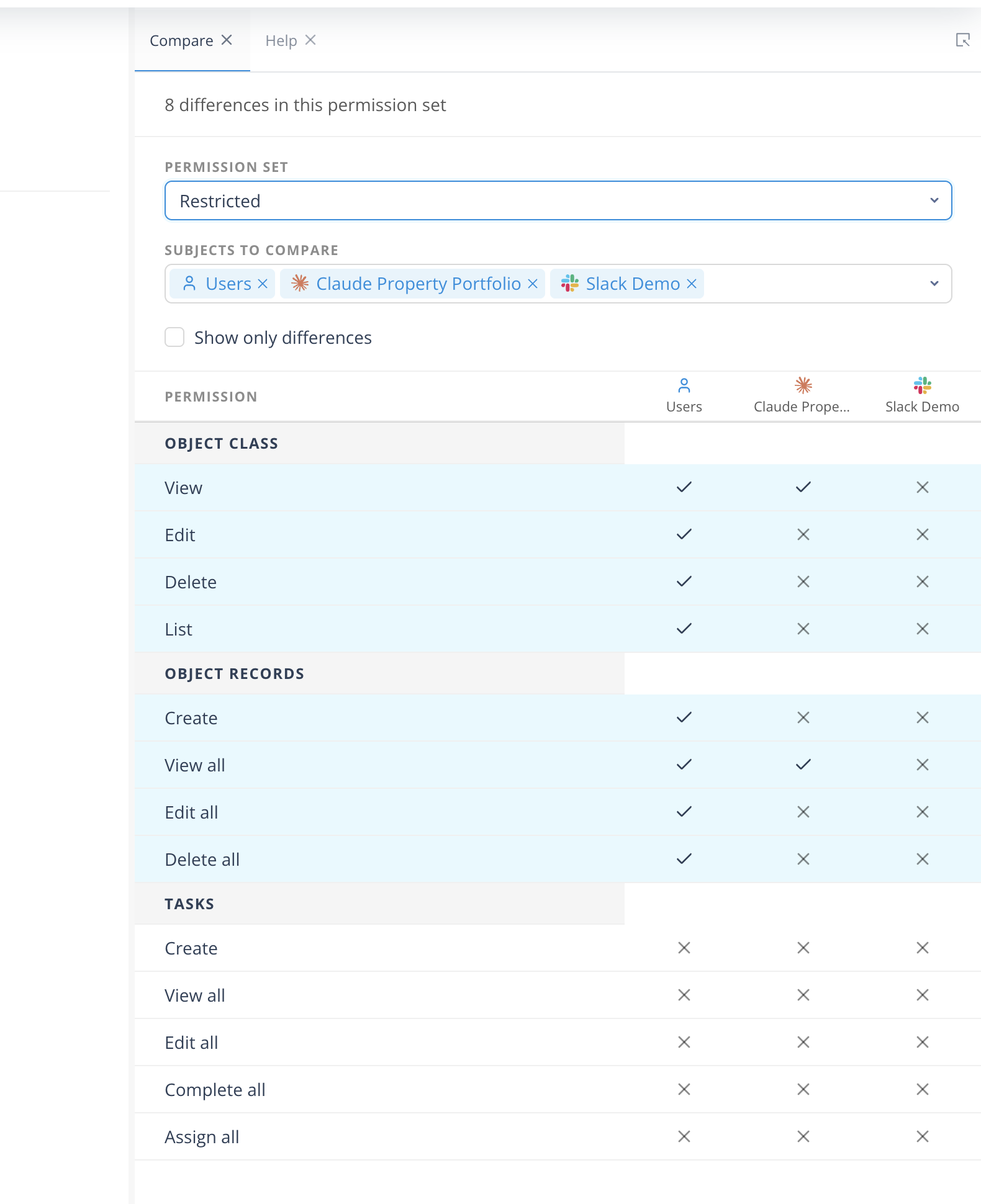
Compare Permission Sets for each MCP Connector in one view. It is now easier to spot differences, review access and understand exactly what an individual connector has been allowed to reach.
See exactly when AI is at work
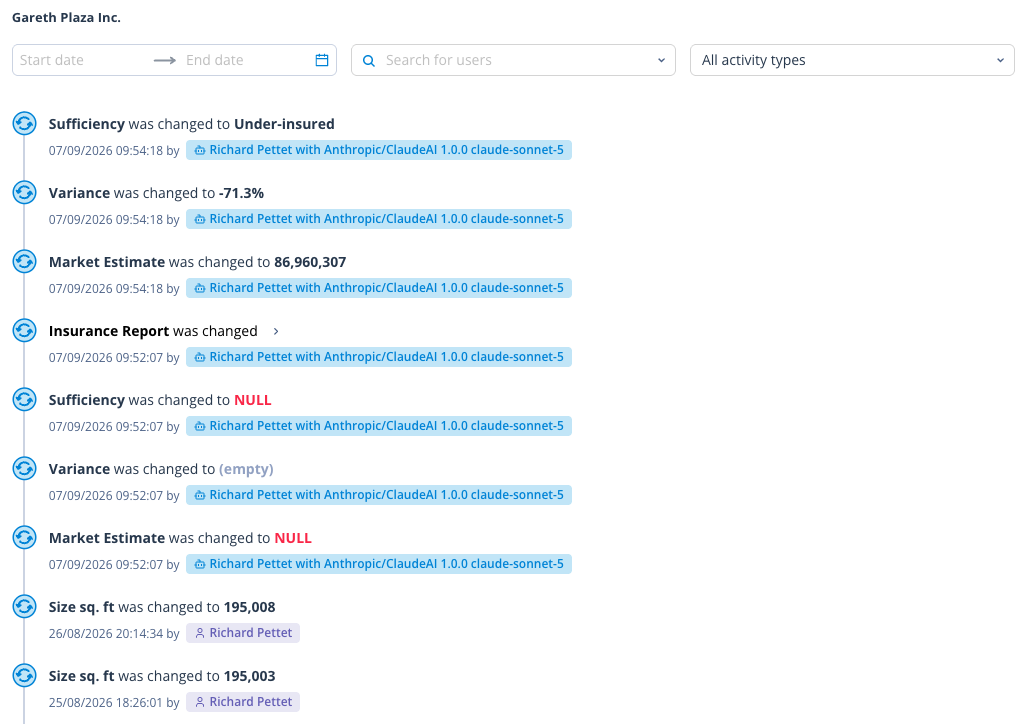
Catalyst's Activity Log now clearly identifies record events triggered by AI agents, showing which agent was involved alongside the user and timestamp. This gives teams a transparent, chronological view of human, system and AI activity - strengthening oversight, accountability and auditability without adding another layer of reporting.
A clearer home for every integration
We have introduced clearer integration categories, separating Business integrations from AI and Sequencer integrations so administrators can find and manage the right connection faster.
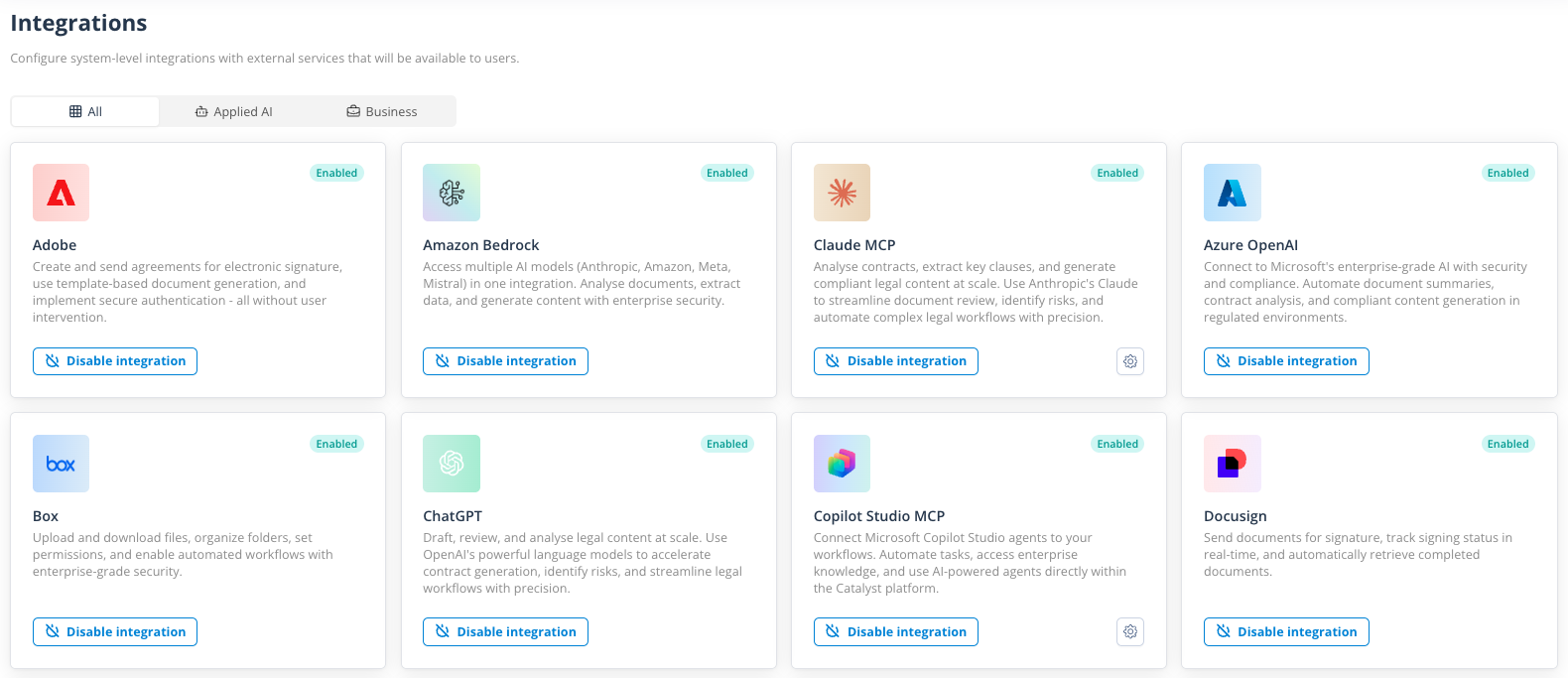
Catalyst also supports a wider choice of integrations, including Claude, Copilot, Slack, xAI, Perplexity, Gemini, Harvey and Legora - giving teams more freedom to connect the tools that fit their way of working. (To review.)
Further reading: governance and the next phase of legal AI
These developments reflect a wider shift we're seeing across legal technology. Legal IT Insider's latest Gen AI and the Practice of Law report explores the growing importance of governance as AI becomes embedded in real legal work, including the role of orchestration and a cross-system "governance spine".
Smaller changes, smoother building
Find the right child record, faster
Child record tables on parent Object Record forms can now be sorted and filtered, helping users get to the right related record with less scrolling. Administrators can also set the number of records shown per page, keeping larger lists manageable.
Build smarter, more responsive forms
Conditional visibility in Object Record and Task forms now supports OR logic and multiple conditions against the same field. Form designers can create more nuanced behaviour and show the right fields or sections across a wider range of scenarios - without awkward workarounds.
Taken together, these improvements make Catalyst easier to connect, safer to govern and smoother to configure - laying the foundations for AI agents to take part in real work without losing the control that enterprise teams need.
Further fixes and enhancements
Alongside these headline features, this release includes more than 40 additional fixes and enhancements across Catalyst, together with the latest security patches and dependency updates. These changes improve the platform’s overall stability, performance and security.