
Read-only fields
Read-only fields put your data in the spotlight, offering a visual experience while preserving its integrity.
This new feature is a useful addition to our platform, designed to empower display form designers by enabling customization of field accessibility. When configured, these fields become read-only for end-users, preventing manual modifications.
Configuration
Configuring Read-only fields is a seamless process. During field setup in your chosen display form, simply enable the Read-only option.
Once activated, the field becomes impervious to manual changes, safeguarding your data against unintended modifications. The Sequencer can then automatically update the field based on specified conditions, ensuring a controlled and predictable workflow.
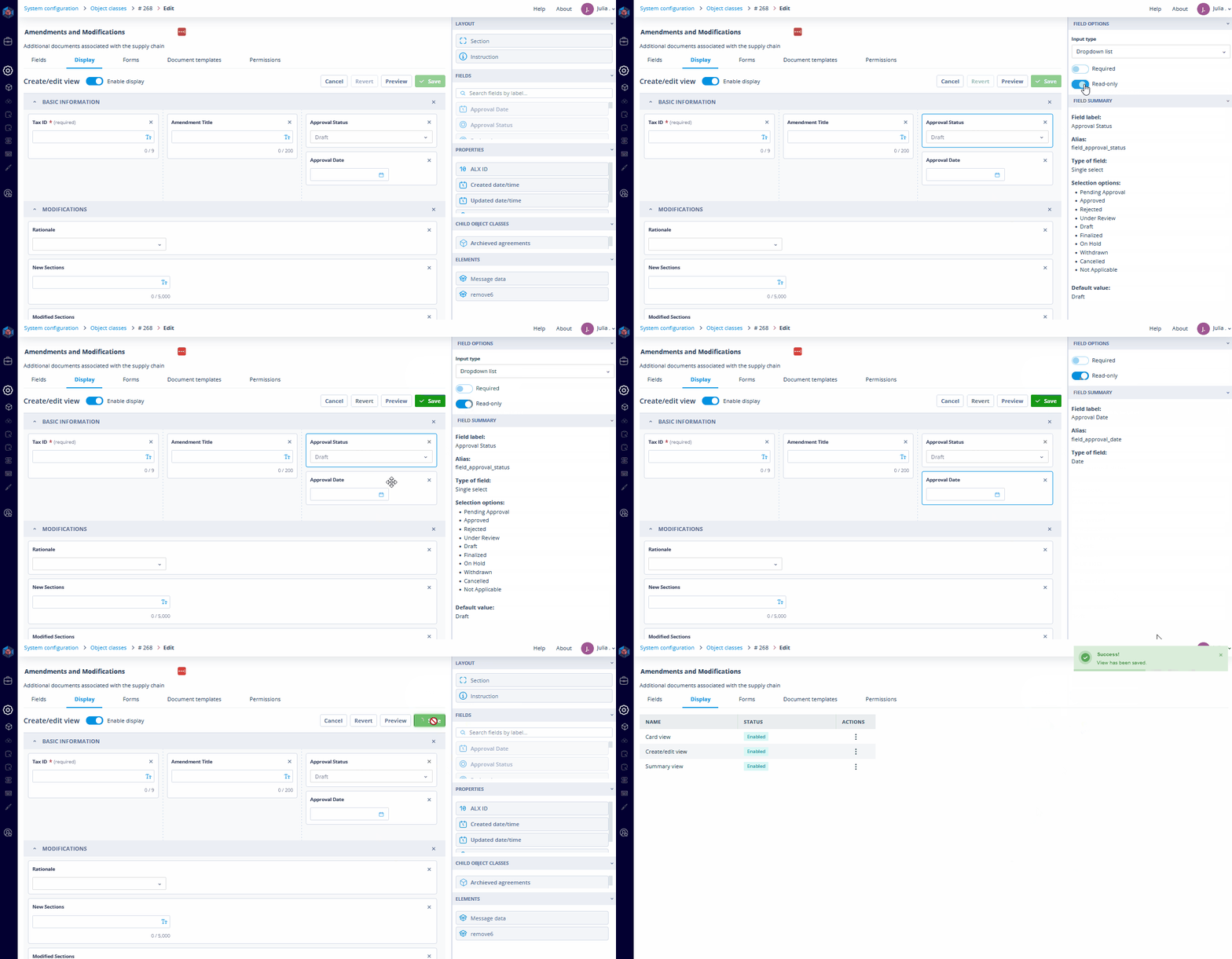
How to make the most of Read-only fields
Consider a situation where you want to preserve a Status field, keeping it unchangeable upon record creation. With Read-only fields, you can preset this status, allowing it to change automatically only after specific conditions, defined in Sequencer, are met.
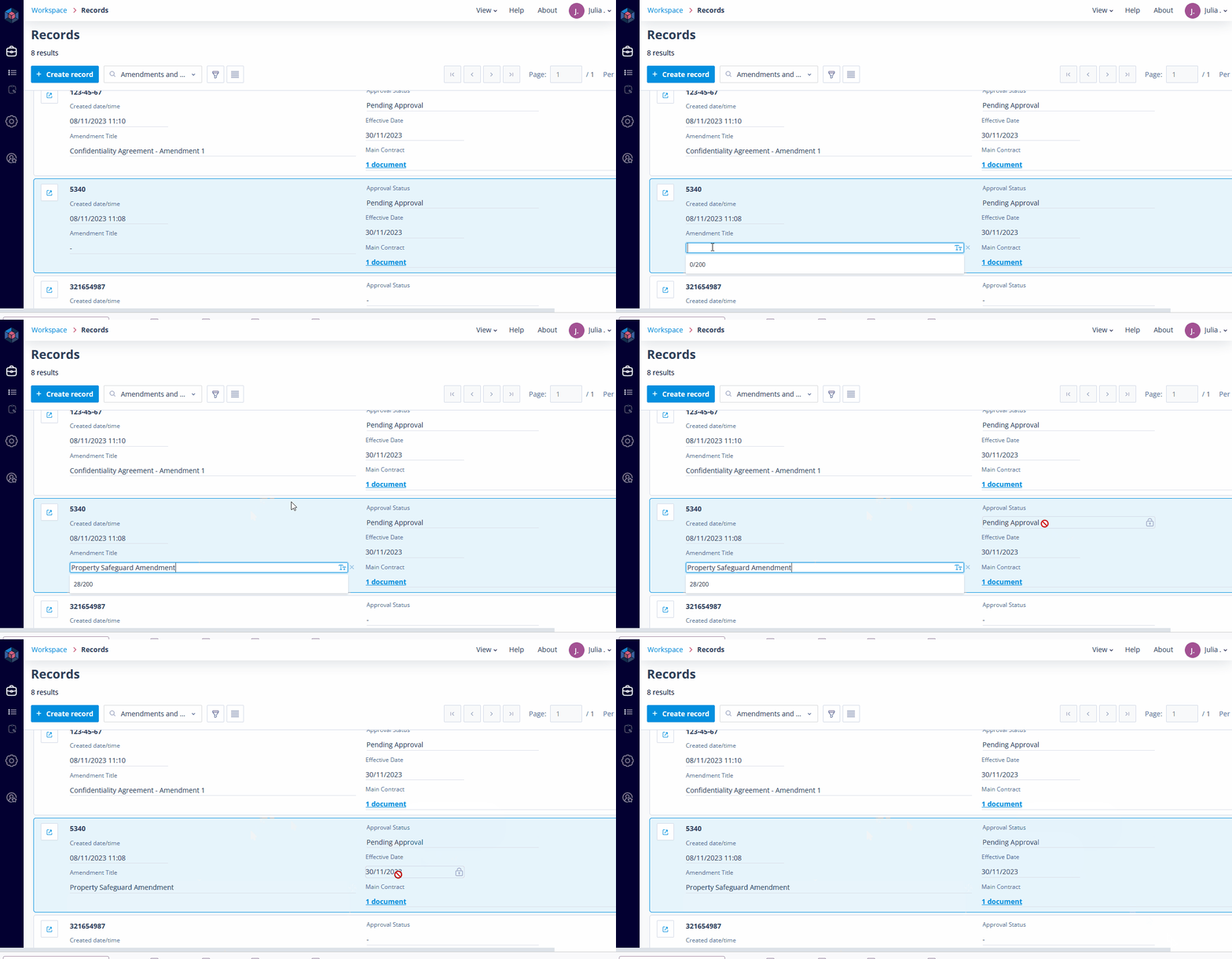
At a glance
Unmodifiable yet clearly visible, this feature adds a new chapter to your workflow's story. By allowing visibility without direct modification, Read-only fields ensure that critical information remains accurate, providing a robust mechanism to control data modifications.