
iManage in API Call actor
Document management takes the spotlight in this release, and we're thrilled to introduce a dedicated feature within our beloved API Call actor. This addition facilitates seamless integration with iManage, enabling swift file exchange between the two systems.
To harness the full potential of what we offer, the first step is to create an iManage Authentication object. This object becomes the linchpin in executing sequences and connecting with iManage effectively.
Configuring the API Call actor
Setup
Configuring the API Call actor is effortless—simply choose 'iManage' as the option in the 'Template' field, then select the appropriate Authentication object.
Specify the method:
- GET to retrieve files from iManage
- POST to upload documents from Catalyst to iManage
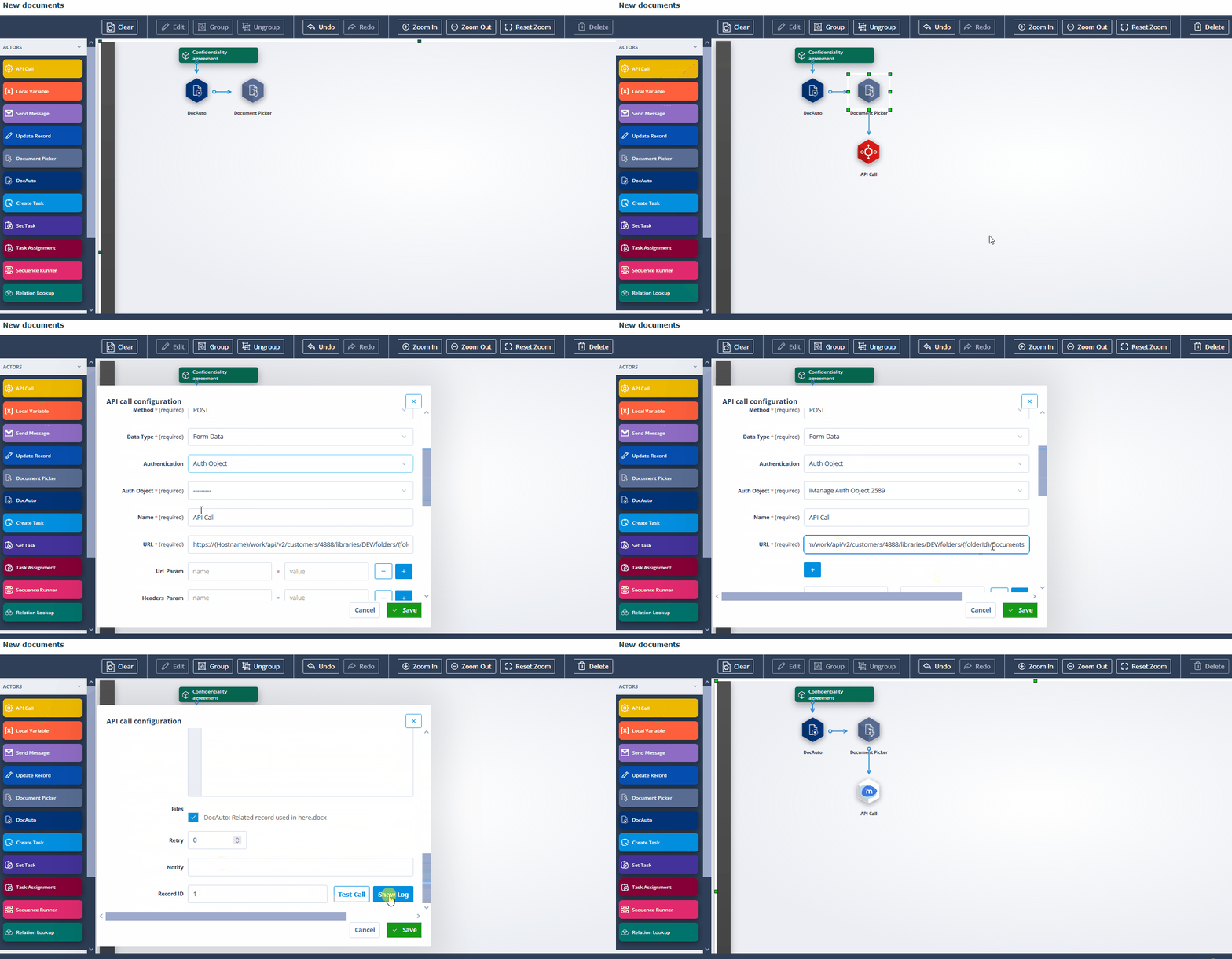
Required fields
Provide the following fields during setup:
- Customer ID: The unique identifier assigned to the customer, retrievable through a discovery request.
- Library ID: The ID of the target library (formerly known as a database).
- Folder ID: The ID of the target folder.
Important: These fields, along with placeholders like {Hostname} and {documentId}, must be filled in by the user configuring the actor in the URL input.
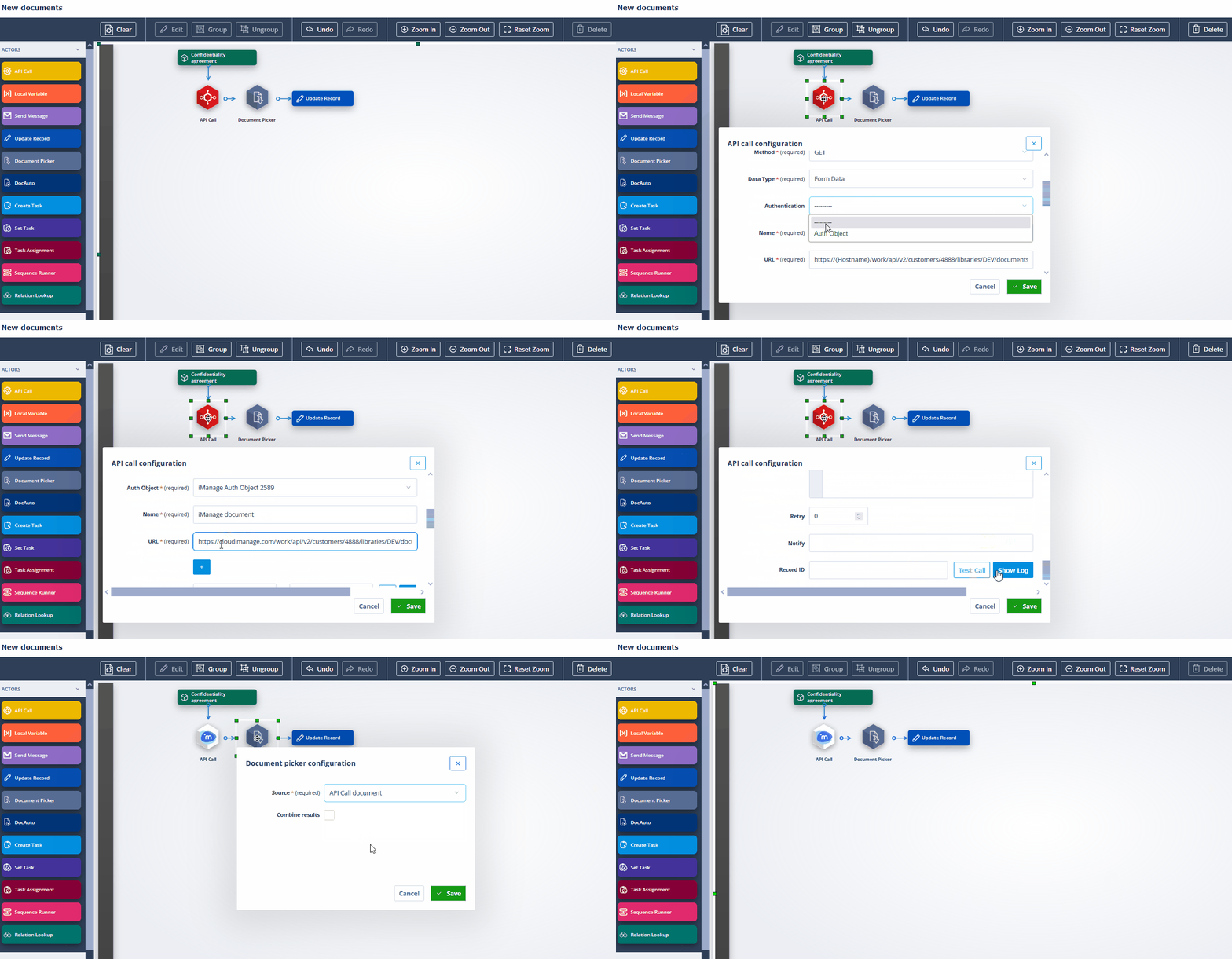
Outcome
Upon successful connection testing, you can revel in integrated processes, transferring documents between iManage and Catalyst.
The future of document management is here. Stay tuned for even more exciting integrations coming soon!