
User group permissions
Overview
With our newly released feature - User Group Permissions, you're no longer confined to generic permission settings. Instead, you gain the power to create custom permission sets that precisely define actions within each group. Breaking new ground, Catalyst allows the creation of custom permission sets concerning group access. This feature enables you to tailor permissions according to your unique requirements, enhancing the system's adaptability to diverse organisational structures.
Within the realm of user group permissions, you gain the power to intricately tailor the visibility of a group and its members. The options are extensive, allowing you to decide who can see the group, who can edit it, or who has the authority to delete it.
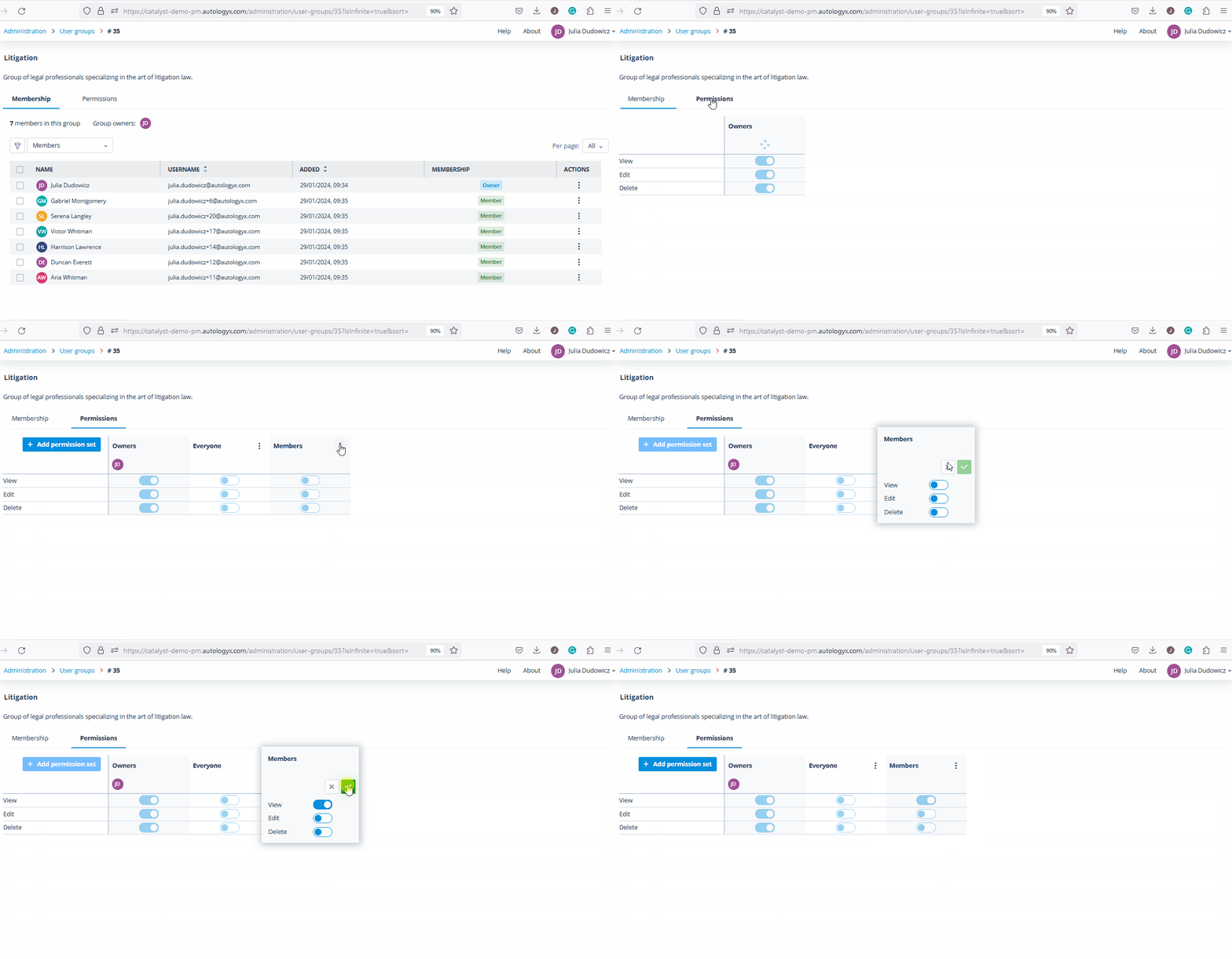
Default permission sets
Default permission sets provide the foundation for access control.
Different permission levels can now be set for various groups. Group owners automatically wield comprehensive access to all actions within their groups. Upon creating each group, two additional permission sets - "Members" for group members and "Everyone" for users outside the group - are automatically generated.
These sets provide the foundation for assigning permissions to group members and other system users, ensuring that access is granted where it's needed and denied where it's not.
Group-based assignment
Group-based assignment is where the feature becomes especially powerful.
You can add not only individual users but also other groups to the group permission sets. By including groups in the selection options, members of the chosen group automatically acquire the assigned permissions. Conversely, permissions are promptly revoked if they are withdrawn from the group or if a user ceases to be a member.
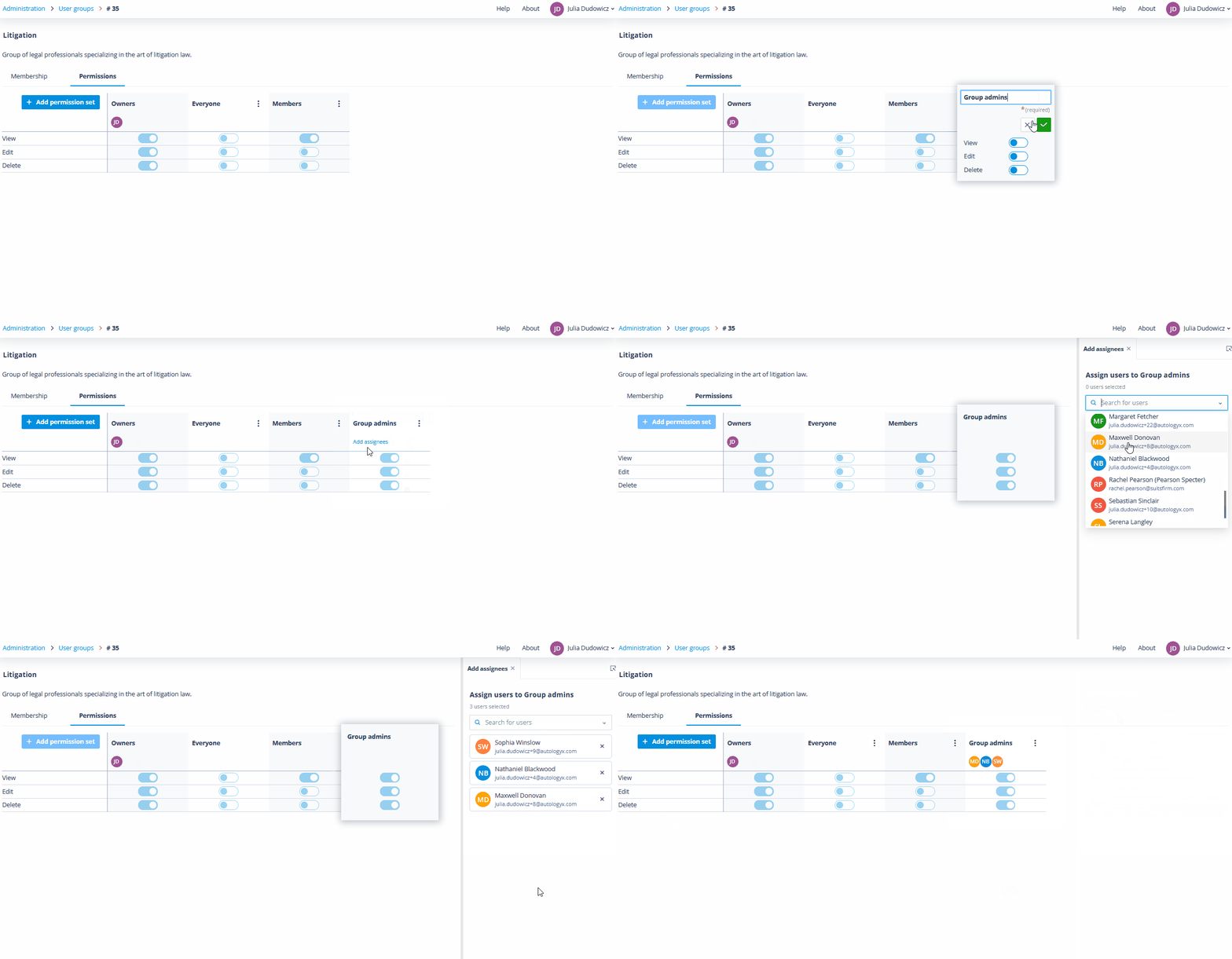
Future expansion
Future expansion is already anticipated.
This marks the first of many spaces where group selection is feasible, and rest assured, this is just the beginning. In subsequent releases, we envision expanding the capability to include groups in many more areas within Catalyst, further enhancing the versatility and impact of this groundbreaking feature.
Embrace the future of secure collaboration with Catalyst's User Groups Permissions - a revolutionary leap towards a more nuanced, flexible, and powerful user management experience. Security is not just a feature - it's a journey, and we're committed to leading the way.