
Viewer panel
We've all been there. You're neck-deep in documents, downloading and viewing them one by one, especially when you have a stack to review. It can be a real time-consuming hassle. We're thrilled to introduce the all-new Viewer panel, designed to streamline your document workflow and make your life a whole lot easier.
Overview
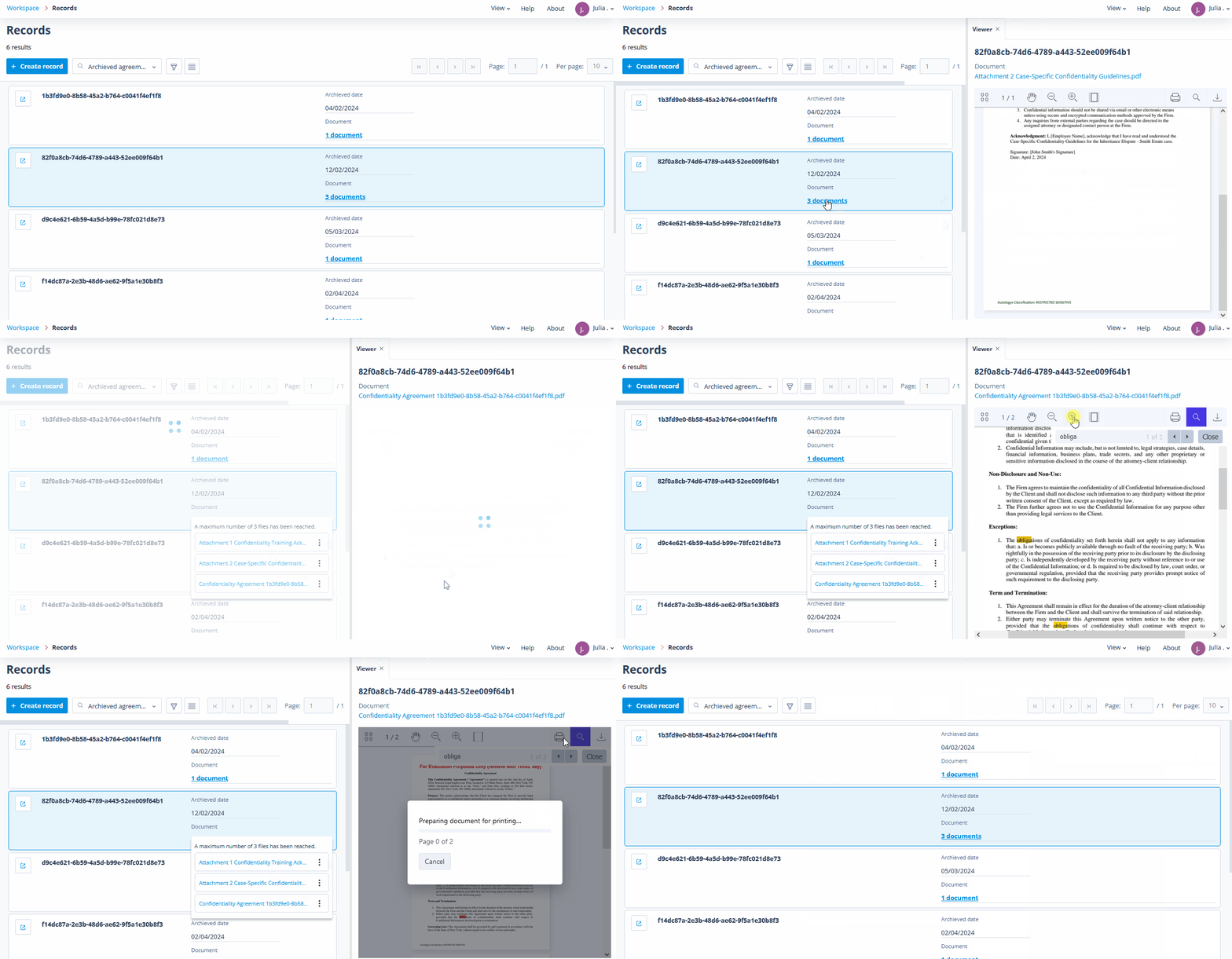
The Viewer panel opens directly when you click on a saved document in Card view, when editing records, and on Task completion pages.
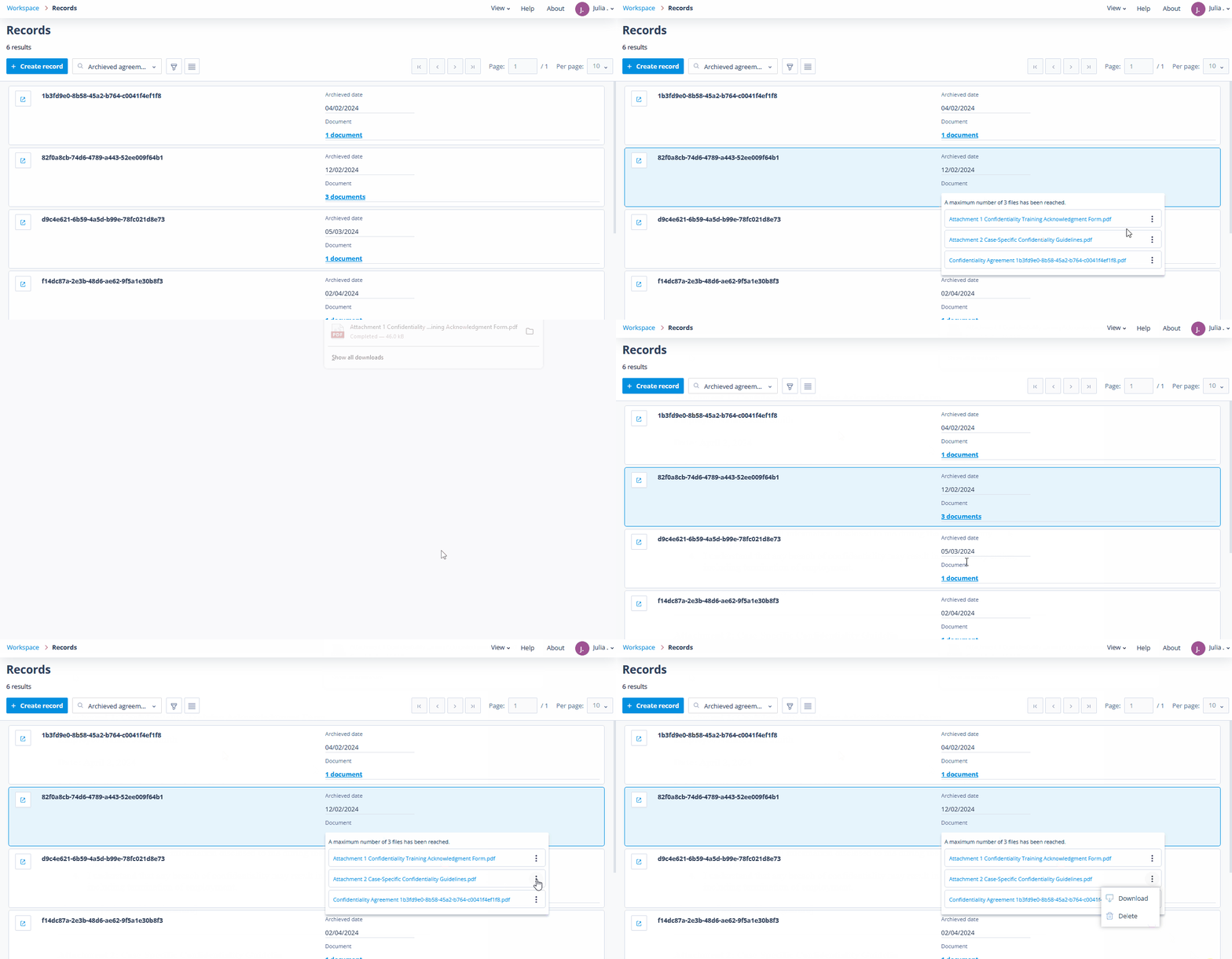
Document actions: Our document upload/view component has been slightly modified - you can find other document-related actions, such as delete or download, in the action menu at the end of each document attached to the field.
Key features of the new panel
- Thumbnail view: Get a quick overview of your document without having to open it.
- Pagination: Easily navigate through your document, one page at a time.
- Zoom in and out: Get a closer look at the details or zoom out to see the big picture.
- Search: Find specific text within your document quickly and easily.
- Fit to width: View your document at a comfortable width, no matter the size of your panel.
- Print and download: Print your document or save it to your computer for later.
Use cases
Whether you're a legal professional handling contracts, court filings, and case files, or an insurance adjuster navigating policy claims and damage assessments, the Viewer Panel is your go-to solution. Attorneys can swiftly review documents, accelerating case preparation, and claim adjusters benefit from an efficient review of policy documents, medical records, and accident reports, expediting claims processing and elevating customer satisfaction.
Experience the future of document management today with the enhanced Viewer Panel - it's time to take your productivity to the next level.