
iManage Cloud integration
The iManage Cloud integration allows users to work with iManage documents directly inside Catalyst records.
This helps reduce context switching and allows users to stay inside Catalyst while browsing, previewing, and managing documents stored in iManage.
Before you start
- The iManage integration must be enabled.
- Users must have valid iManage credentials.
- You must have permission to edit record display forms.
Add the iManage component to a form
When the integration is enabled, a new iManage Cloud component becomes available in the form builder.
Go to:
System Configuration > Object Classes > Record display form
The component appears in the Integrations section of the form builder.
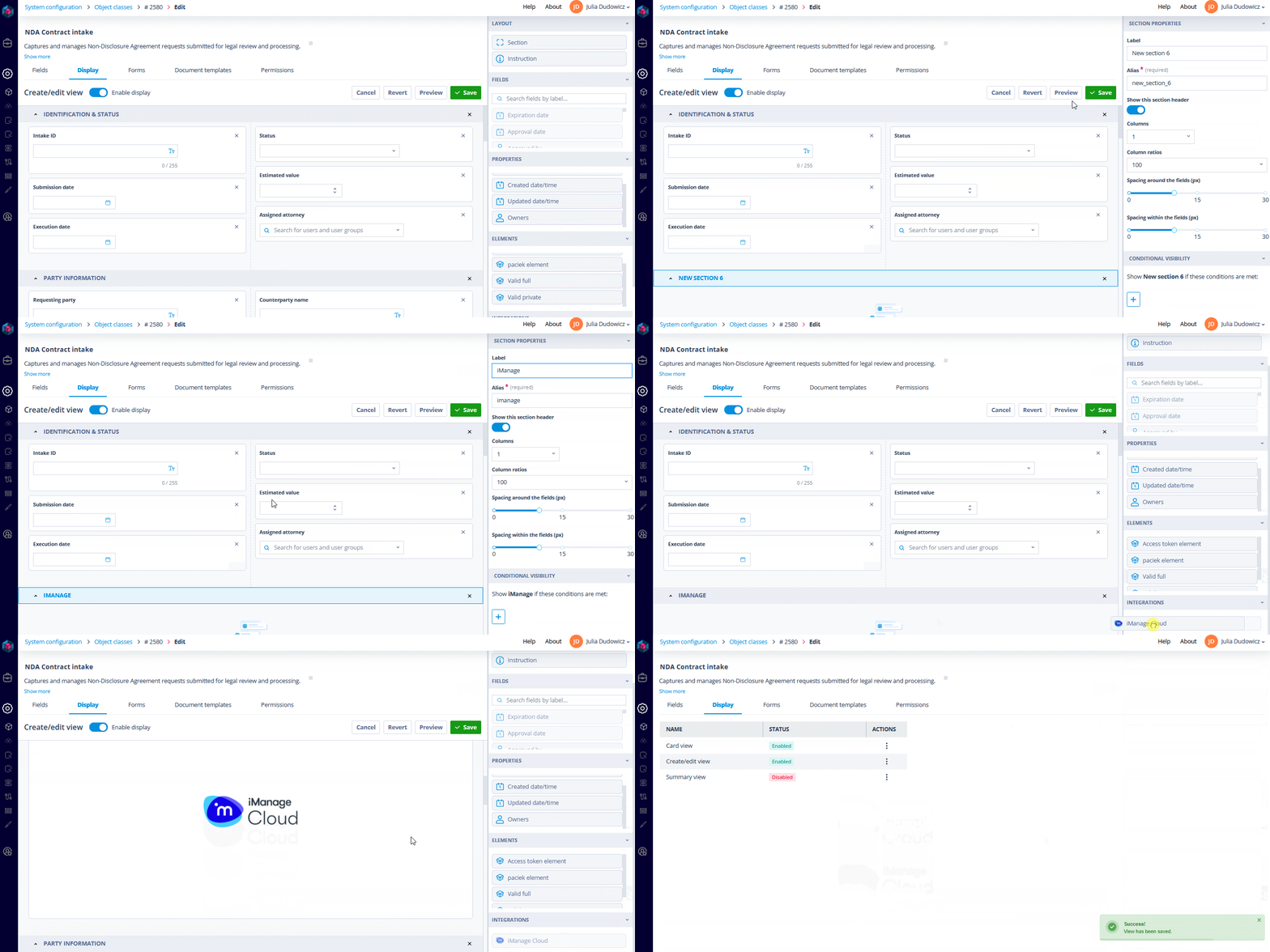
To add the component:
- Open the required record display form.
- Drag the iManage Cloud component onto the layout.
- Save the form.
Users opening the record will then be prompted to authenticate with iManage using OAuth 2.0.
After authentication, users can:
- browse iManage documents inside the record
- navigate folders and matters
- preview files without leaving Catalyst
Associate an iManage folder with a record
You can define which iManage folder opens by default for a record.
Associate the folder manually
- Open the iManage component inside the record.
- Right-click the required folder.
- Select Associate with Catalyst record.
The selected iManage location is then linked to the record.
The next time the record is opened, the component automatically loads the associated folder.
Associate the folder using the API
You can also assign iManage locations programmatically.
Endpoint:
POST /api/integrations/{integration_id}/object-record-metadata/{record_id}/Example payload:
{
  "imanage_location": "iManage_folder_id"
}
iManage API Call templates
When the integration is enabled, dedicated iManage API Call templates become available in Sequencer.
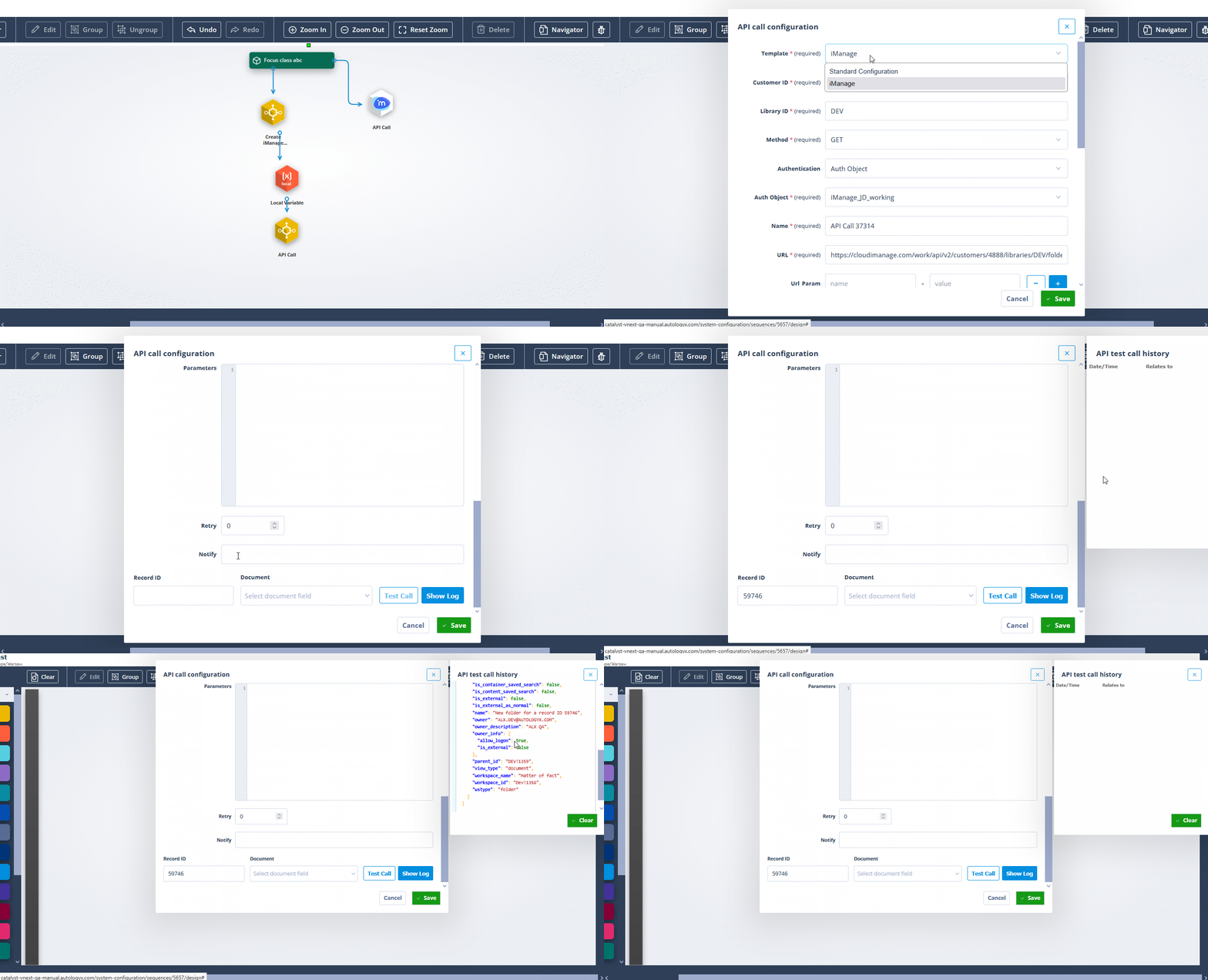
These templates help simplify:
- document upload workflows
- document retrieval
- authentication setup
- endpoint configuration
- file synchronisation
Things to remember
- Users authenticate with iManage only once until the token expires.
- If no iManage location is associated with a record, the default iManage view loads.
- API-based folder assignment is useful for automated onboarding or matter-creation workflows.
- Integration availability depends on feature enablement.