
Editing a Task group template
You will be able to edit a task group template only if you meet one of the following requirements:
| - You have a Super admin account type - You have a Role with the Edit Task group templates permission enabled under the Task configuration tab | mceclip1.png |
Edit the task group template
Double click the row for the Task group template you need to edit, or select Edit in the Actions menu. Either will take you into the Edit screen.
You will be able to change the following in any Task group template:
Name: The Task group template Name is a mandatory field, so you will not be able to remove it. Whatever you do change it to must constitute a unique value, otherwise you will see an error message:
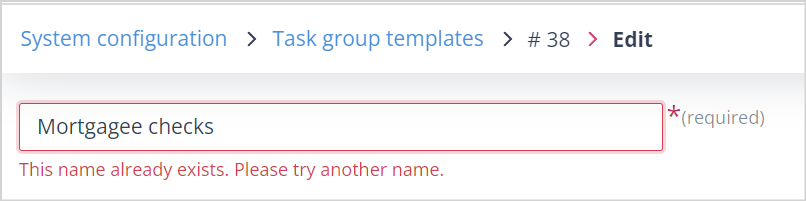
Description: This can be amended or removed as it is an optional field.
Editing a Task group template which contains Self contained form type Task templates only
- You can add and remove Object classes without restriction as Task templates of the Self contained form type can be used across all Object classes. Tasks which have already been created for Records in the removed Object class will not be affected.
- You can add more Task templates of the Self contained form type without restriction. This will have no effect on Records for which Tasks from the original Task group template have already been created.
- You can remove Task templates without restriction. This will have no effect on Records where the Task group template has already created these Tasks.
Editing a Task group template which contains Update object record type Task templates
The thing to remember with a Task template of the Update object record type is that this Task type is configured for a specific Object class. It is used to update Records in that Object class only and cannot be shared with another because it comprises fields which are bespoke to the Object class.
- Adding Object classes: You will not be able to add another Object class unless you remove the original one.
- Removing the original Object class: If you remove the original Object class, all the Update object record type Task templates will be automatically removed. Task templates of the Self contained form type will remain.
- Adding one Object class: If you then add one Object class, you will be able to select any Update object record type Task templates for that class and any additional Self contained form type Task.
- Adding two or more Object classes: If you add two or more Object classes, you will not be able to select any Update object record type Task templates.
- Removing Task templates: You can remove Task templates without restriction. This will have no effect on Records where the Task group template has already created these Tasks.
Useful info
- Your system can have up to 10,000 Task group templates. If this limit is reached, the + Create button will be disabled and an error message will inform you that the limit has been reached.