6. Monitoring the signing status of individual recipients
This section assumes that you have read the previous section about capturing the envelope status, as it is not as detailed here.
Similar to the envelope status, you can use Catalyst to monitor the status of individual recipients of any document.
Recipient status codes
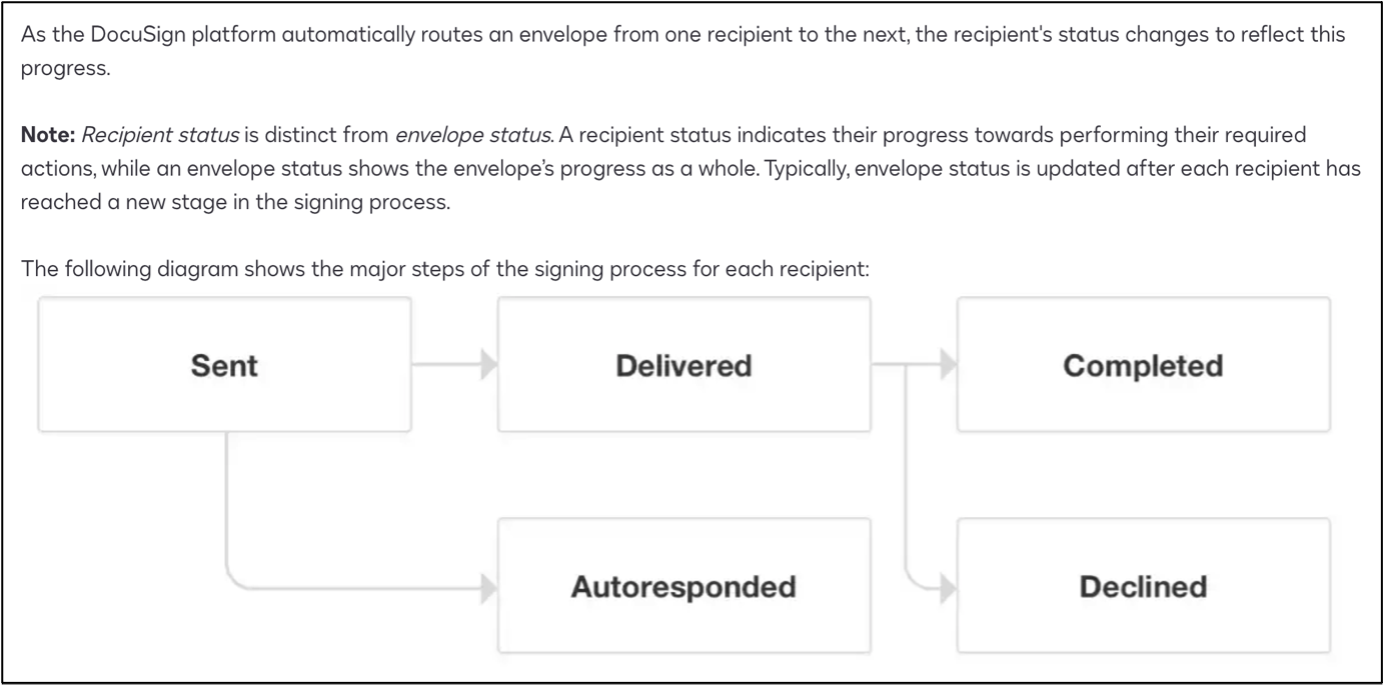
Although DocuSign’s API documentation suggests that you can retrieve information about each individual recipient using /envelopes/{{variables.contract_env_id}}/recipients/1, for example, we have found that this errors.
Instead, take a trigger from the Local variable in which the envelope ID has been stored and connect it to a new API Call actor. Configure it as a GET request as shown below.
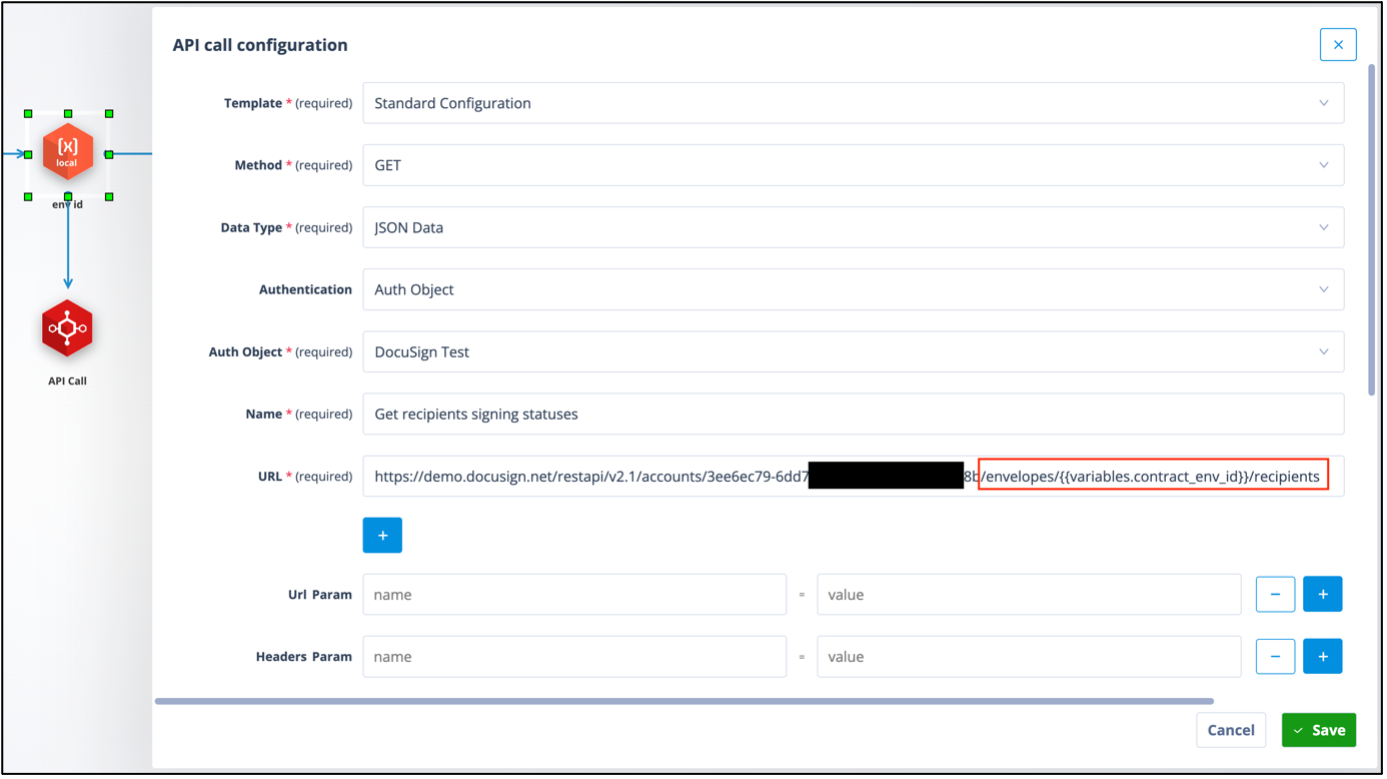
URL suffix: /envelopes/{{variables.contract_env_id}}/recipients. This effectively returns the status of each recipient of the envelope.
When successfully tested, the return will show information about the recipients and will include their ID from the original envelope creation, as well as the status you wish to capture.
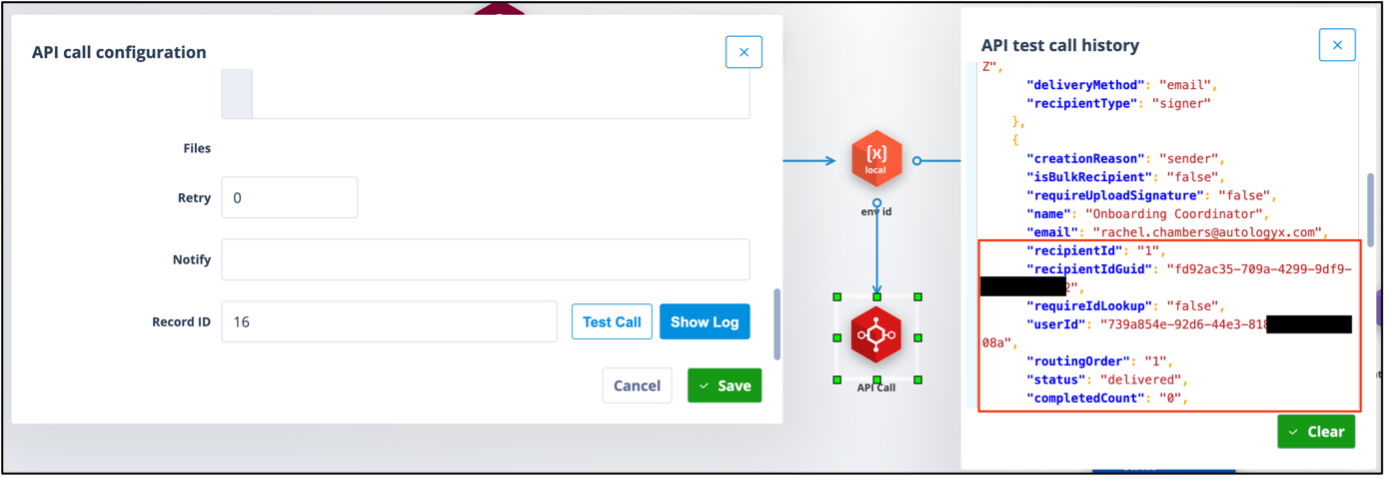
Take a trigger from this API Call actor and connect it to a new Local variable. The trigger configuration will be “When Actor completed".
Configure the Local variable as shown below.
Note: The Recipient ID is used to capture the signing status for the relevant signee.
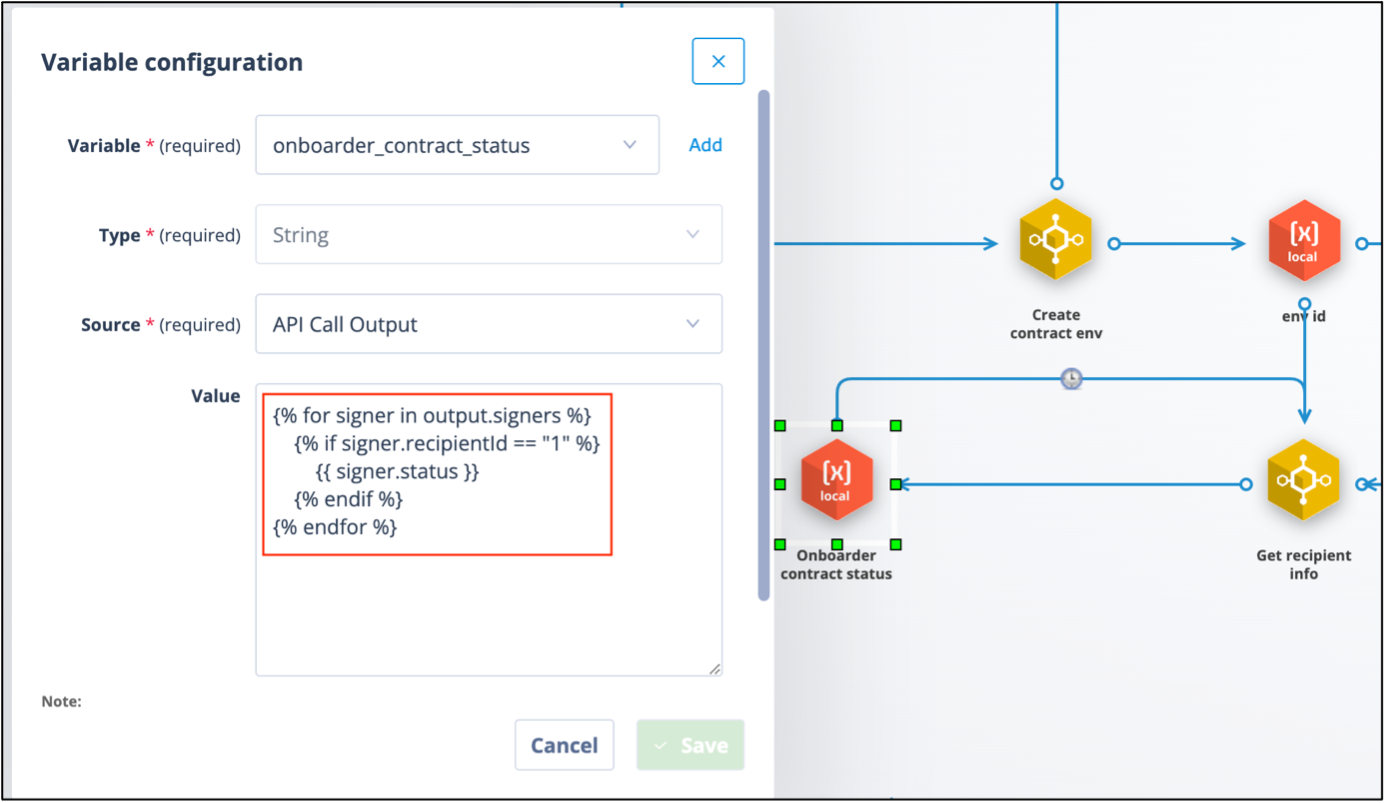
The Recipient status can then be transferred to a record field via an Update Record actor.
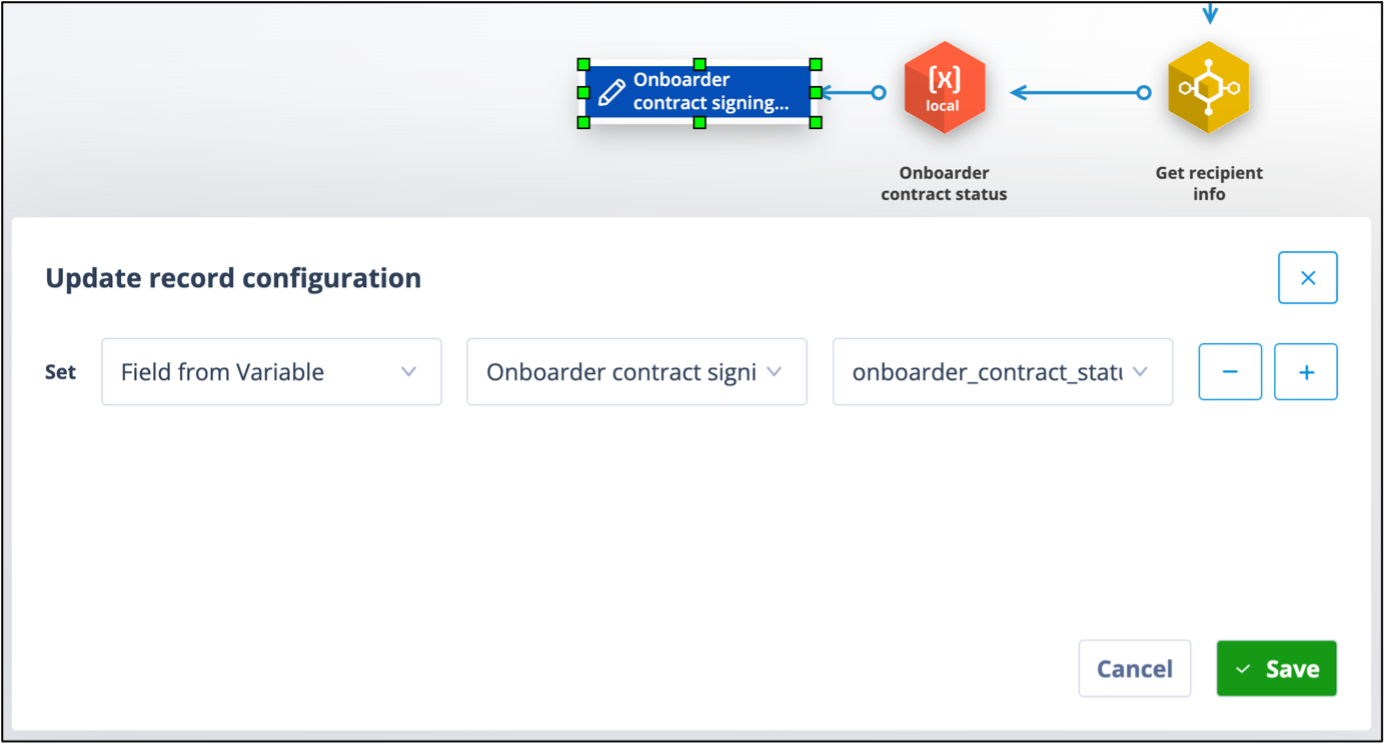
Monitoring and rechecking recipient status
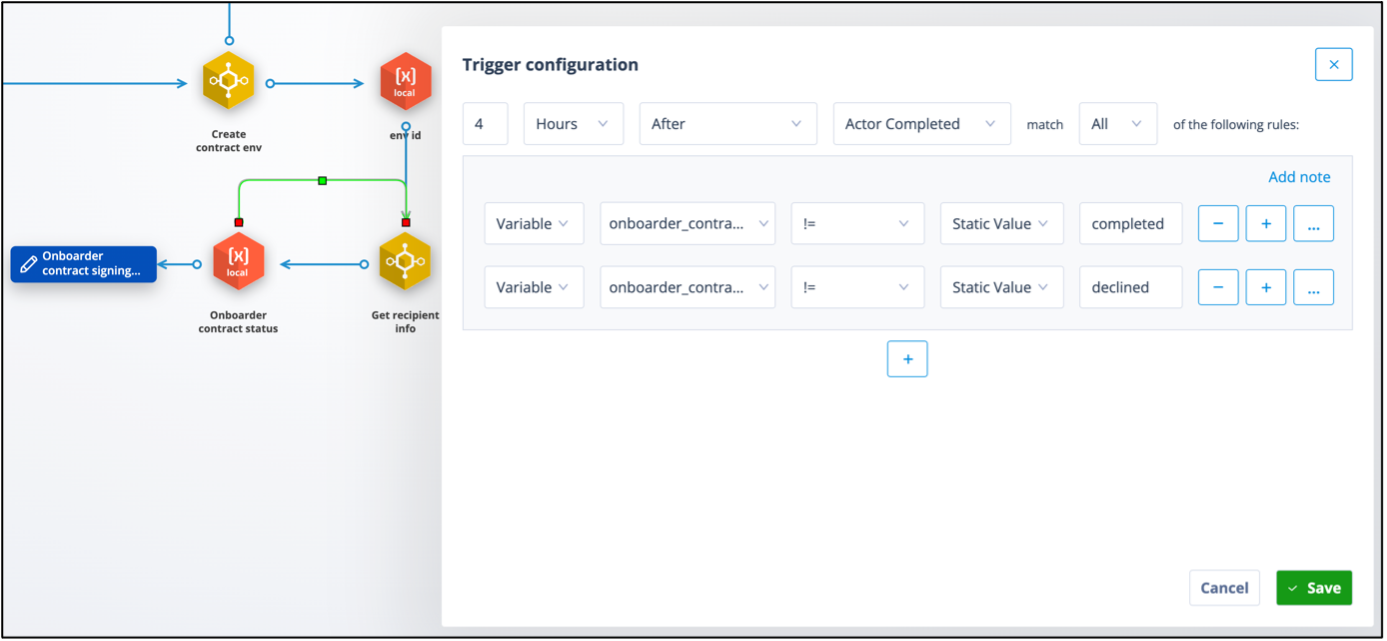
To monitor the Recipient status and have it update in Catalyst as the document moves through the DocuSign process, a loop back to the API call which GETS Recipient information is needed.
Take a trigger from the local variable and connect it to the API Call actor. Add a delay, but consider what is an appropriate timescale for the delay because, effectively, this determines the frequency by which the Recipient information will be checked. We have used 4 hours.
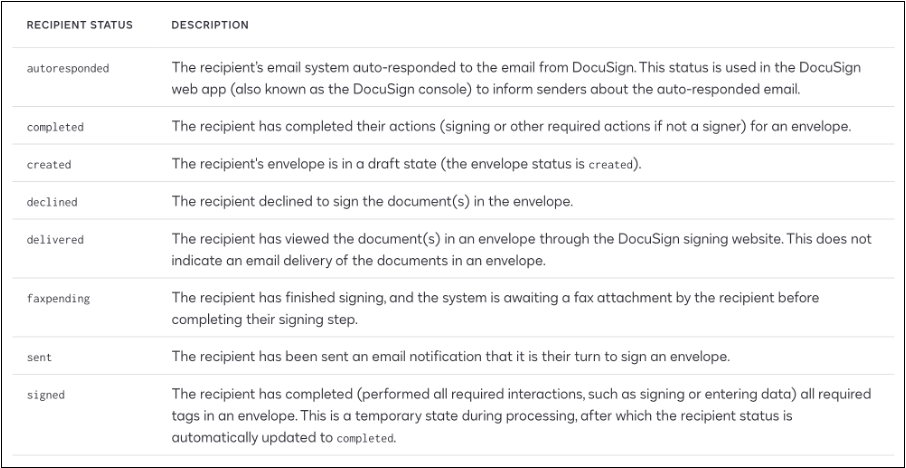
The trigger will require additional conditions to discount statuses which mean that a recheck is not needed. These are likely only to be “completed” and “declined”. However, see the table at the end of this section for an explanation of all recipient status codes.
Note: all status values must be in lower case.
Capturing additional recipients
The status for additional Recipients can be captured by adding further Local Variables and Update Record actors, as below.
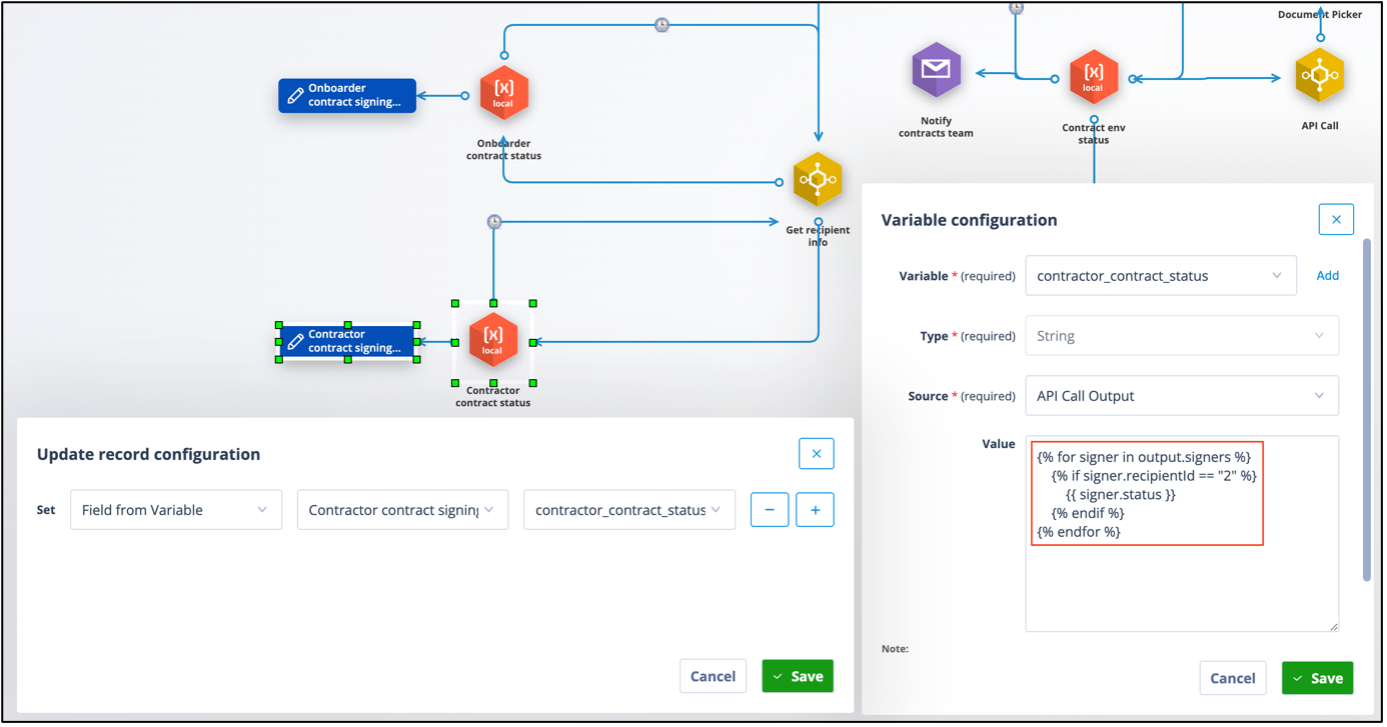
Note: this time the variable is looking for the signer.status for recipientId 2.
It is important to list the signers in the correct order in the API call which creates the envelope, and give them related Recipient IDs, so that you can be sure which API call output relates to which signer.
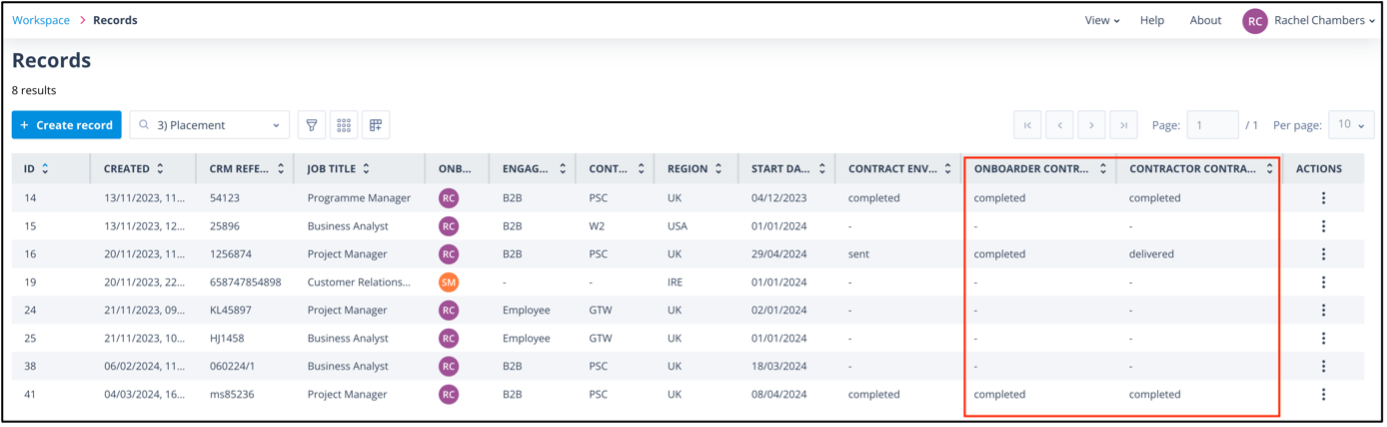
The Recipient status fields can be displayed in the records list and used in task templates, document templates, send message actors and subsequent trigger conditions.
Useful info: Recipient status code descriptions
The screenshot below provides descriptions of the recipient status codes.