
8. System migrations and DocuSign Authentication objects
Authentication objects are mapped during a System Migration, but their configuration is not over-written.
What this means: You must have Authentication objects with the same name in both your dev and live systems, but they do not necessarily have to contain the same settings.
In other words, you could have a DocuSign auth object simply called “DocuSign” in your dev Catalyst system configured for Host account-d.docusign.com, and an auth object with the same name in your live Catalyst system configured for Host account.docusign.com.
However, some users find it easier to configure and manage two DocuSign Authentication objects in both dev and live systems. This is because the Account Base URI is usually different in a DocuSign test environment, and the API Account ID could potentially be different too.
Example approach
Test auth object: In one auth object, using a test account, the Host selection would be account-d.docusign.com. This auth object would be used in your dev system to test all API calls and ensure that everything is working as expected.
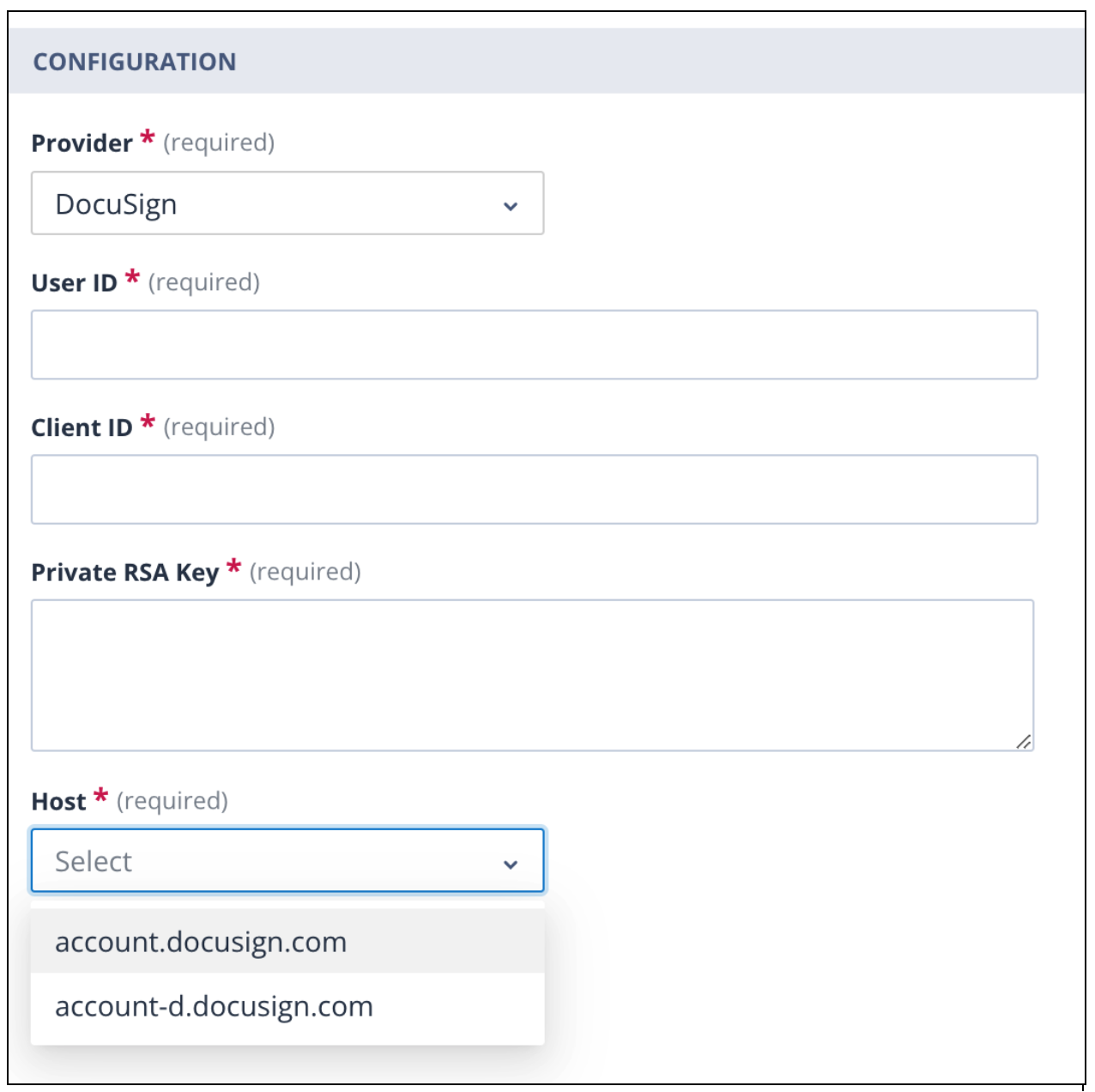
Live auth object: Having completed this testing, you would then change the API configuration to use the second auth object, where the host selection is account.docusign.com and the credentials for your live DocuSign account are stored.
Important
When using this method, you must ensure that the URL in the API call contains the correct Account Base URI and API Account ID. You will have to test the API call once more to make it active prior to a system migration.