
Edit a Document Template
Before you begin
To edit a Document Template, you will need one of the following:
- A Super Admin user account
- A Role with permission to edit object classes
- Be a member of a Permission set which allows the User to edit a specific Object class
Edit the template
From the System configuration section of the main navigation menu, go to Object classes. Double click the row for the required Object class or select Edit in the Actions menu.
Click the Document templates tab. By default, document templates are listed alphabetically by Name.
Either double click the row for the template you wish to edit or select Edit in the Actions menu.
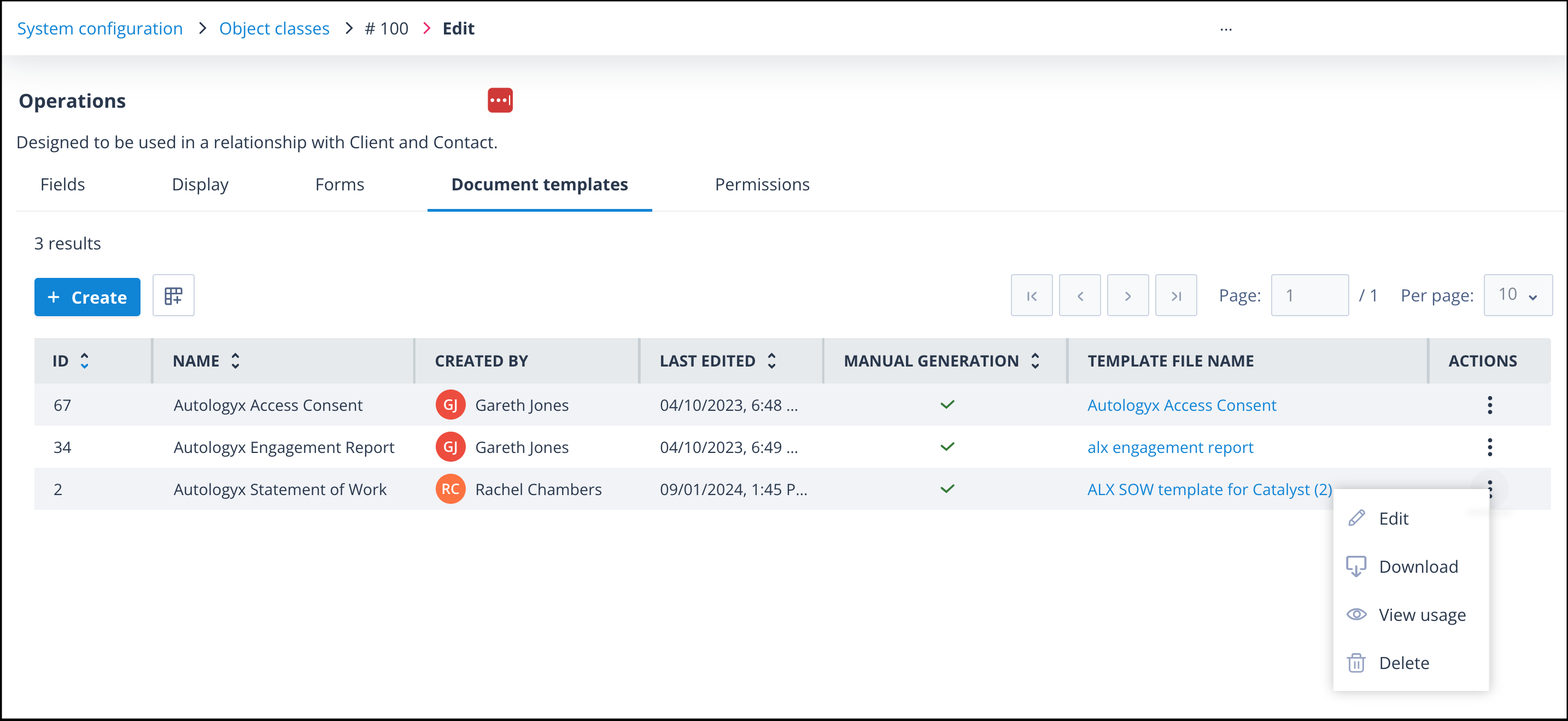
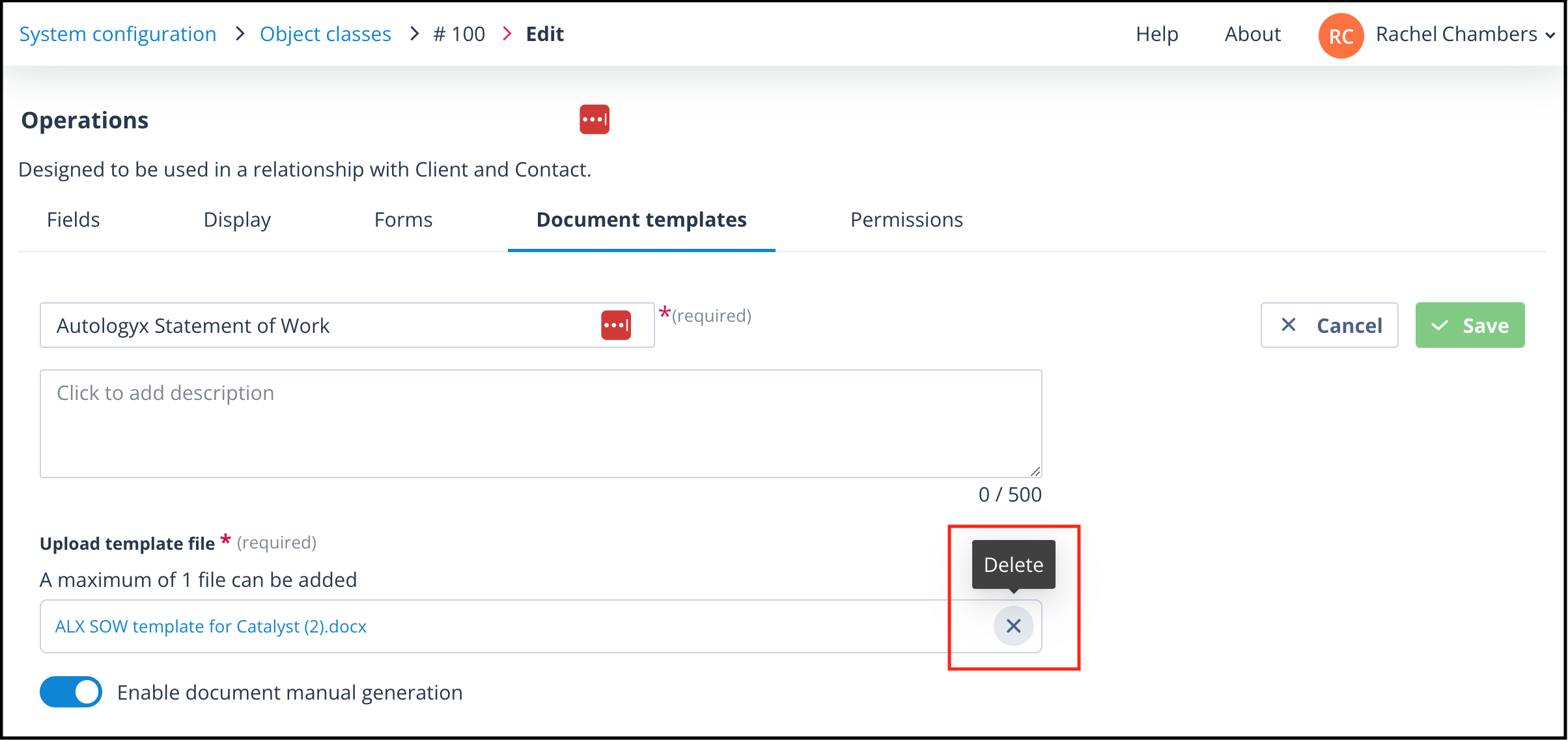
You can then edit the document template Name, Description, and enable or disable document manual generation. The document template name must be unique in the context of the Object class.
In addition, you can download the existing template and add or amend merge fields, IF Statements, and other function Statements, as well as change the document text, layout, and formatting. This revised version will need to be saved locally.
Important: When all required changes have been made, remember to remove the existing template and upload the amended one in its place.
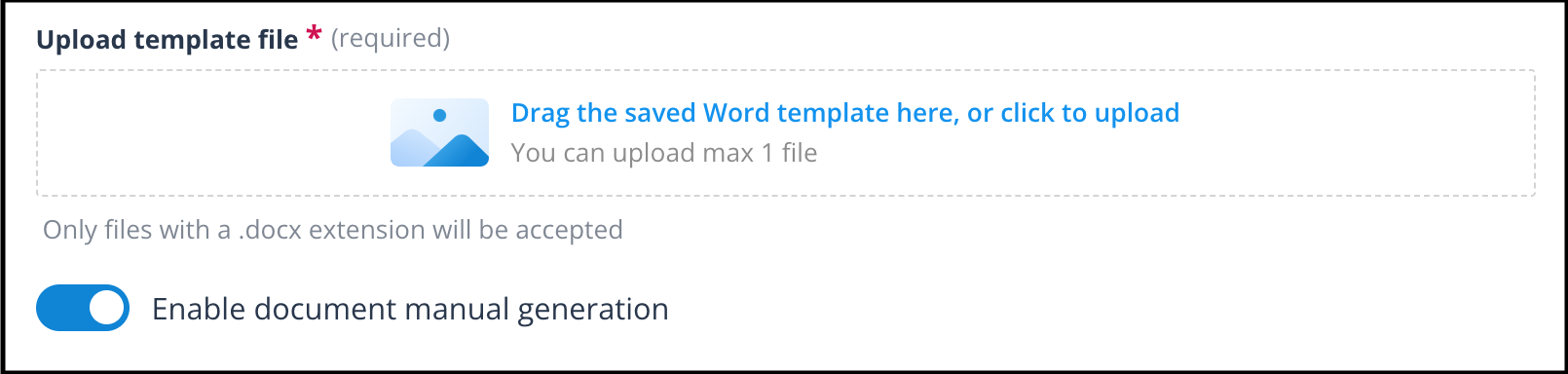
Click Save. You will be taken back to the document template list.