
Record access tab
Each Object record includes a Record Access tab in the side panel.
This tab can be enabled from the View menu in the top-right corner of the page.
You can access this tab if you are one of the following:
- Owner of the Object class to which the record belongs
- Owner of the record
- A user with a Super admin account type
The Record Access tab shows which user is the Owner of the record and which users have access through a Record Permission Set.
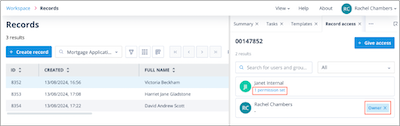
The user who manually creates a record automatically becomes the Owner. However, the Owner can be changed using an API Call in a sequence.
Components
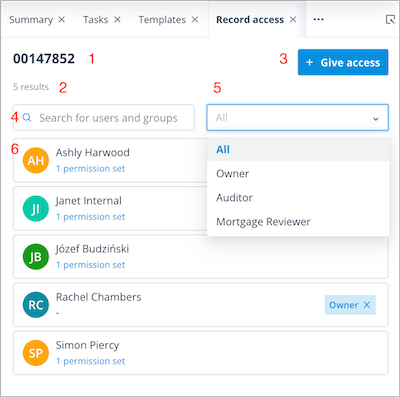
The Record Access tab contains the following components:
- The record Identifier
- Owner/Assignees counter - changes when the dropdown menu is used to filter users
- Give access button
- Users search field - users with a 1 time completion account type are not available
- Dropdown menu with options:
- All - shows the Owner and Assignees from all Permission Sets for the record
- Owner - shows the record Owner
- names of all available Record Permission Sets created on the Object class, shown in alphabetical order
- Owner/Assignees list
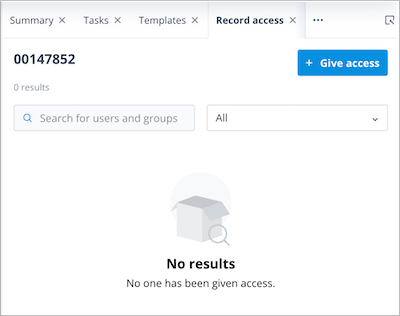
If a record has no Owner or Assignees, the tab displays the message:
No results
No one has been given access
What you can do from this tab
From this tab, you can:
- assign, change, or remove the Owner
- grant access to users through Record Permission Sets
- remove user access from Record Permission Sets
Things to remember
- A record can have only one Owner but multiple Assignees through one or more Record Permission Sets.
- Record Permission Sets are created on the Object class.
- A Record Permission Set can have up to 100 Assignees.