
Using an Authentication object in an API call
An Authentication object allows you to securely store authentication details for supported providers and reuse them across multiple API calls.
This means credentials can be managed in one place rather than being entered separately into each API call configuration.
For more information, see What is an Authentication object and how do I configure it?.
Set up the API call
To use an Authentication object in an API call:
Right-click the API call actor and select Configure.
Choose the required Type, Method, and Data Type.
In the Authentication menu, select Auth Object.
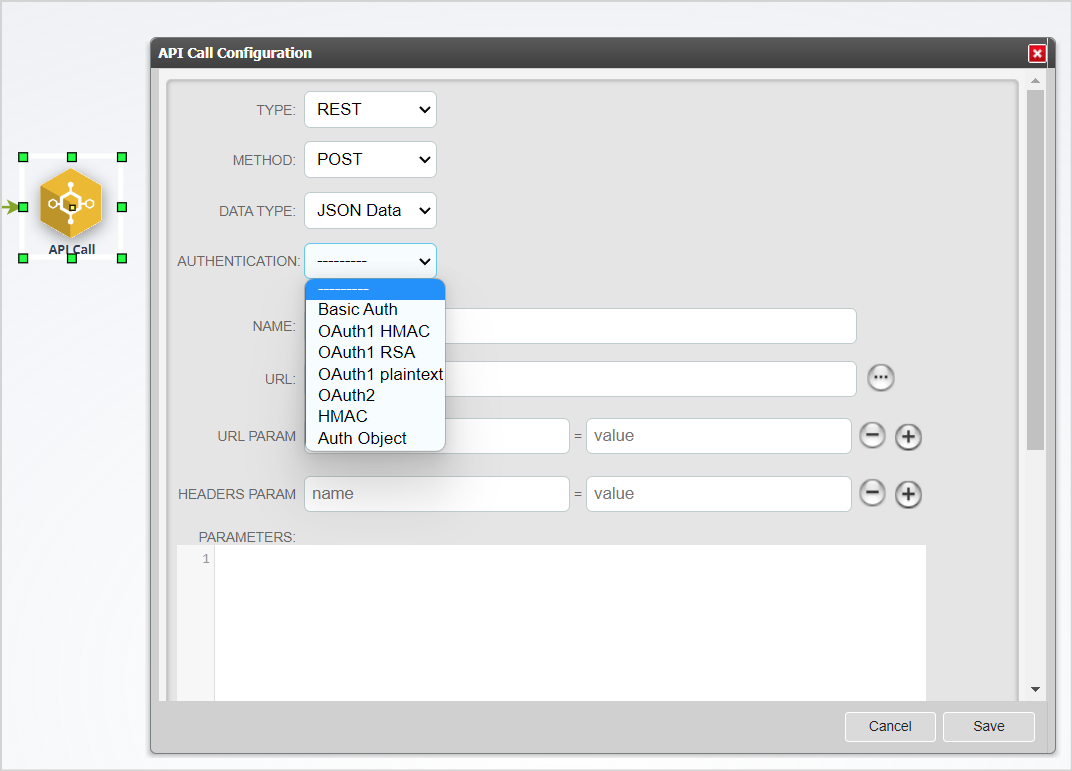
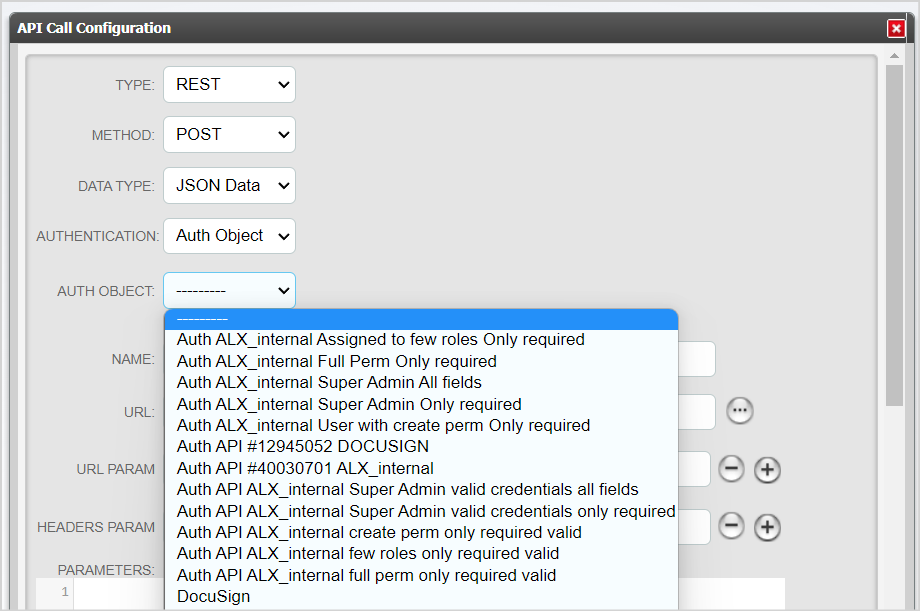
A new field called Auth Object is displayed.
Select the required Authentication object from the list.
Complete the remaining API configuration.
Test the API call so that it becomes active.
Save the API call configuration.
Things to remember
- An Authentication object can be reused in multiple API calls.
- Updating an Authentication object updates the credentials used by all API calls that reference it.
- The maximum number of Authentication objects allowed in your system is 100.