
Overview of User Permissions
A user's permissions determine what they can see and do in Catalyst.
Permissions are controlled by several different settings, including account type, Roles, Object Class permissions, Record permissions, and User Group permissions.
This article gives you an overview of how these permission layers work together and where to configure them.
1. Account type
Every user must have an account type.
Account type is the first level of access control and determines the broad type of access the user can have.
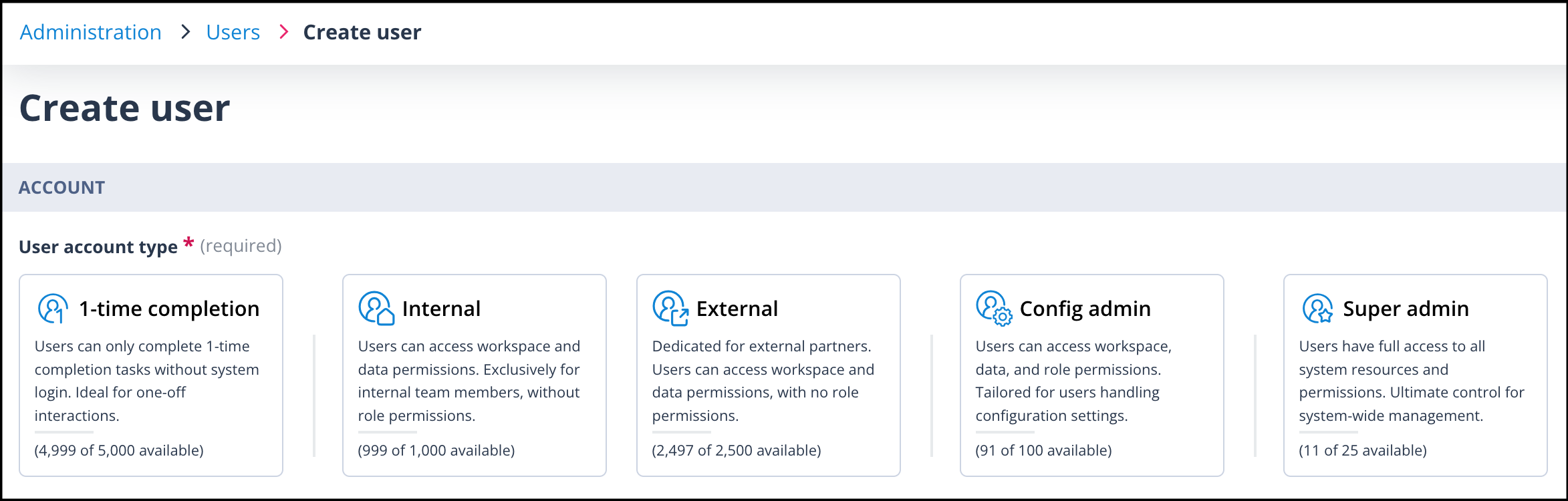
Catalyst includes the following user account types.
Super Admin
Use this account type carefully and sparingly.
A user with a Super Admin account type has full access across the platform, including delete permissions.
Only Super Admin users can access the following areas:
- Administration > Users
- Administration > Roles
- Administration > Elements
- Administration > Outbound mail setup
- System configuration > Landing page
- System configuration > Theme
Config Admin
Config Admin users usually configure the system rather than complete day-to-day work.
They can be given one or more Roles, allowing them to create or edit areas such as:
- Task Templates
- Sequences
- Object Classes
- Single Sign-on settings
- Authentication configuration
1-time completion
1-time completion users do not log in to Catalyst.
They complete Tasks from secure links in email notifications. This account type is useful for people who only need to complete occasional tasks and do not need access to records.
Internal
Internal users are usually employees of your organisation.
They are typically responsible for processing records, completing tasks, and working inside the Workspace. Their access is usually controlled through Object Class permissions, Record permissions, and User Groups.
External
External users are usually people outside your organisation, such as clients, suppliers, or other third parties.
They may have limited access to assigned Tasks or specific records, depending on how permissions have been configured.
2. Roles
Roles are used for users with the Config Admin account type.
A Role controls which Administration and System configuration areas a Config Admin user can access.
The example below shows a Role that allows a Config Admin user to create and edit Sequences, Task Templates, Object Classes, and the relational model.
This Role does not allow the user to configure Administration areas or delete configuration.
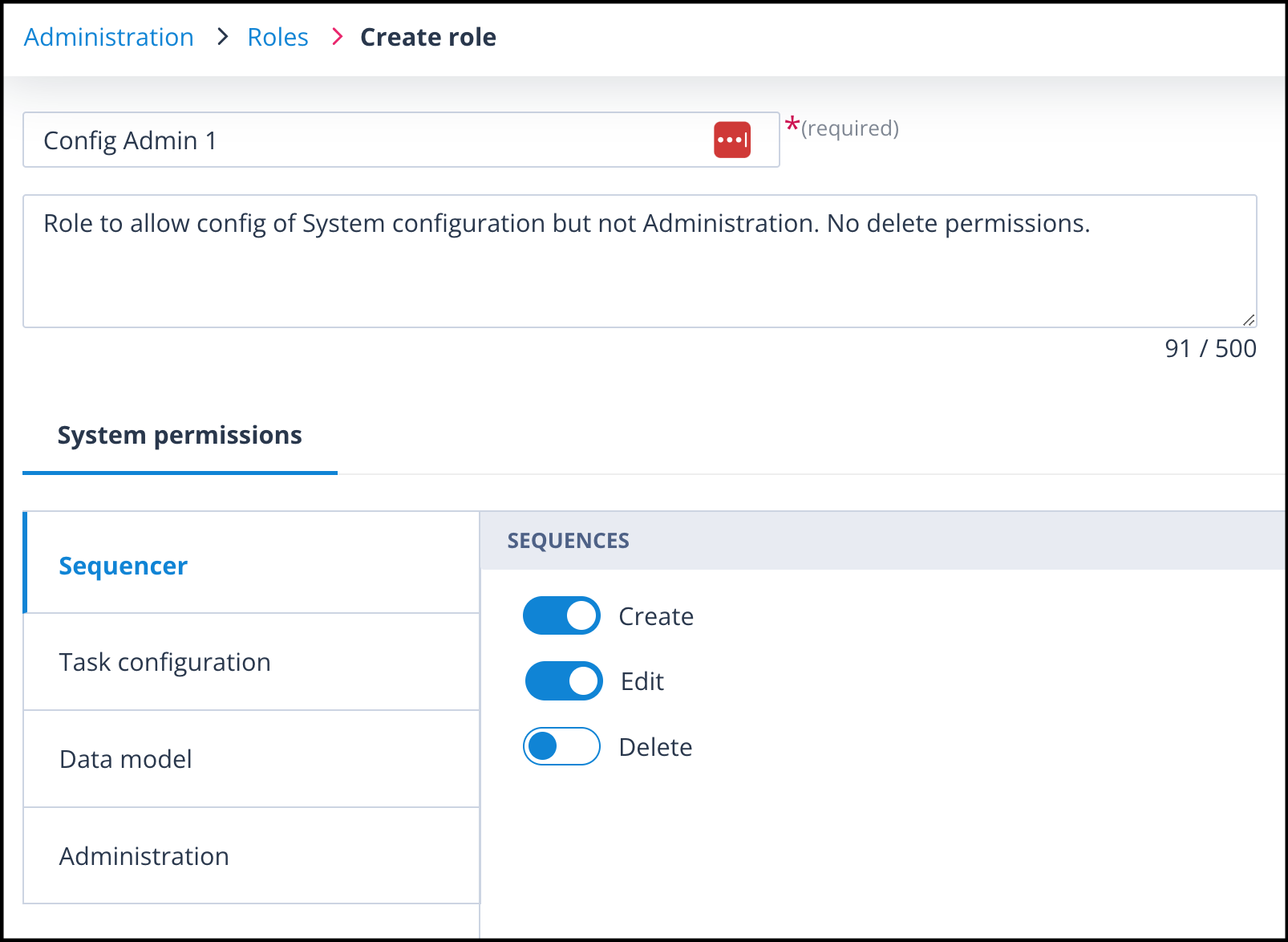
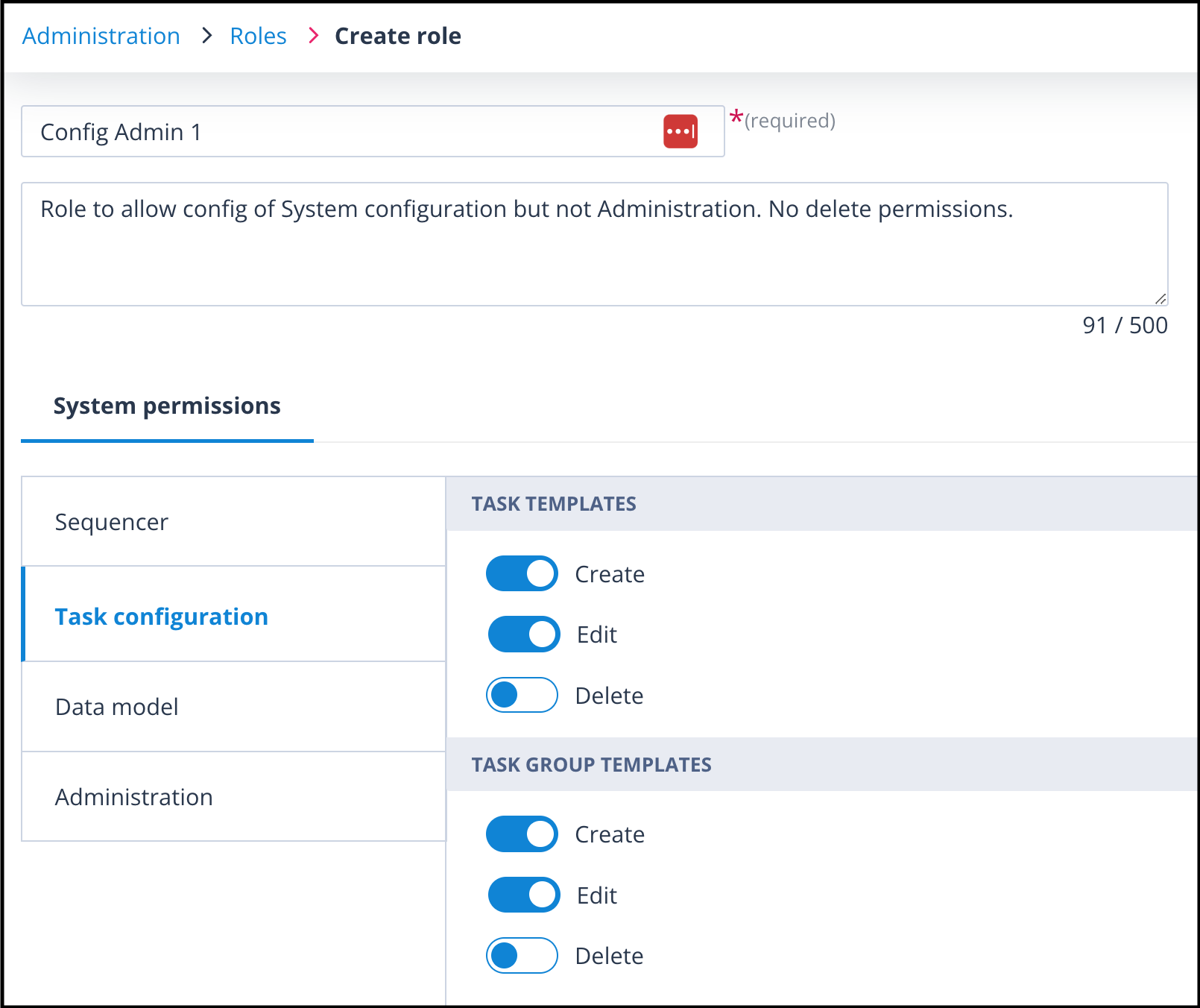
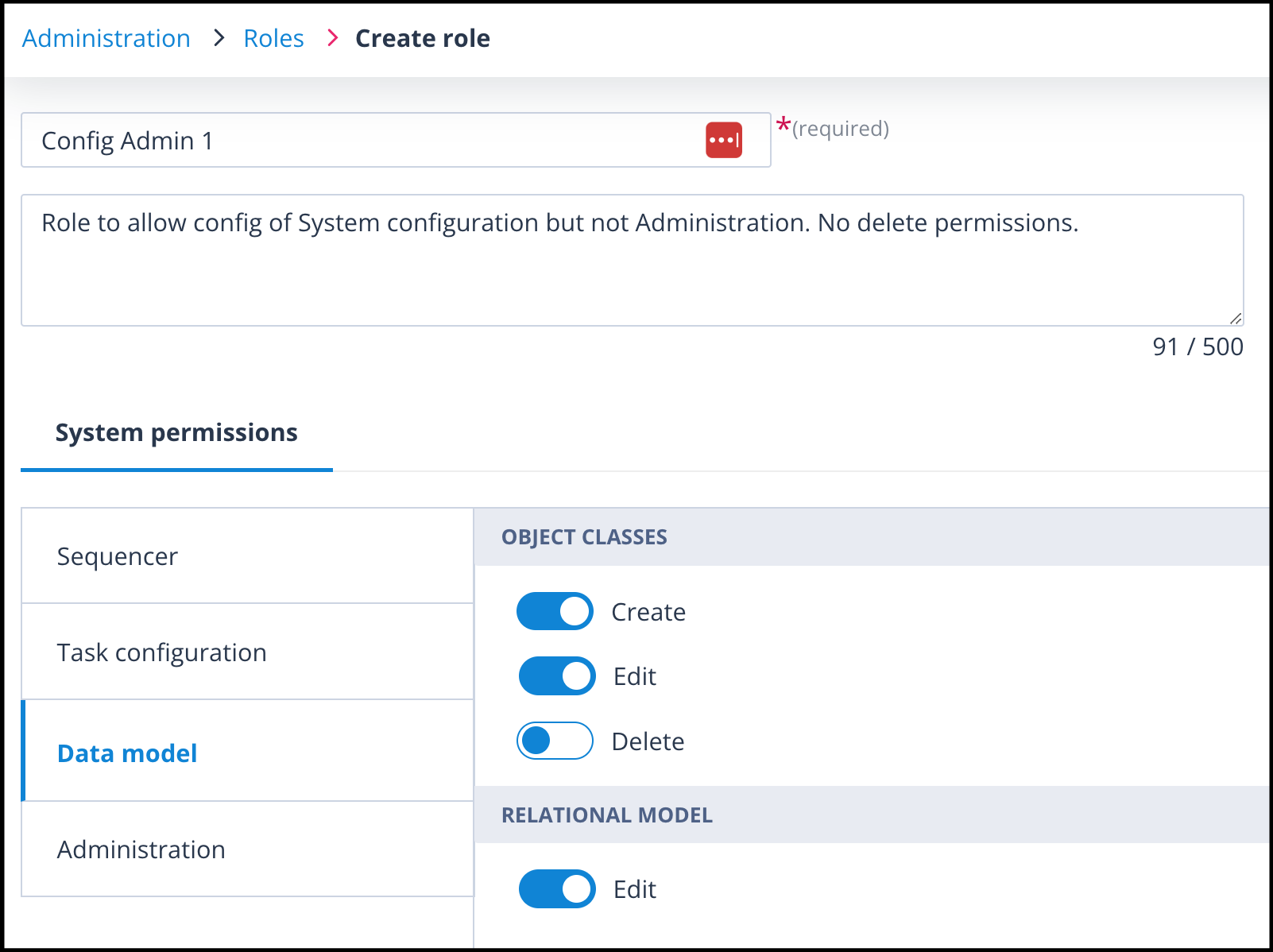
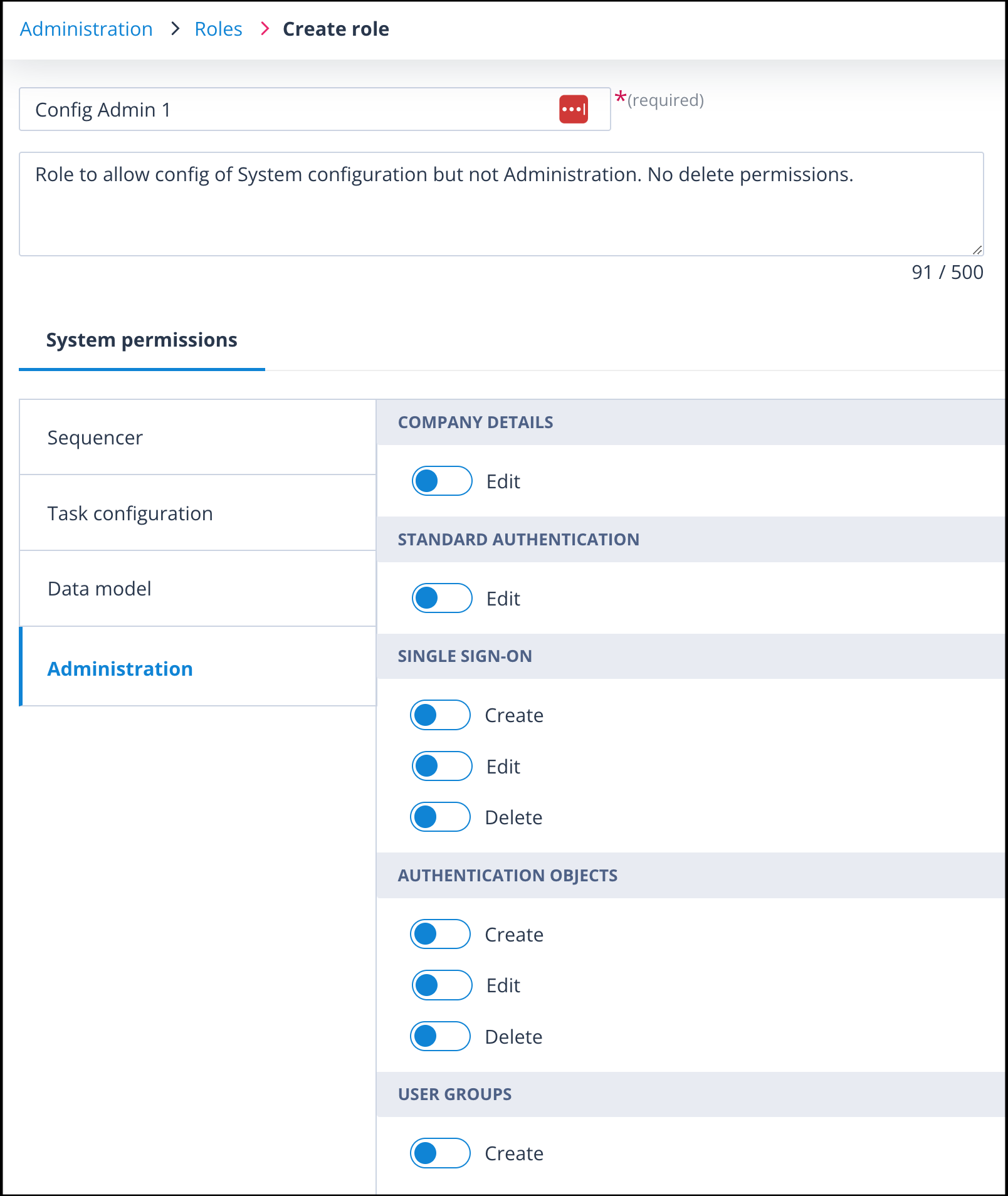
Roles are high-level system administration permissions. They do not control access to individual Object records.
3. Object Class permissions
Object Class permissions control access to Object Classes, records, and tasks.
They are split into:
Class permissions
Class permissions apply across the Object Class.
When an Object Class is created, the creator is added to the default Owner permission set.
This Owner permission set has all permissions enabled and cannot be changed.
Additional Owners can be added by the Object Class Owner or by a Super Admin user.
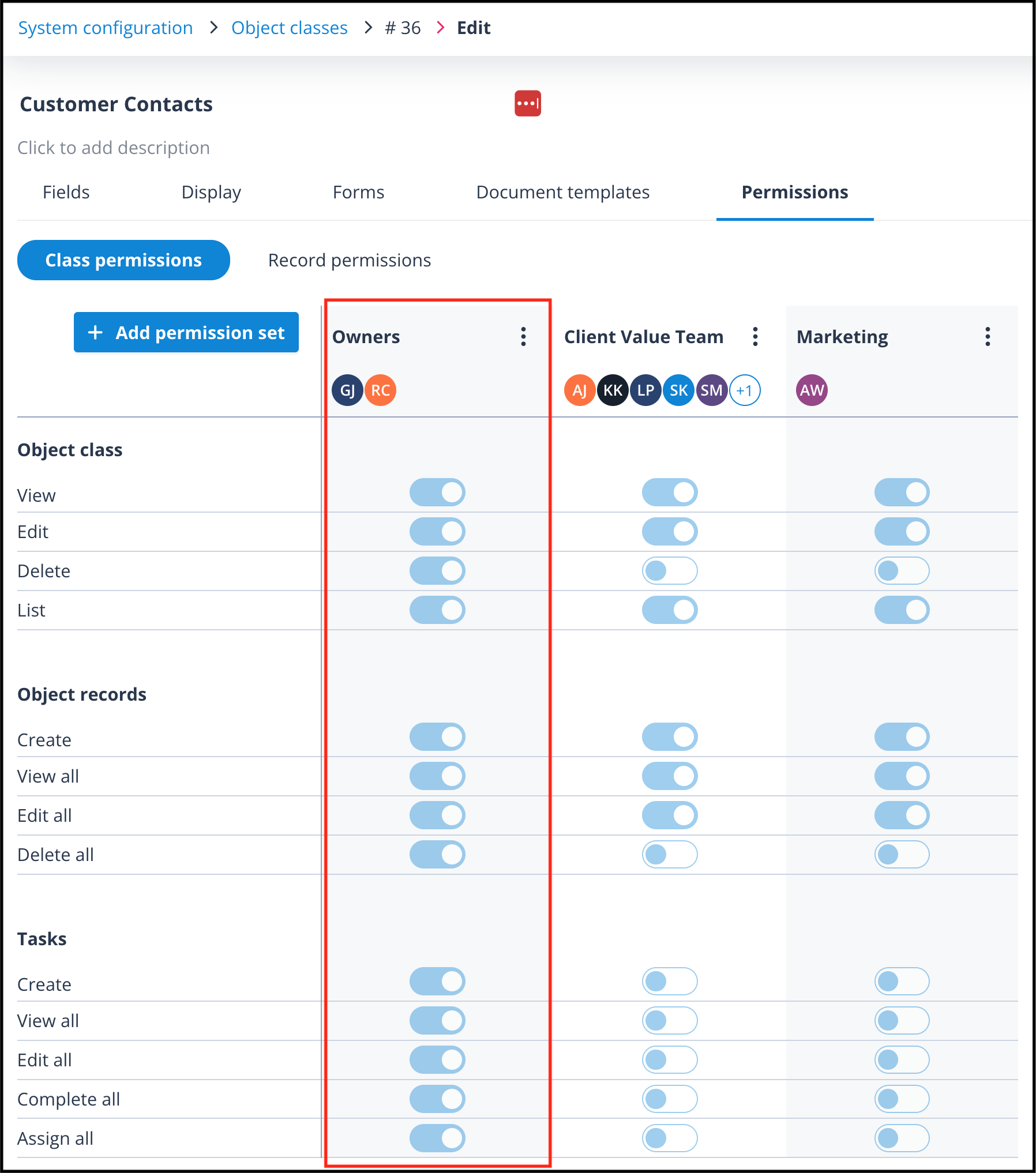
Additional permission sets can be created to allow users or User Groups to work with:
- the Object Class itself
- Object records in that class
- Tasks available for that class
These permissions apply across all records and tasks in the Object Class.
Record permissions
Record permissions control access to individual Object records.
Each record has a default Owner permission set with all permissions enabled for the record Owner.
Additional Record Permission Sets can be created by Object Class Owners.
These permission sets can then be assigned to users from the Record access tab in the side panel of an individual record.
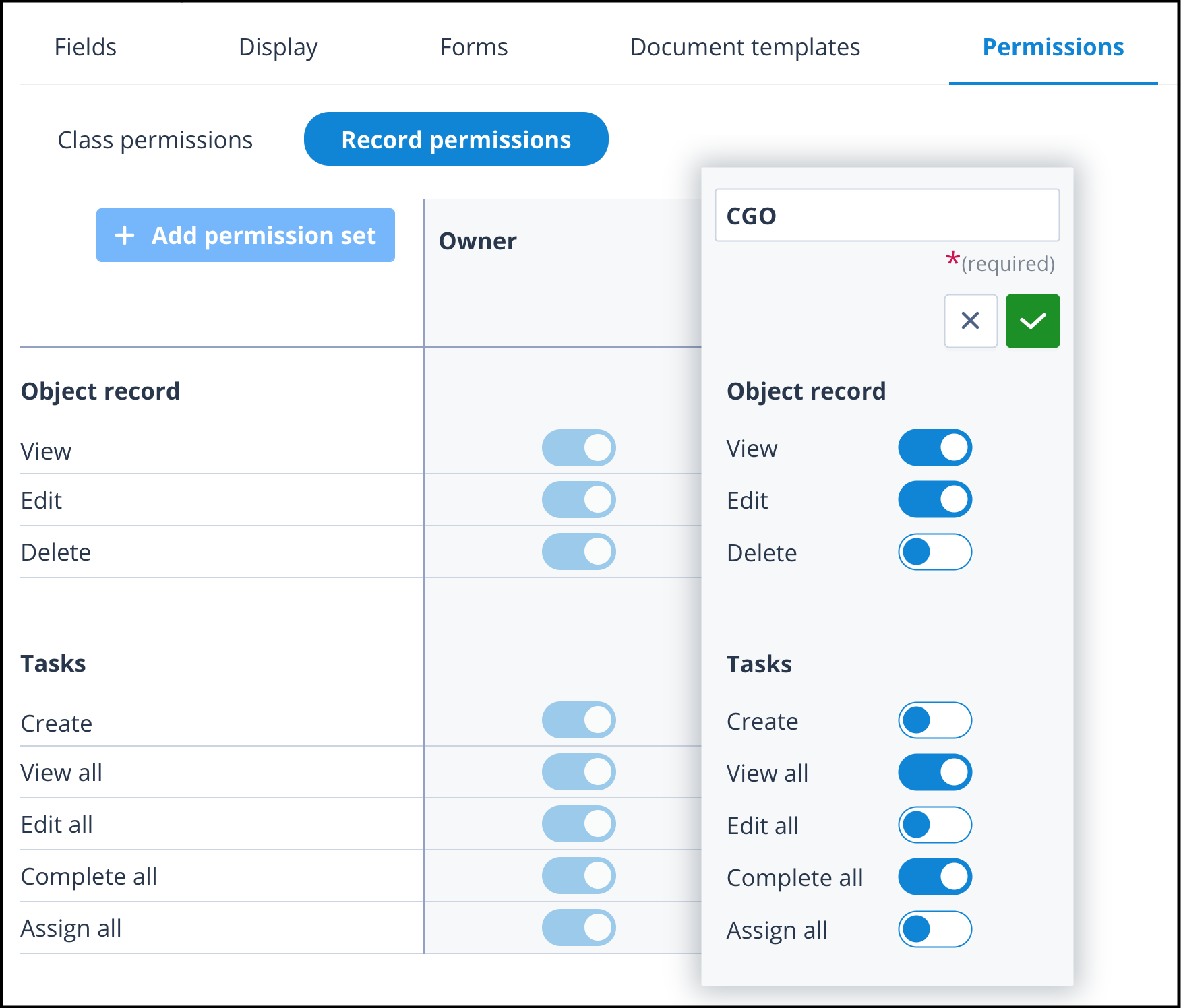
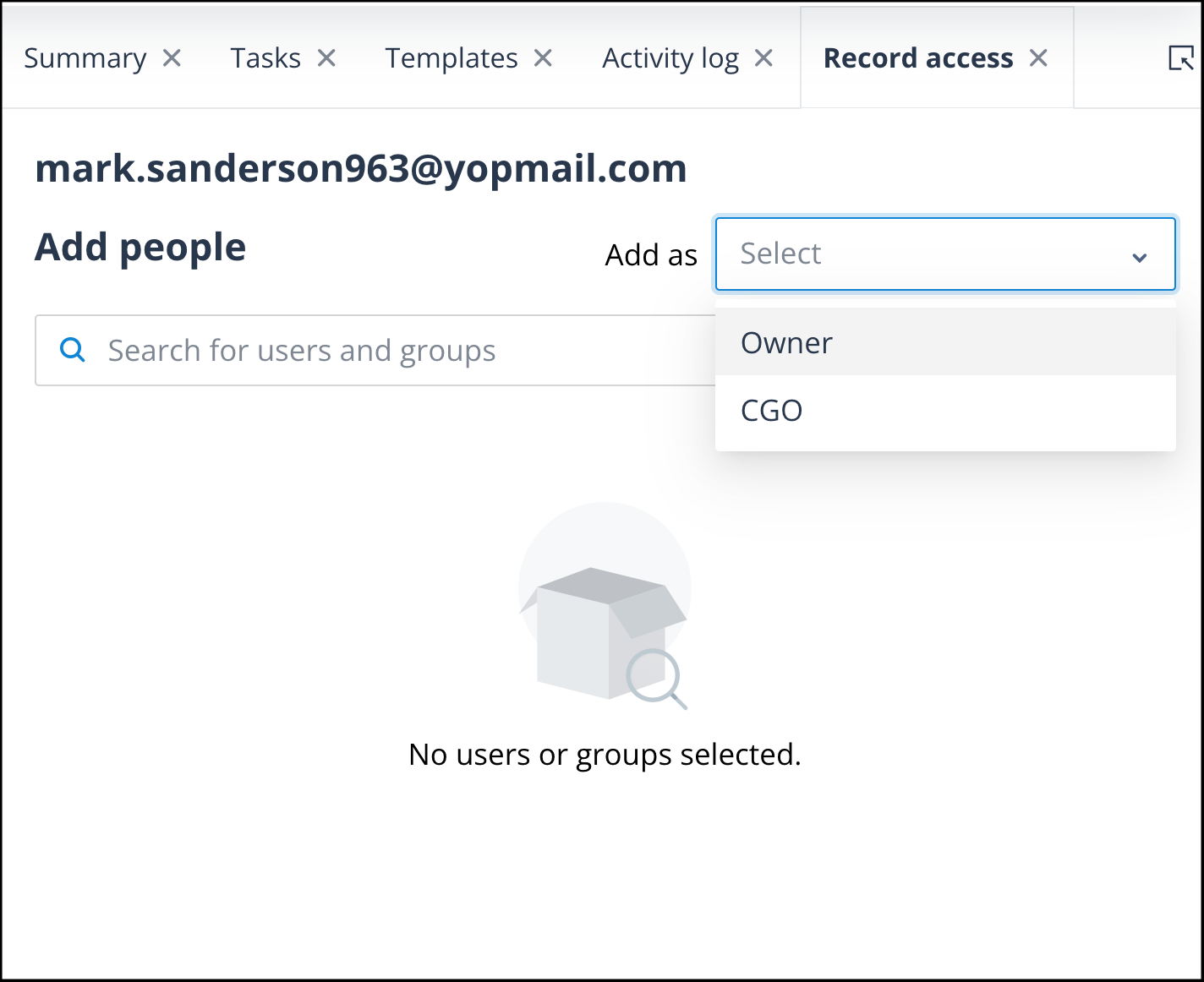
Record Permission Sets can also be assigned to individual users or User Groups using the Record Access actor in the Sequencer.
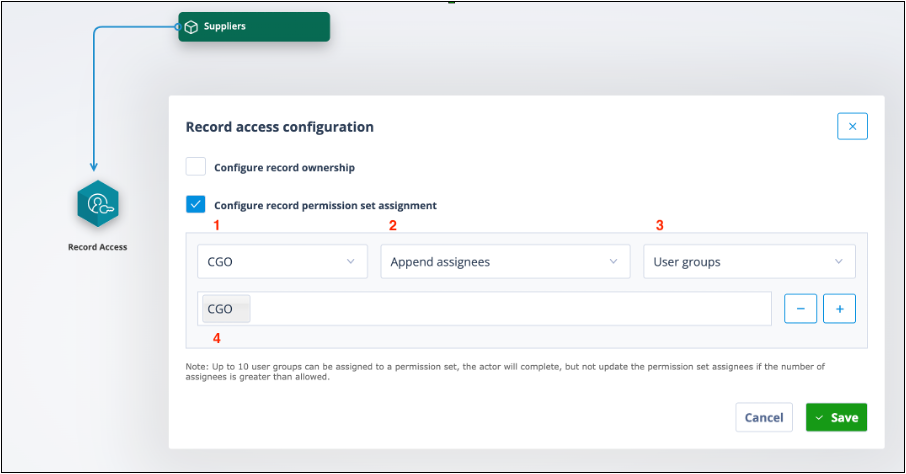
When Configure record permission set assignment is selected, you can choose:
- the required Record Permission Set
- whether to append assignees, override assignees, or remove assignees
- whether to grant access to individual users, User Groups, or users from a user field
- the users or User Groups that should receive the permission
4. User Group permissions
User Groups are used to manage teams or subsets of users.
They make it easier to reference multiple users in permissions, task assignment, and workflow configuration.
Each User Group has two main configuration areas:
- Membership - used to manage members and Owners
- Permissions - used to control who can view, edit, or delete the User Group
For more information, see Why do I need User Groups?.
How the permission layers work together
A user's final access is usually the result of several permission layers working together.
For example:
- Account type determines the user's broad access model.
- Roles determine which Administration or System configuration areas a Config Admin user can access.
- Object Class permissions determine what the user can do across an Object Class.
- Record permissions determine what the user can do on specific records.
- User Group permissions determine visibility and access to User Groups and their members.
Things to remember
- Account type is the first level of user access.
- Roles apply only to Config Admin users.
- Super Admin users have full access and do not need Roles.
- Object Class permissions apply across a whole Object Class.
- Record permissions apply to individual Object records.
- User Groups make it easier to manage permissions for teams.
- A user's effective permissions may come from more than one place.