
Why do I need User Groups?
User Groups allow you to organise users into logical teams so they can be managed and referenced throughout the system.
Unlike Roles, which determine what a user is allowed to do, User Groups determine who users belong with.
A User Group can contain users with different Roles, or it can contain users who all perform the same job. For example, you might create User Groups for:
- Customer Services
- Compliance
- HR
- Finance
- Regional Teams
- Project Teams
Once created, a User Group can be used throughout Catalyst wherever multiple users need to be selected or managed together.
Where User Groups can be used
User Groups can be referenced in many areas of the system.
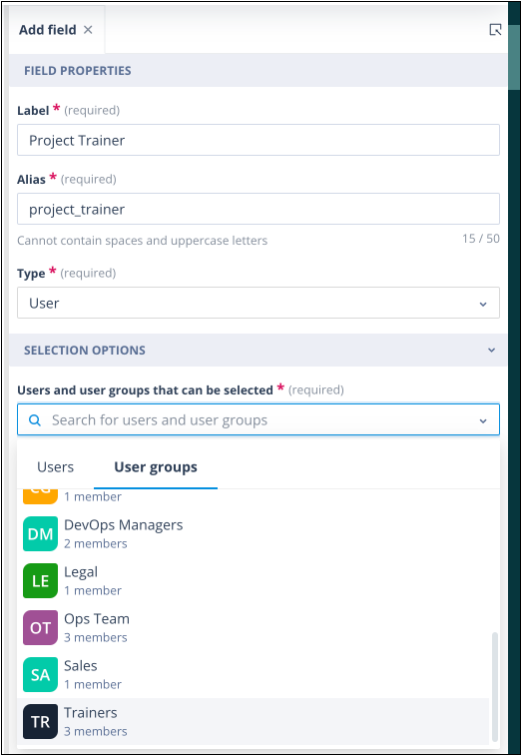
User-type fields
A User Group can be selected in a User-type field configured on an Object Class.
User-type fields can appear in:
- Create, Edit and Summary views
- Standalone forms
- Task Templates of the Update object record type
- Task Assignment actors in the Sequencer
- Record Access actors in the Sequencer
Permission Sets
User Groups can be assigned to Permission Sets, making it easier to grant access to many users at once.
Examples include:
- Object Class Permission Sets
- User Group Permission Sets
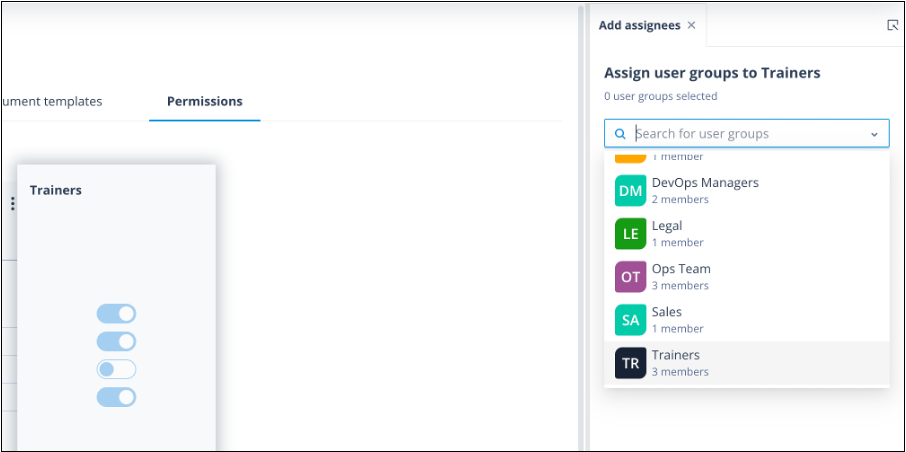
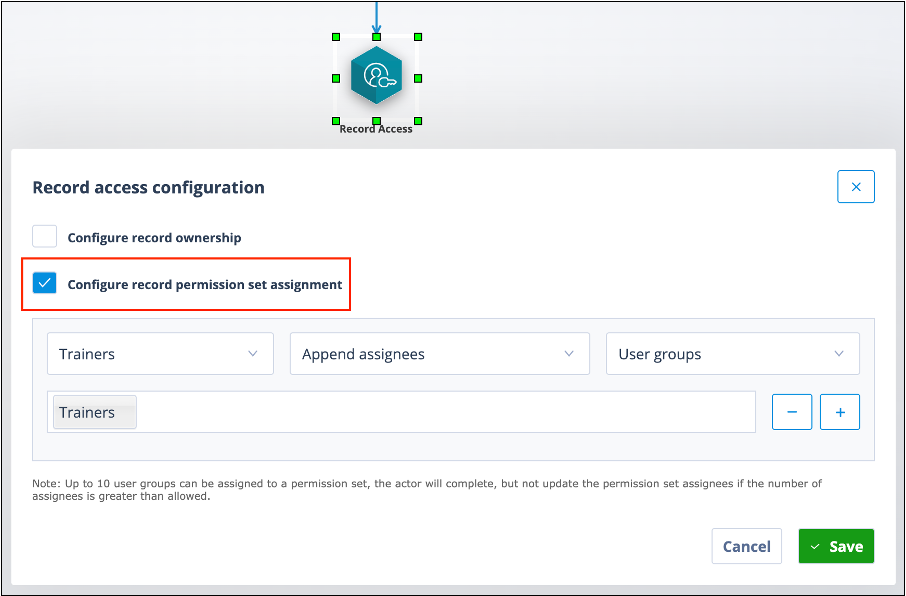
Note: User Groups can also be assigned to Record Permission Sets, but this is done through a Record Access actor or the API rather than directly from the Record.
Record Access actors
User Groups can be used within Record Access actors in the Sequencer.
Depending on the configuration, the actor can:
- append users
- override existing users
- remove users
from a Record Permission Set.
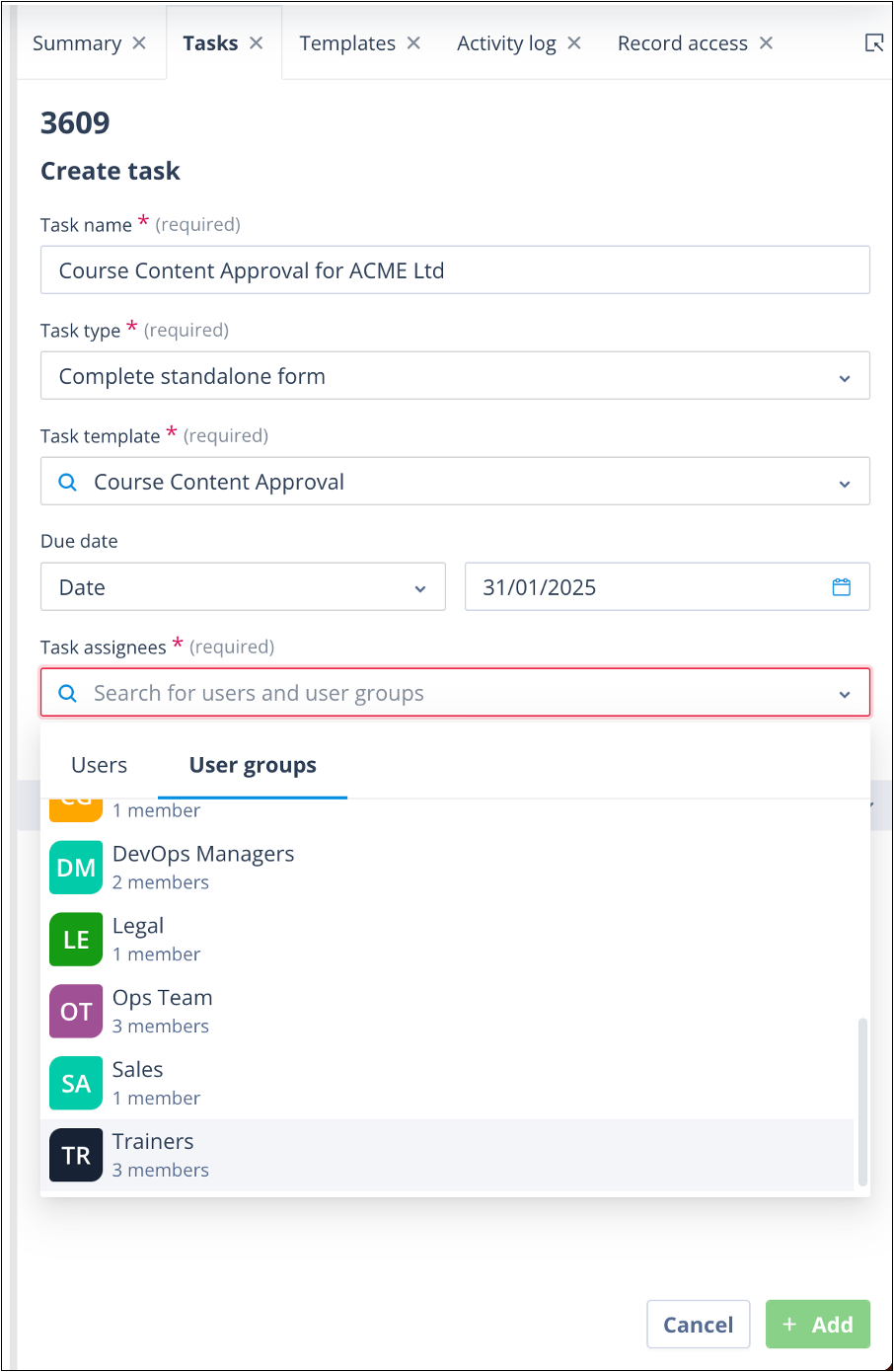
Manual task creation
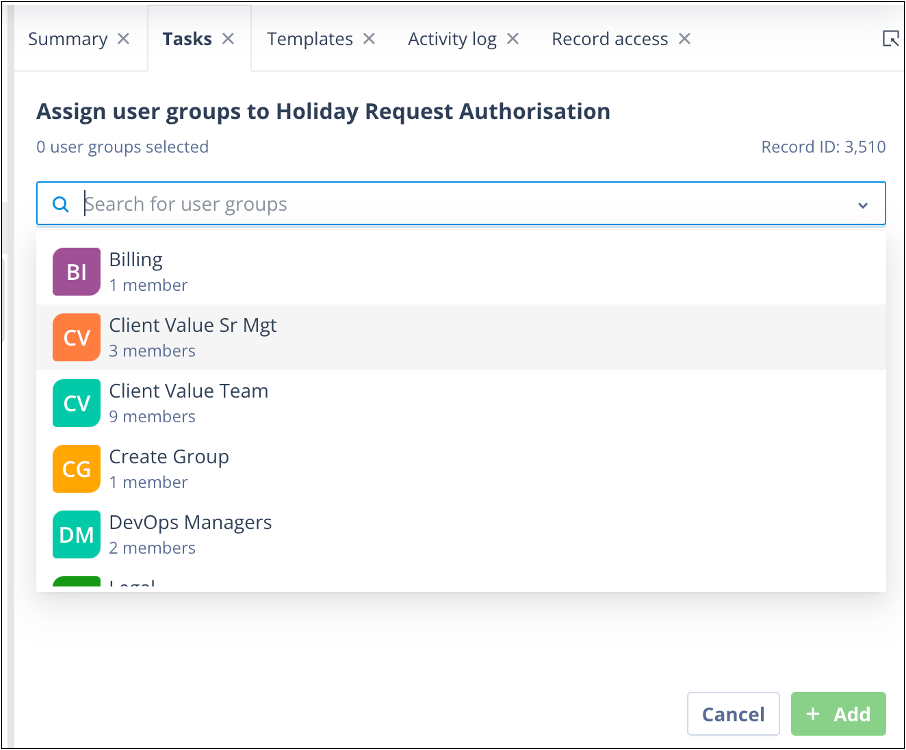
When manually creating a task, a User Group can be selected to assign the task to multiple users.
Task reassignment
User Groups can also be selected when manually reassigning an existing task.
Send Message actors
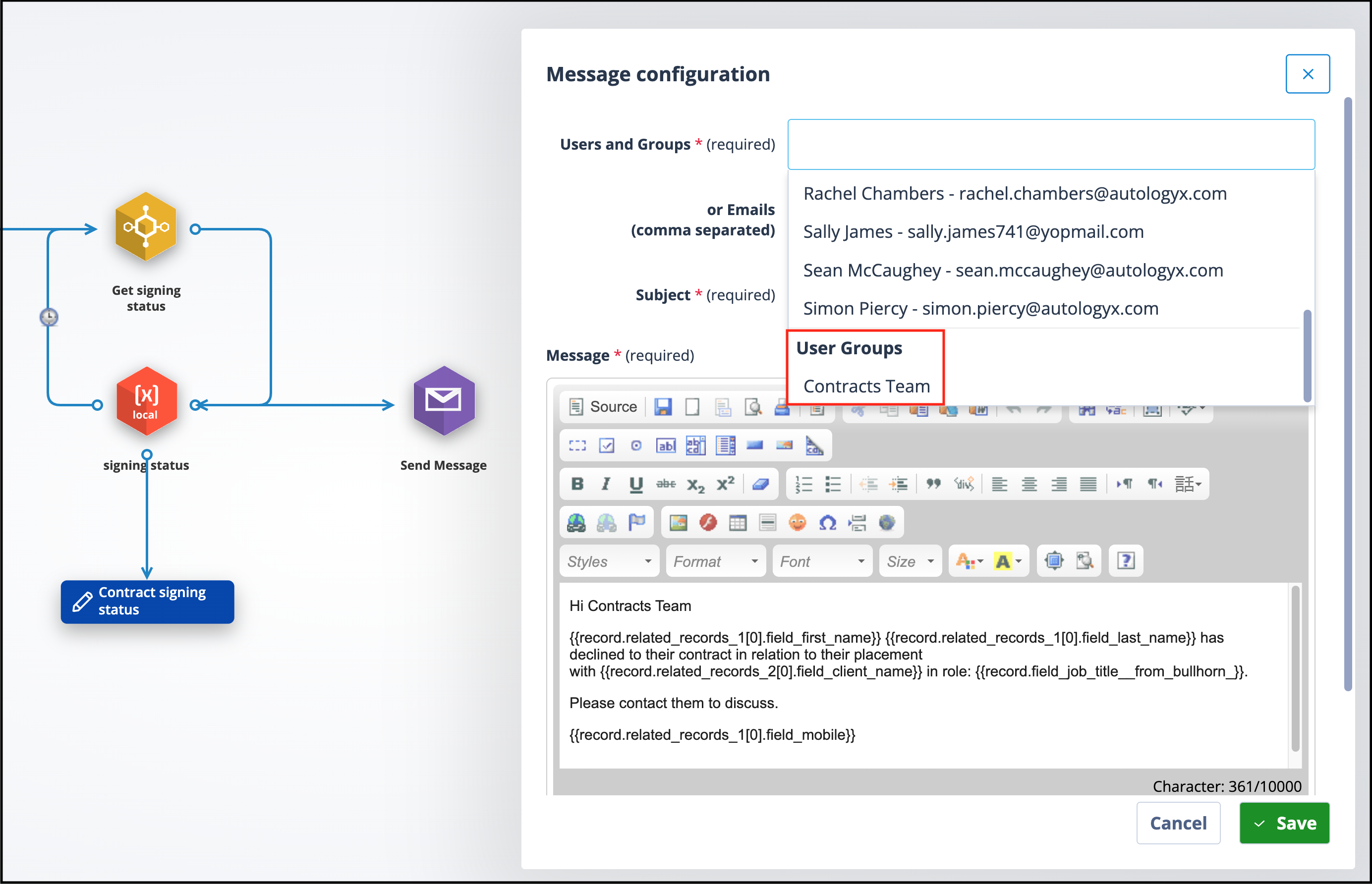
Within the Sequencer, a User Group can be selected in a Send Message actor.
Each member of the User Group will receive the same email notification.
Why use User Groups?
Using User Groups instead of selecting individual users offers several advantages.
You can:
- manage teams instead of individual users
- assign permissions to multiple users in one action
- simplify task assignment
- simplify workflow configuration
- make Sequence configuration easier to maintain
- reduce ongoing administration as team membership changes
Related articles
To learn more, see:
- User Group List
- What do I need to know about creating a User Group?
- Editing a User Group
- User Group Permissions
Things to remember
- A user can belong to multiple User Groups.
- The user who creates a User Group automatically becomes both its first Member and first Owner.
- A User Group can have up to 10 Owners.
- A User Group can contain up to 1,000,000 Members.
- A system can contain up to 1,000 User Groups.
- User Groups complement Roles—they organise users, whereas Roles determine administration permissions.
- Using User Groups makes permission management and workflow configuration much easier as teams grow.