
Using the Sequence Runner actor for one Object Class
Although the Sequence Runner actor will quite often be used together with the Relation Lookup actor so that an action such as assigning a task or updating a field may be carried out against the parent or child records which the Relation Lookup has identified, (click here for a guide), there are many occasions when it will be used alone.
The Sequence Runner can be used at any point in a sequence to run another sequence for a sub-process against the same object class. This allows you to keep sequences from getting overly large and therefore difficult to maintain.
There are two Sequence Runners in the below screenshot - see the pink actors!
When to use the Sequence Runner alone
The Sequence Runner can be triggered for all records or a subset of records in the same object class as the starting sequence; your trigger conditions would determine for which records in the case of a subset.
It could be used to activate sequences by subject matter. For example, you could have a starting sequence for intake of a number of different types of matters or claims in which would be included your KYC tasks. You could then use the Sequence Runner to commence different processes for Real Estate, Commercial, Employment and other types of case.
Alternatively, your use case may be to do with the additional legal compliance required when operating in different countries, or screening compliance for working in different sectors. This type of sub-process could be triggered from your main sequence once the common core checks have been completed.
Example: escalation tasks for Mortgage Applications
The following example shows how you might use one sequence for all escalation tasks relating to Mortgage Applications. If these tasks are all escalated to one user or a group of users, you can make them the default task assignee(s) when creating the sequence to be activated from the main one.
The above screenshot shows the first few steps of the main sequence. You can see that once data consent has been given in the "GDPR Agreement" task, there are two further tasks:
- Review application - intake
- Check affordability
Both of these tasks require the task owner to make a decision as to whether this part of the mortgage application can be approved, or if it should be rejected or escalated.
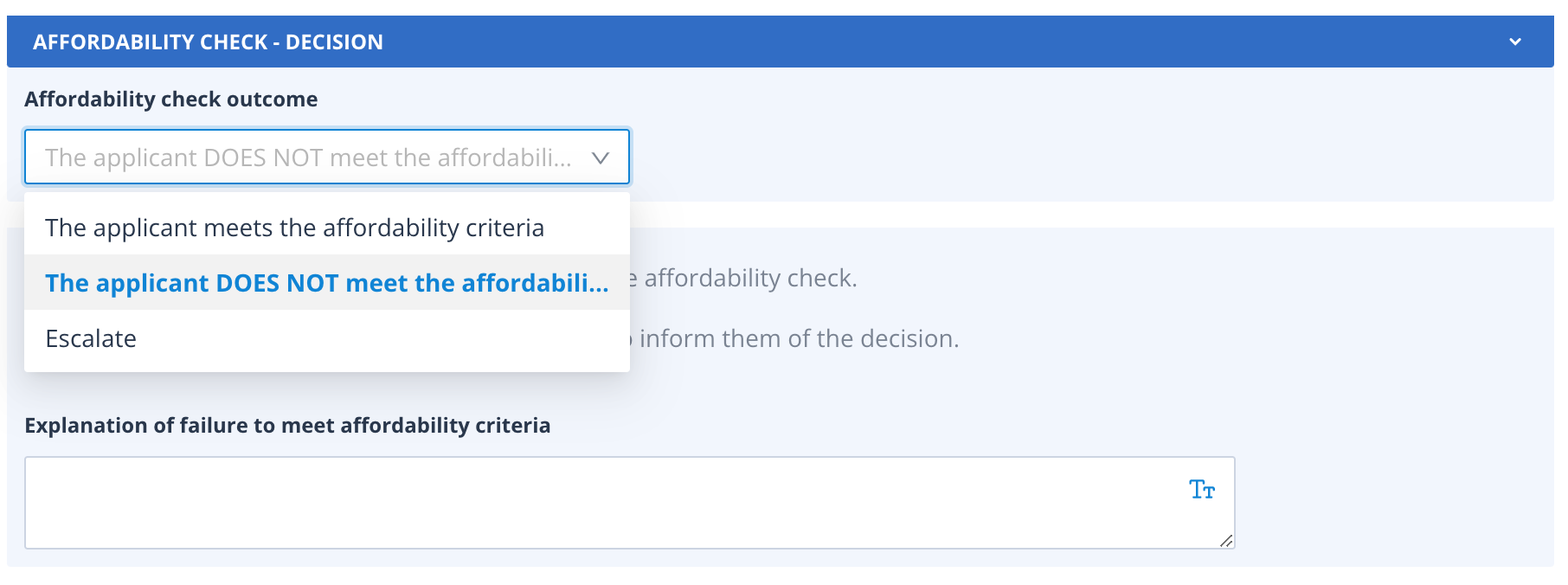
The task template for the Affordability Check is shown below.
Escalate outcome
Each of the 3 outcomes has a very distinct route in the process:
| The applicant meets the affordability criteria - the Application Status is updated to "Affordability passed" and the next task called "Primary terms" is created for the record. | 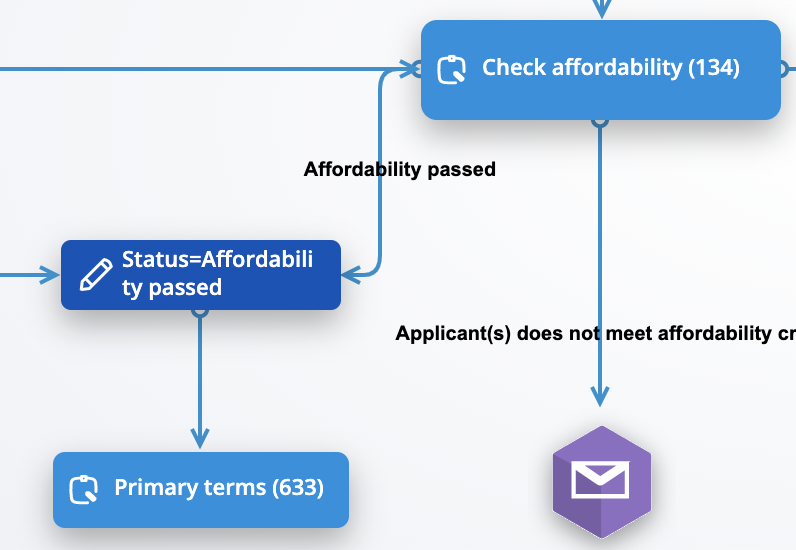 |
| The applicant DOES NOT meet the affordability criteria - when this option is chosen in the task form a new field is presented where the user can enter the reason for this decision. This input is merged into an email to the applicant(s) informing them of their failure to meet the criteria. The application status is updated to "Application rejected". The process would stop at this point. | 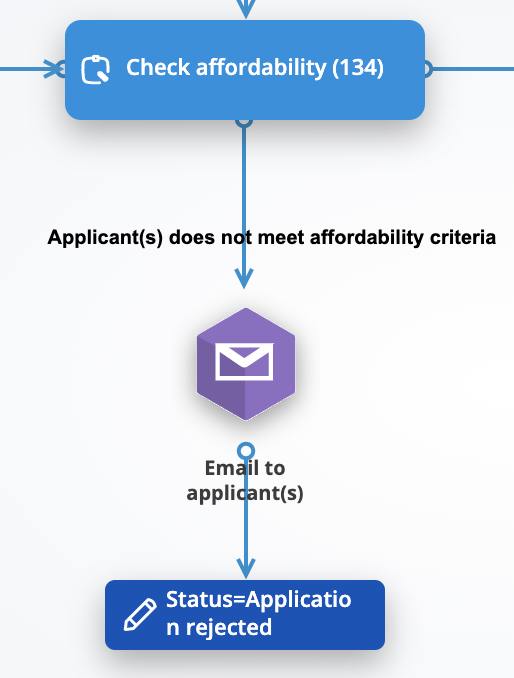 |
Escalate - this is where the Sequence Runner is used.
The first screenshot shows that the application status is updated to "Escalate affordability".
Following this, the Sequence Runner has been configured so that it is looking at "Self" records, which means records in the same object class as the current sequence is running against, in this case, Mortgage Applications.
The sequence which the actor will run is one called "Escalations".
Triggering the escalation sequence
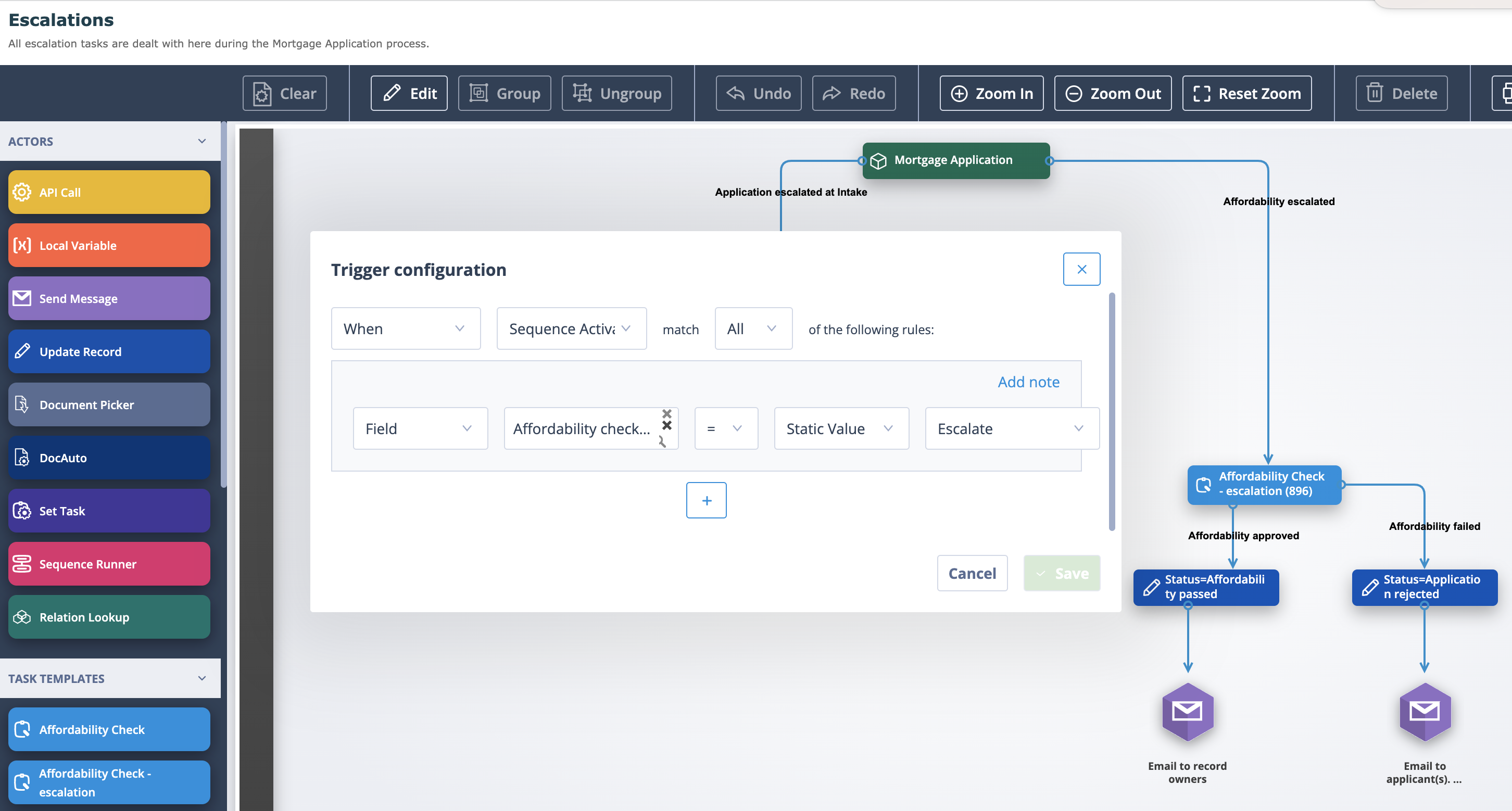
The below screenshot shows the part of this sequence which relates to the escalation at the affordability check in the starting sequence.
The trigger configuration is set to "When Sequence Activated". However, because this sequence is activated for more than one type of escalation, there is a supplementary condition which is looking for records where the field "Affordability check outcome" is equal to Escalate.
If a record matches this condition, a task called "Affordability Check - escalation" will be assigned. This check has two possible outcomes:
- Affordability failed - the application status is updated to "Application rejected"; an email is sent to the applicant(s) to let them know of their failure to meet the criteria. The process would stop at this point.
- Affordability approved - the application status is updated to "Affordability passed". An email is sent to all record owners to advise them of this outcome.
Rejoining the main sequence
Going back to the starting sequence, because the task "Affordability Check - escalation" was of the "Update object record" type, the field where the outcome was recorded can be used to rejoin the main process at the appropriate next stage.
The sequence trigger is "When Record Updated" with a supplementary condition using the field which was updated in the escalation task. Following this update, the "Primary terms" task is created for the record.
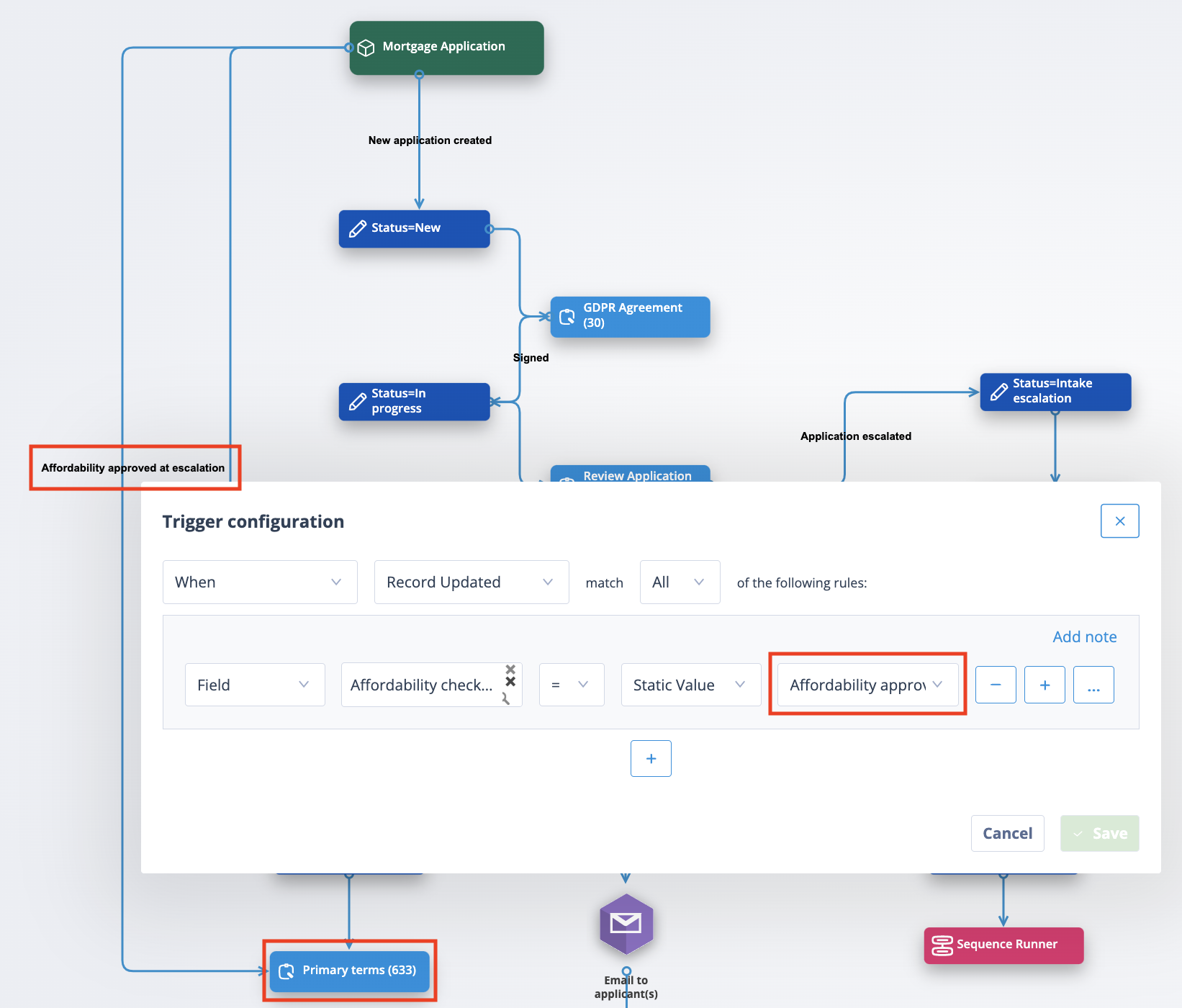
The process will continue through the main sequence workflow.