
Record access - adding and removing Assignees
You will have access to the Record access tab if you are one of the following:
- Owner of the Object class to which the record belongs
- Owner of the record
- A user with a Super admin account type
For more information, see Record access tab.
Adding Assignees using Record Permission Sets
A user with access to the Record Access tab can grant access to other users.
Add users to a Record Permission Set
Click the Give access button.
The tab display changes and the Add people panel is shown.
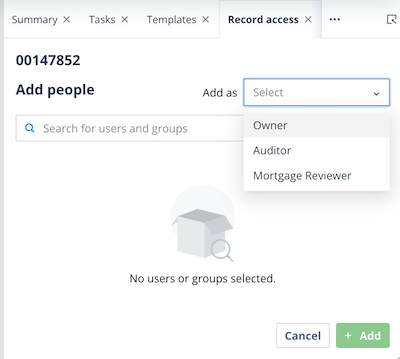
Select the required Permission Set from the dropdown list.
Note: The All option is not available.
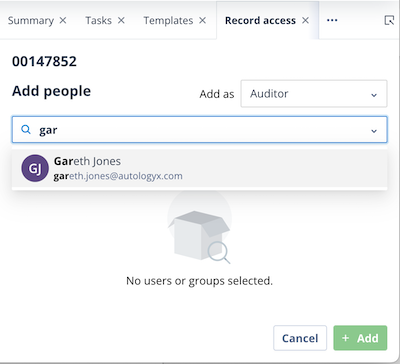
Search for and select the required user by clicking their tile.
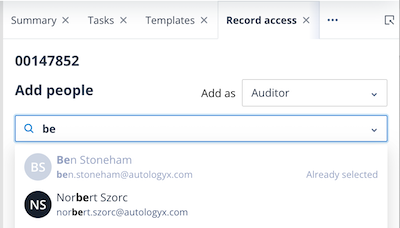
The user is marked as Already selected and becomes greyed out. You can add multiple users in this way.
Users who have already been assigned to the selected Permission Set are also greyed out.
If you select a user in error, click the X on the right-hand side of their tile to remove them from the selection.
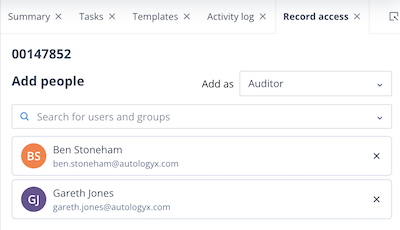
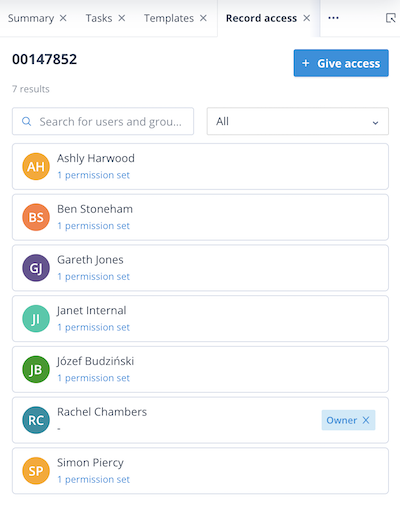
Click Add.
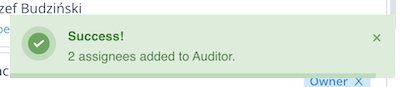
A green success notification is displayed. The tab returns to its normal view and the Owner/Assignees counter increases according to the number of users added.
The new Assignees are granted access to the record immediately.
Checking access
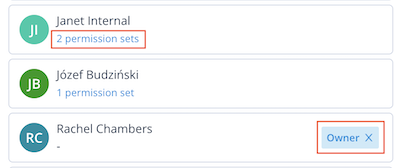
The record Owner is clearly identified in the list.
Other users are displayed with the number of Permission Sets to which they belong.
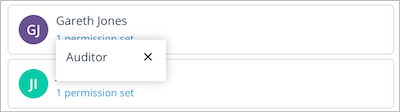
To see which Permission Sets have been assigned to a user, click the Permission Sets link below their name.
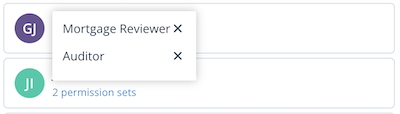
The Permission Sets assigned to the user are displayed.
Removing a user from a Record Permission Set
Click the Permission Sets link beneath the user's name.
Click the X next to the Permission Set you want to remove.
A confirmation dialog is displayed.
- Click Cancel to keep the Permission Set assigned.
- Click Yes, remove to remove the Permission Set.
A green success notification is displayed and the user immediately loses the associated access.
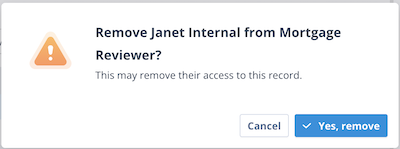
If the user belonged to only one Permission Set, they are removed from the Owner/Assignees list.
If they belong to multiple Permission Sets, they remain in the list with their remaining assignments.
- The user immediately loses any permissions associated with the removed Permission Set.
Things to remember
A record can have only one Owner but can have multiple Assignees through one or more Record Permission Sets.
A Record Permission Set can contain up to 100 Assignees.
The Record Access tab displays warnings when the number of Assignees approaches the maximum limit.
Changes to Record Permission Set assignments take effect immediately.
Removing a user's final Permission Set removes their access to the record.