
Local Variable Actor
What does the Local Variable Actor do?
The Local Variable Actor is used to evaluate logic and store data for use within a Sequence.
It can:
- Execute Jinja expressions
- Traverse relational data (parent/child records)
- Store values for reuse later in the Sequence
Local Variables do not update records or Trigger events. They are used purely for in-Sequence data processing and decision-making.
How do I use the Local Variable Actor?
1. Add the Actor to your Sequence
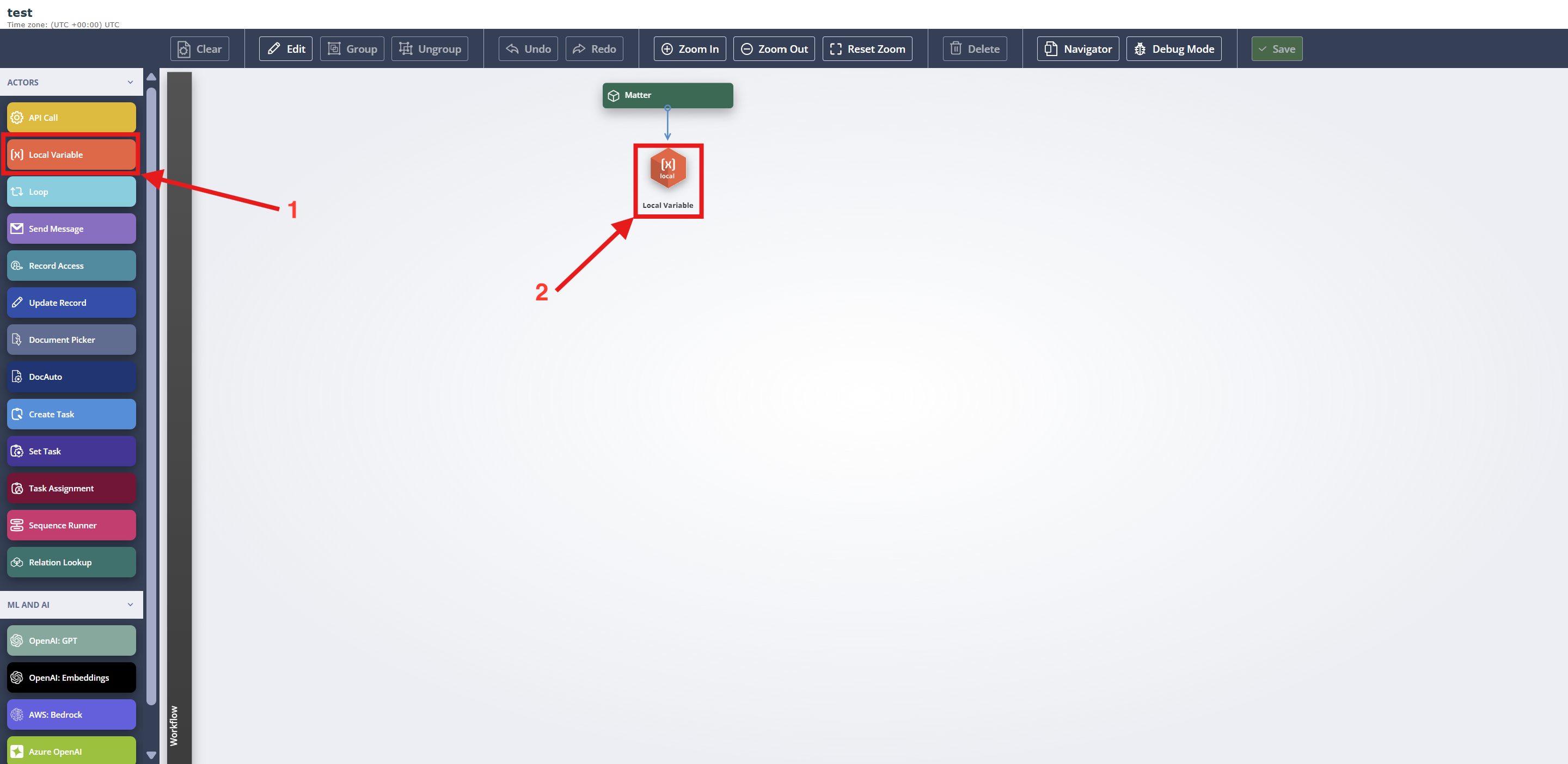
From the Actors panel (1) on the left-hand side, drag and drop the Local Variable Actor into your Sequence (2).
2. Configure the Actor
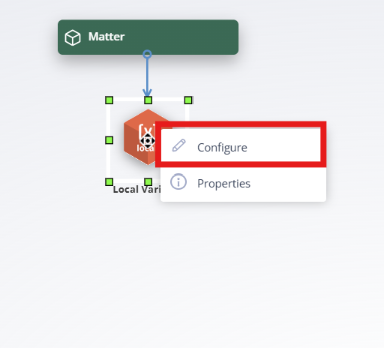
Right click the Local Variable and select Configure.
Within the configuration panel, you will define your Variable using the following fields:
- Name – the identifier for your Variable
- Type – the data type (eg. String)
- Source – where the value is derived from (eg. static value or another Actor)
- Value – the expression used to set the Variable (which may include Jinja)
3. Define the Variable
3.1 Name
You can either define a new Variable, or select an existing Variable to update, for example if the Variable is recalculated later in the Sequence as with “Gate” Variables.
To create a new Variable, click Add.
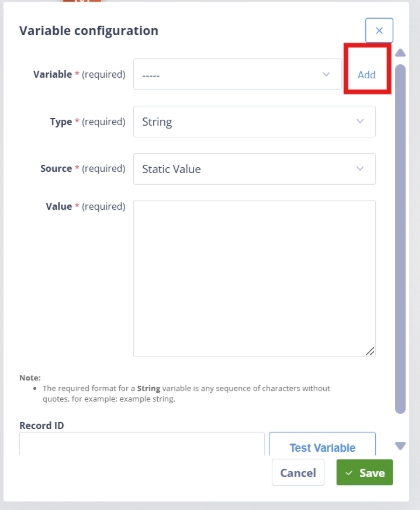
To update an existing Variable, click Select:
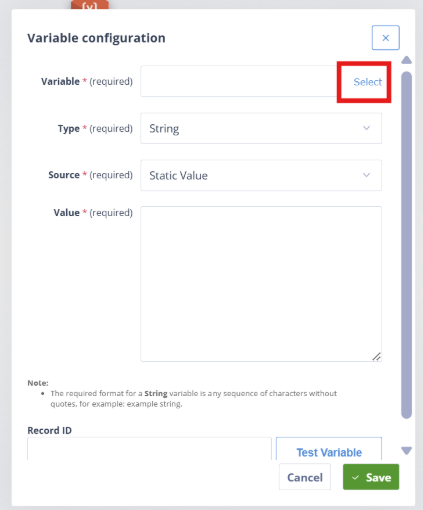
Note: Variable names must be lowercase and contain no spaces. If you include capital letters or spaces, the system will automatically correct them.
3.2 Type
Local Variables support the following data types: String, Integer, Decimal, Boolean, Date, Date/Time, JSON, and Document.
When using Jinja logic, the output must match the selected data type. If it does not, the Variable will fail and prevent subsequent Triggers from activating.
Common issue: whitespace can be a source of problems. For example:
- A line break is not a valid character for a Date field
- A space is not a valid Boolean value
For more information on managing whitespace in Jinja, see Controlling Whitespace in Jinja.
3.3 Source
Local Variables can have different sources depending on the preceding Actor and Trigger type.
Available sources:
- Static Value
- Document Picker
- API Call Output
- Loop Item
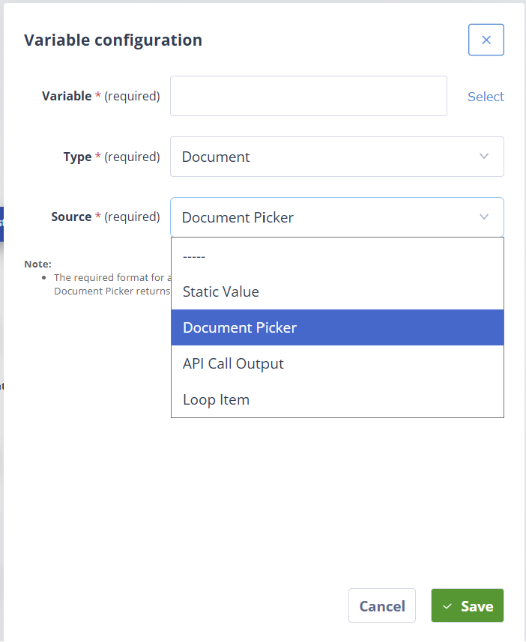
Static Value
This option is available in all cases. It allows you to reference data from the current record, including any Local Variable already created within the Sequence, or its relational model using merge fields or Jinja logic.
Document Picker
If the Local Variable follows a Document Picker, it can reference the selected document.
Note: This is only possible if a single document object is selected by the picker.
The data type for this Variable is always Document.
API Call Output
If the Local Variable follows an API Call Actor, it can use the API response as its source.
- If the Value field is left blank, the entire API Response will be stored in the Variable (consider data validation when doing this)
- Alternatively, you can reference specific parts of the response using
{{output}}and Jinja expressions
For example, to return the number of items in a response:
{{output.data | length}}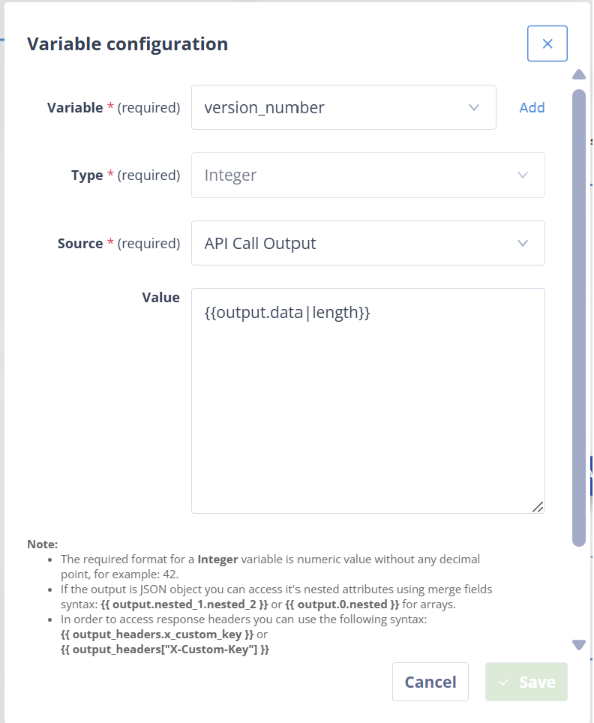
Loop Item
This option is only available if the Local Variable follows a Loop Actor and uses the Trigger "Loop Item Processed” (rather than “Actor Completed”).
The Local Variable will store the value of the current iteration in the Loop.
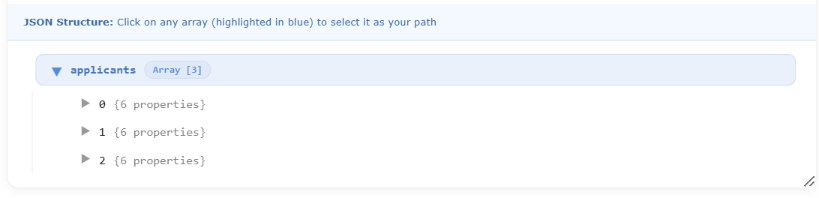
This allows you to reference the current item directly, without needing to manage indexes or track loop positions manually.
3.4 Example—Using Different Sources for the Same Variable
A Local Variable can be redefined by multiple Actors throughout a Sequence. While the Type must remain consistent, the Source can vary depending on the workflow path.
In this example, the Sequence is adding an Owner to a record in a third-party system using an Owner Code. There are two possible paths depending on whether the owner already exists.
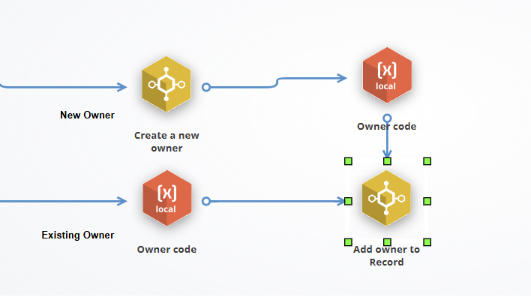
The Variable owner_code is always defined as a String, but its source differs depending on the scenario:
Existing Owner
If the owner already exists, the Variable is set using a Static Value, referencing a field on the Autologyx Record.
{{record.field\_owner\_code}}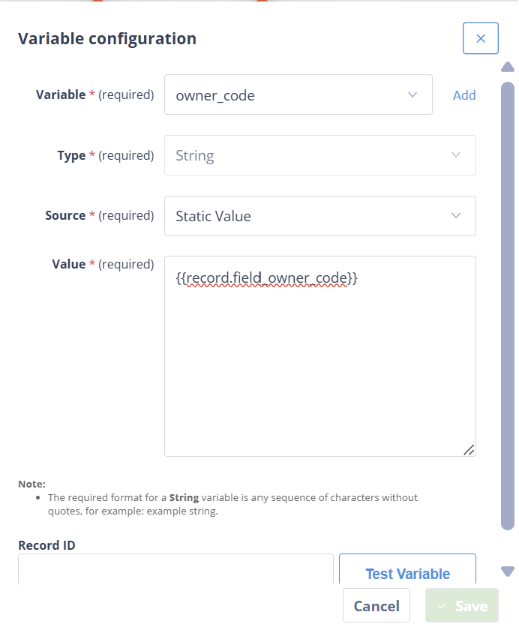
New Owner
If a new owner needs to be created, the Variable is set using the API Call Output.
{{output.OwnerCode}}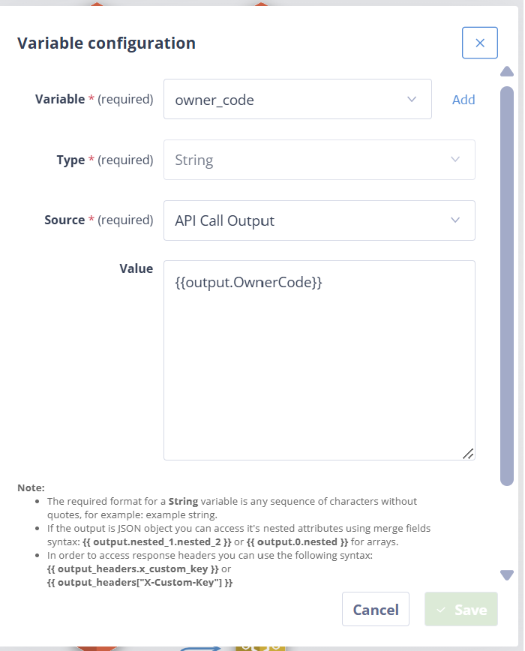
This approach allows the same Variable to be reused across different branches of the Sequence, while ensuring consistent data structure and simplifying downstream logic.
3.5 Value
The Value field determines what is stored in the Variable.
This can be:
- A static value (eg. setting a Variable to true to indicate a Sequence has previously run for a record)
- A dynamic value generated using Jinja logic, merge fields, or a combination of both
The value can range from very simple expressions to more complex logic. For example, it may be a single Boolean value or a more advanced Jinja expression.
Note: if you are using complex logic, follow general software engineering best practices. Autologyx builds do not have unlimited memory, and inefficiently written Variables can affect performance. In particular, avoid unnecessarily complex or deeply nested logic over large datasets, as this can significantly increase processing time and memory usage.
3.6 Test the Variable (Optional)
You can test your Local Variable configuration before running the sequence.
Enter a Record ID and click Test Variable:

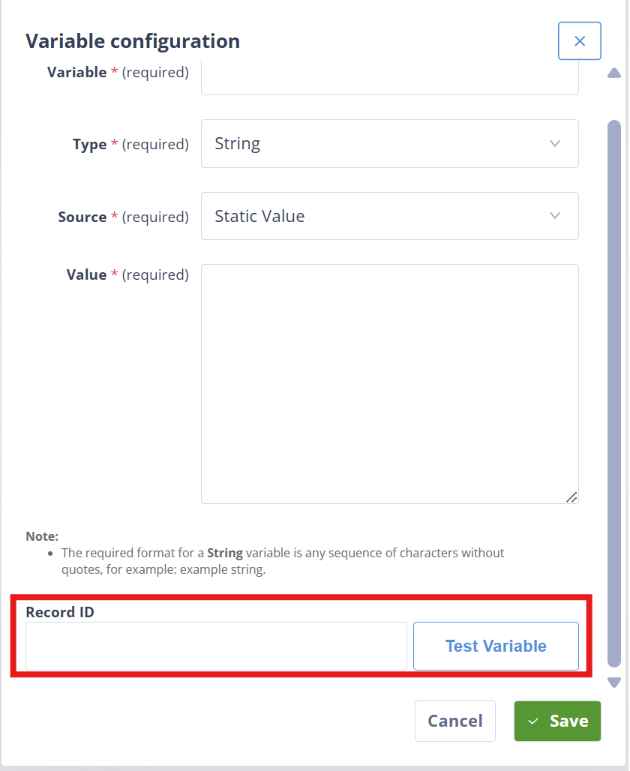
This allows you to preview the value the variable would return if the sequence were triggered for that record.
This is particularly useful when working with:
- Jinja expressions
- API responses
- Complex logic
Testing helps ensure your variable returns the expected value before it is used in downstream actors.
4. Rename the Actor (Best Practice)
By default, most Actors are labelled using their Actor type (eg. “Local Variable”). In Sequences with many Variables, this can make navigation difficult.
To improve clarity, it is best practice to give each Local Variable a meaningful name that reflects its purpose.
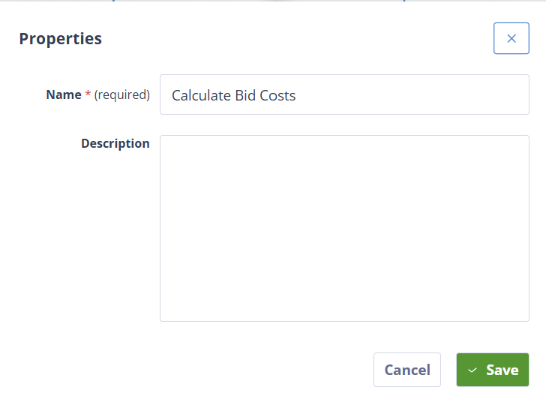
Right-click the Actor and select Properties:
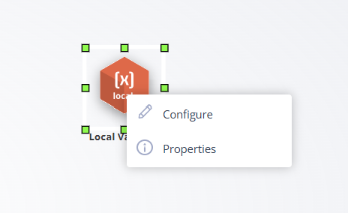
Update the Name field to something descriptive:
How are Local Variables used?
Once defined, Local Variables can be referenced in downstream Actors using Jinja:
{{ variables.bid\_cost }}Common use cases include:
- Supplying values to Send Message Actors
- Driving conditions in Triggers
- Feeding into API calls
- Avoiding repeated calculations
Important behaviour and platform nuances
Local Variables:
- Cannot directly update records
- Do not persist across Sequences
- Do not appear in activity logs
Local Variables also do not exist until the Sequence reaches the Actor where they are first defined.
Trigger implication: if a Trigger checks whether a Variable equals or does not equal a value, it will never run if the Variable has not yet been created.
Instead, you should check whether the Variable “Is Empty” or “Is Not Empty”.
Execution timing
Variables are evaluated at the moment the Actor runs.
They will not automatically update if:
- The Record changes later
- Another Sequence modifies data afterward