
Document Picker Actor
The Document Picker actor facilitates the onward movement of documents processed through a DocAuto actor or captured in a Get request API call or Record field.
It enables documents to be available as attachments in a Send Message actor or for "filing" in a Record field.
When configuring a Post or Patch API Call actor with Data Type "Form Data", "Multipart Data" or "Binary Data" after a Document Picker, you will find a "Files" section under Parameters. This allows you to send multiple documents seamlessly, extracted from one or several Document Picker actors connected in series.
Each Document Picker can handle multiple documents depending on what is in the field selected. However, you should be cautious about using Document Pickers on fields which contain dozens of documents, as this can slow your process down. As an alternative, the "Combine results" feature allows Document Pickers to collect any number of documents in a process path and handle them as a set of documents at a suitable point.
How do I use the Document Picker actor?
A Document Picker actor can be clicked and dragged from the actor menu, then dropped onto the sequence workspace.
Drag a trigger to it from the preceding sequence object and add the required conditions.
Right-click on the Document Picker and select "Configure".
Depending on the preceding object, the Source field could have the following options:
- Document Field - when this option is selected, the Object class Document type fields will be available as a single-select in "Field"
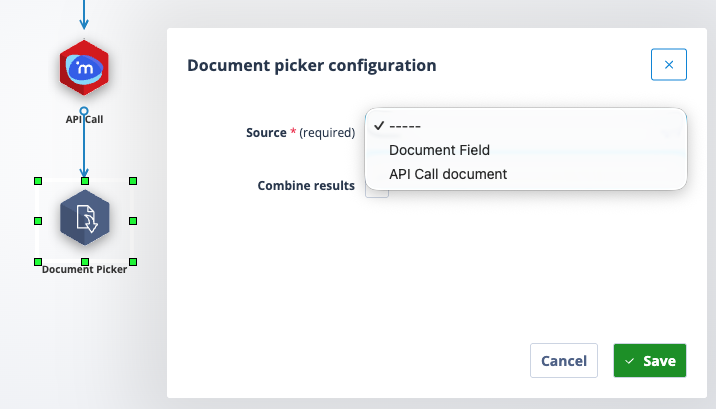
- API Call Document
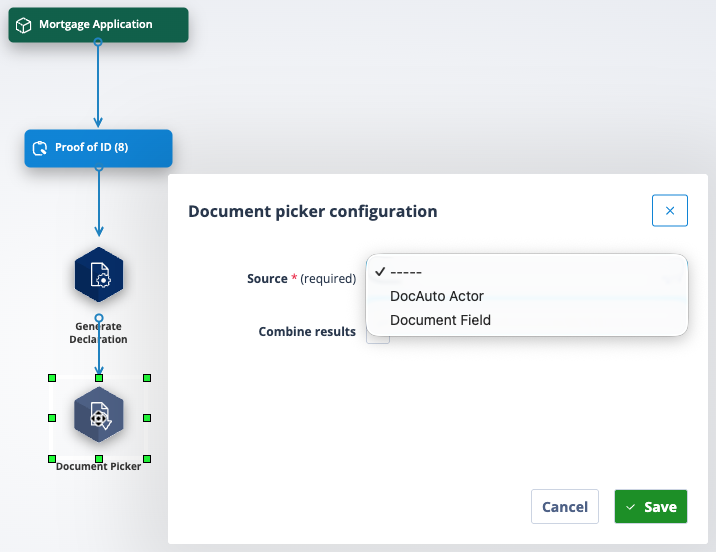
- DocAuto Actor
If the Document Picker actor is the first object in the sequence, or it follows a Create Task, Set Task, Record Access or other actor than DocAuto or API, the only option available in the Source field will be "Document Field".
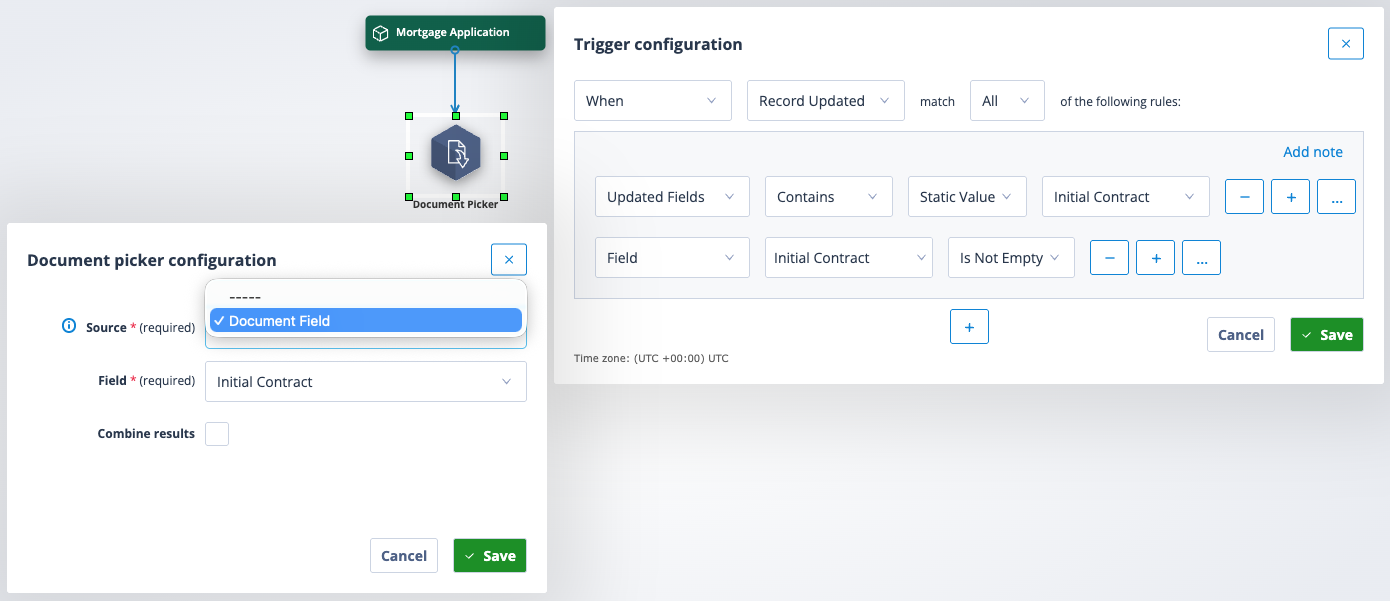
Select the appropriate document field.
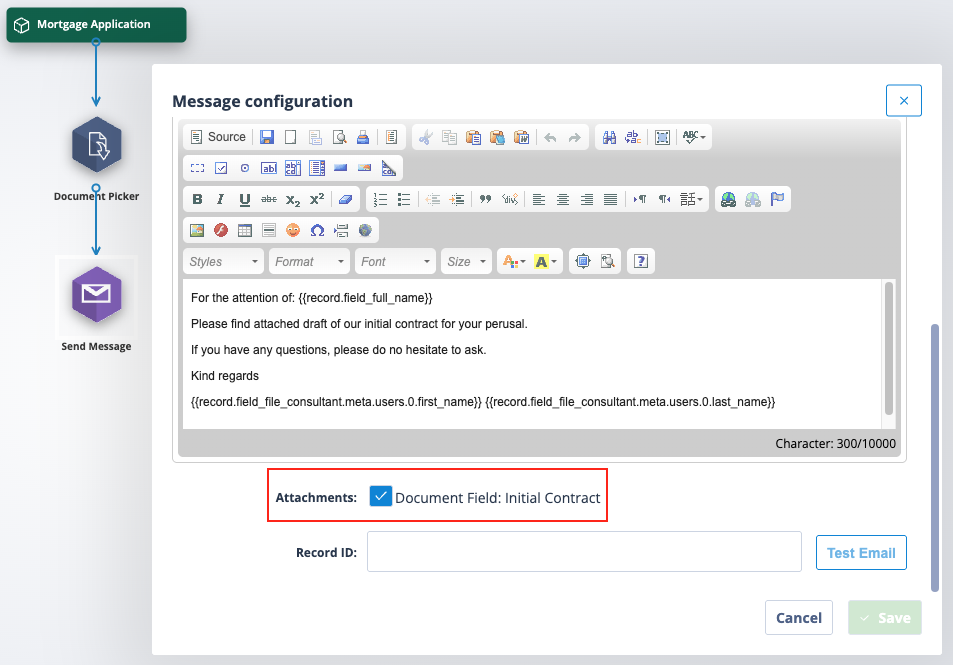
The document will then be available:
- To be sent as an attachment in an email
- To be sent via API to a third party
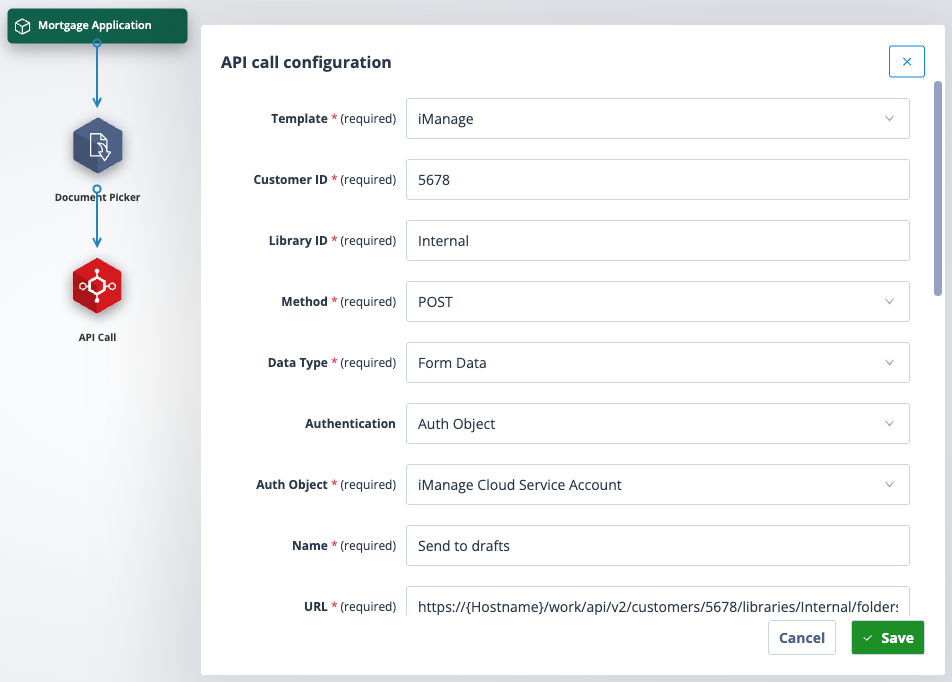
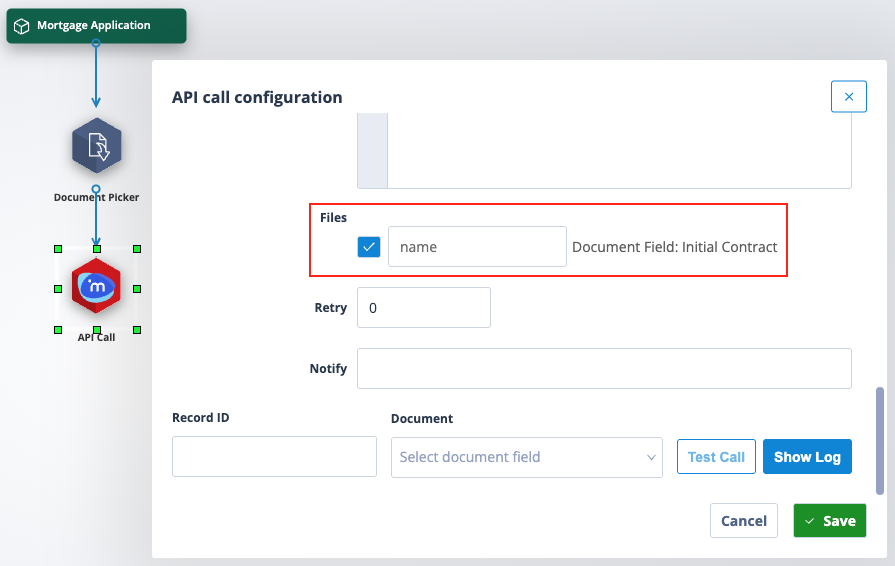
To be sent via API to another record in a different object class within the Autologyx system or to another Autologyx system
A use case for this could be: having negotiated a new contract you might want to use it as a template and create a new record for it to make it available for future processing.
If the Document Picker follows a DocAuto actor, the Source field will also contain the option to take the document from the DocAuto actor.
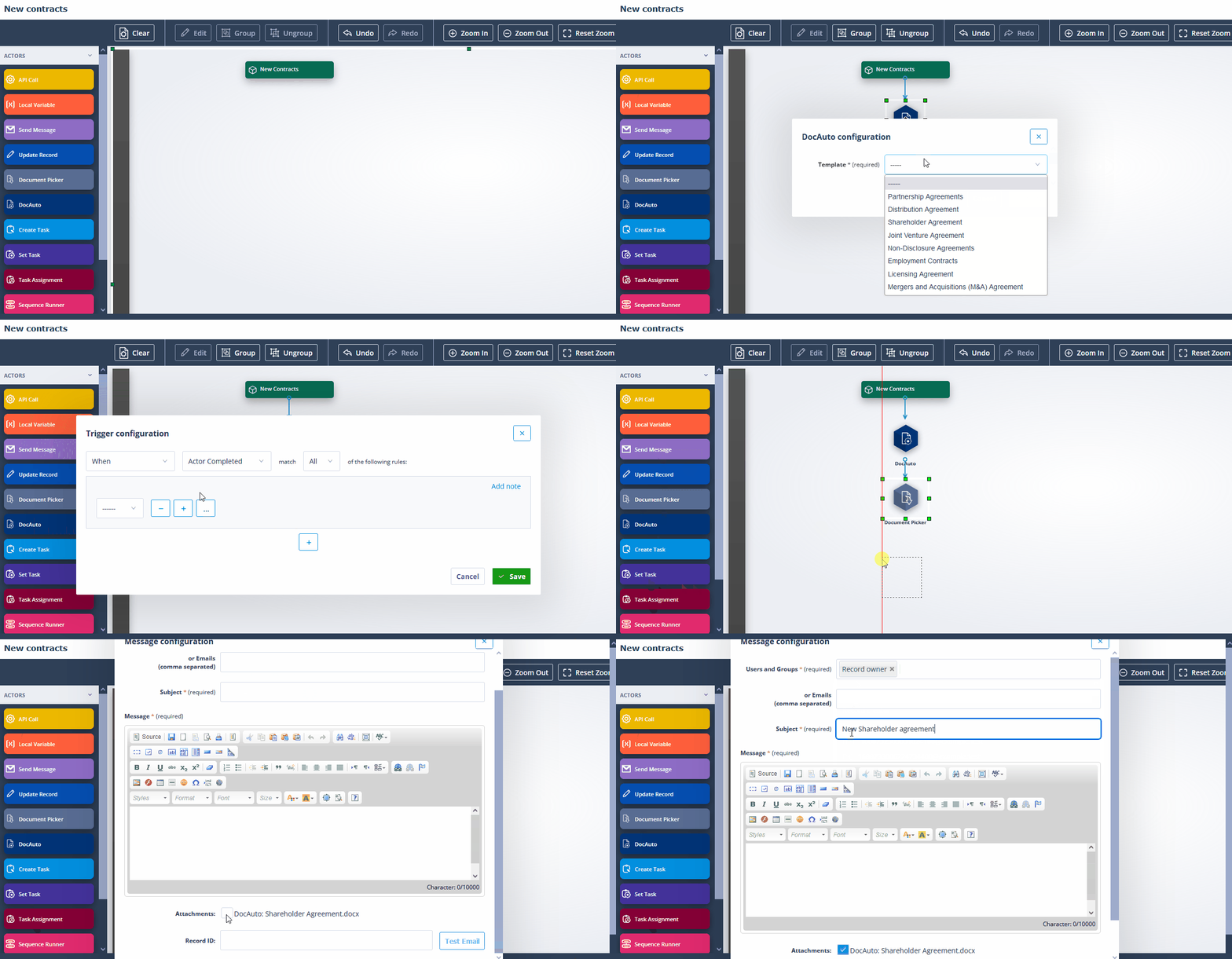
In the workflow below, the task contains fields which will be populated in the document templated selected in the DocAuto actor. The Document Picker collects the processed document and makes it available for onward use.
If the Document Picker follows an API Call actor, the Source field will also contain the option to take the document from the API Call.
Document Picker/DocAuto processing
Having picked a document, if it is in Word format (.docx) and contains Jinja merge fields or functions, the Document Picker can be connected to a DocAuto actor where the Jinja will be processed.
This article will give you a start on the correct syntax for merge fields.
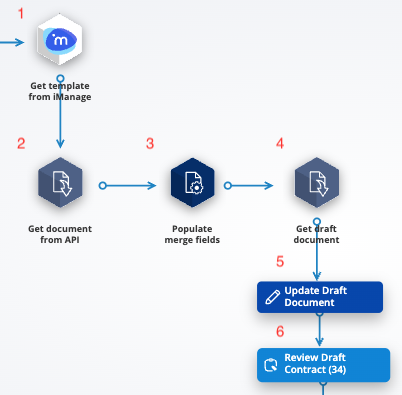
In the example below, two Document Pickers can be seen. The process comprises:
- API Get request to iManage to fetch a document template
- Document Picker collects returned document from API call
- DocAuto actor is used to "process" Jinja merge fields
- Document Picker collects processed document
- Document is filed in a record Document field via the Update Record actor
- Document is made available for review in a Create Task actor
How does Combine Results work?
You will have noted that the Document Picker actor configuration contains a checkbox labelled "Combine results".
This feature allows you to process documents through a workflow and get them all together in a field or as attachments to an email, usually towards the end of sequence process.
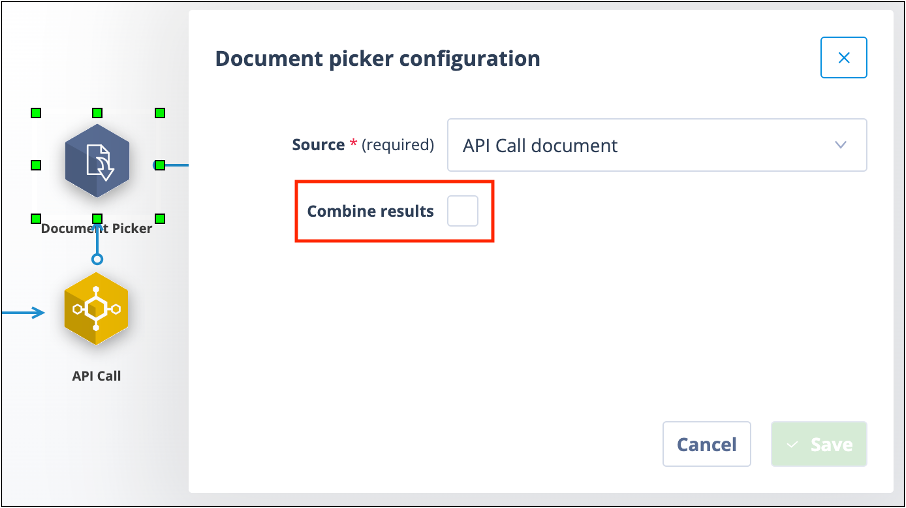
If enabled (checked), the Document Picker will pick up all the documents in the sequence path leading to it. If not enabled (unchecked), the Document Picker will only pick the document from the immediately preceding sequence actor.
For example, in the sequence workflow below:
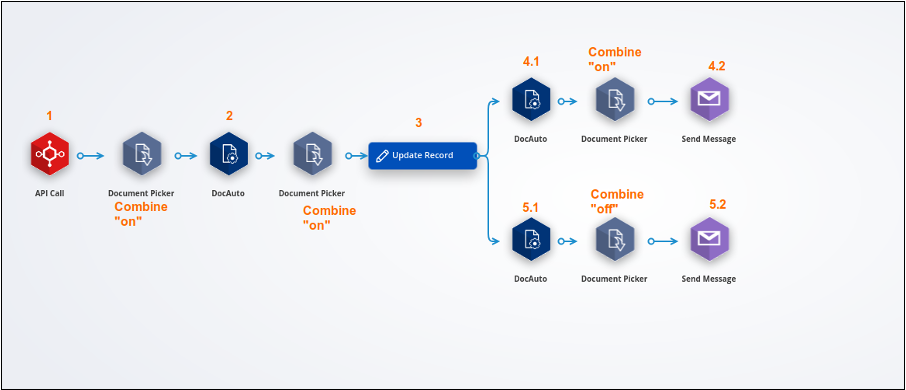
The Update Record actor labelled 3 will update the document field with documents generated by:
- the API call actor labelled 1
- the DocAuto actor labelled 2
because both the preceding Document Pickers have “Combine results” on.
The Send Message actor labelled 4.2 will contain attachments from:
- the API call actor labelled 1
- the DocAuto actor labelled 2
- the DocAuto actor labelled 4.1
because all three of the preceding Document Pickers have “Combine results” ticked, ie ON.
The Send Message actor labelled 5.2 will contain an attachment only from the DocAuto actor labelled 5.1 because the Document Picker immediately preceding this Send Message actor has “Combine results” unticked, ie OFF.
Related articles
For related articles, have a look at these:
[The DocAuto actor](/knowledgebase/system-configuration/sequence-actors/docauto-actor/)