
Create Task Actor
What does the Create Task actor do?
The Create Task actor is used to create a task from a task template (of the "Automatic" Task creation mechanism) for a record at the required point in the workflow.
This actor is used the first time a task is created for a record from a task template. Subsequent tasks from the same template will require the use of a Set Task actor.
How do I use the Create Task actor?
To use the Create Task actor:
- Click, drag and drop the Create Task actor onto your sequence workspace.
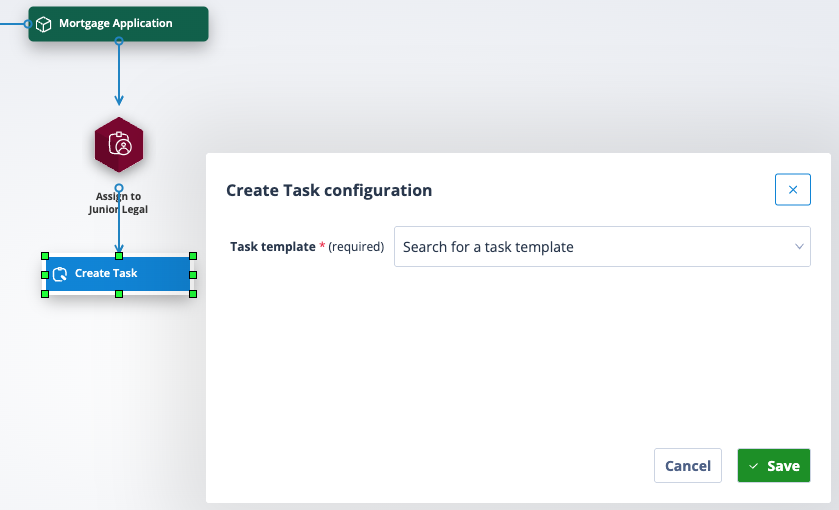
- Take a trigger to it from the preceding object (this will most often be a Task Assignment actor) and set your trigger conditions. It is worth noting that by default a Task has no assignees unless it is preceded by a Task Assignment actor or default task assignees have been configured for the sequence, as shown below.
- Right click on the Create Task actor and select Configure. The Create Task Configuration window will open.
Finding a task template
The Create task actor comes with an intelligent autocomplete search feature. Click into the Search field; available task templates will be displayed in alphabetical order by name.
"Available task templates" means those of the Update object record type which have been created for the sequence object class and those of the "Complete self contained form" type. The latter task templates are available for use in any object class sequence.
Type in your desired task template, and the results will appear instantly.
| Click to select the task template. Save the configuration. The Create Task template will display the task template name and ID number. If the label is too long it will be truncated but can be viewed by hovering over the name. | Screenshot 2026-03-26 at 16.53.31.png |
How task creation behaves
When a Create Task actor is executed for a given record, the Sequencer creates the corresponding task if it does not already exist. This is because the actor is designed to create only one task from the Create Task actor for any record. It will only create another if the first has been deleted.
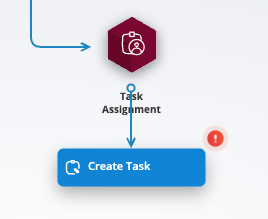
| If the Create Task actor is left without any task template selected, the sequence execution engine halts at the actor, preventing unintended actions. It is easy to spot a Create Task actor which has not been configured/saved because not only will the label say "Create Task" but alongside will be the red warning exclamation mark. | Screenshot 2026-04-13 at 16.13.13.png |
Trigger connections and defaults
A Create Task actor can be connected by a trigger to any other sequence actor.
The default trigger conditions are:
- When Task Created
- When Task Completed
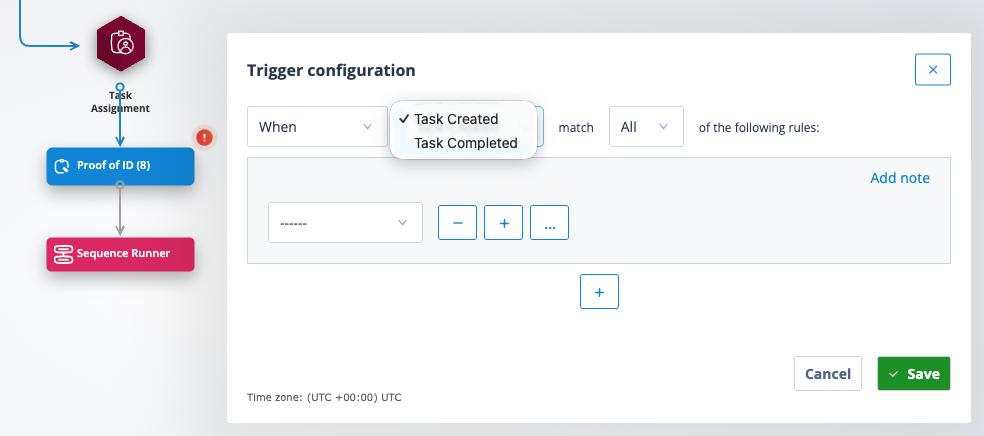
These can of course be changed to X time period After either Task Created or Completed.
The trigger condition "When Task Completed" is the most commonly used, especially where you want to reference field data captured in the task in the following trigger conditions, thus allowing the workflow to follow different routes depending on the task response.
Unique functionality
Task Created and task Completed triggers are not dependent on any upstream workflow.
If a Create Task actor is used to create the same task in multiple sequences, this can inadvertently trigger multiple events by creating or completing one task. In other words, a Create Task actor used to create the same task in more than one sequence is considered the same object.
No other sequence actor works in this way!
Useful info:
- A Catalyst system can contain up to 10,000 task templates.