
DocAuto Actor
What does the DocAuto actor do?
The DocAuto actor does what it says on the tin. It is used to generate documents where needed in the workflow. It will be used in conjunction with the Document Picker actor.
The DocAuto actor will facilitate any merge fields, IF statements or other Jinja features used in a template. In the screenshot below, the template, "Declaration", is one saved against the object class.
The DocAuto actor can follow all sequence operations, for example completion of a task, sending of a message, an Update Record actor being used to change a status or other record field value, and so on.
It might be sequenced immediately after a field being updated, ie "When Record Updated". To ensure minimal processing, in this instance, you would state both which field has been updated and the value of that field as additional conditions, as in the example below:
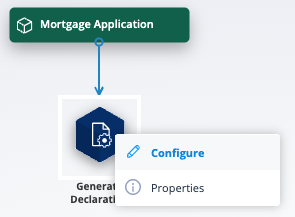
The DocAuto actor is sometimes sandwiched between two Document Picker actors, the first collecting a document from, for instance, a GET request API call (to a document repository) and the latter allowing the merged document to be sent to the record via an Update Record actor or used as an attachment in a Send Message actor.
An example of this is described in more detail at the end of the next section.
How do I use the DocAuto actor?
As with all sequence actors, the DocAuto actor can be clicked and dragged from the actor menu, then dropped onto the sequence workspace.
Connection requirements
It must be connected from the Object class object if a document is being generated at the beginning of a sequence, or from the preceding sequence object.
| Right click on the DocAuto actor and select Configure. | Screenshot 2026-03-16 at 18.52.36.png |
| In this case, you will have only one option in the source field, Document Template. Select this. | Screenshot 2026-03-16 at 18.51.27.png |
| The template field will show all available document templates for the Object class. Select the template you wish to generate. Save. | Screenshot 2026-03-16 at 18.51.51.png |
| Remember to right click/select Properties and add a name for the DocAuto actor. Good labelling will be invaluable to other users. | Screenshot 2026-03-16 at 19.19.57.png |
Configure a Document Picker actor to allow you to move the generated template further through the process.
| When configuring the Document Picker actor, select "DocAuto Actor" in the Source field. This will ensure that the generated document is available. Save. | Screenshot 2026-03-16 at 19.03.59.png |
In the below scenario, the DocAuto actor follows a document picker which has taken a document from a field in a completed task.
Note: the DocAuto actor configuration now has the additional Source option - Document Picker.
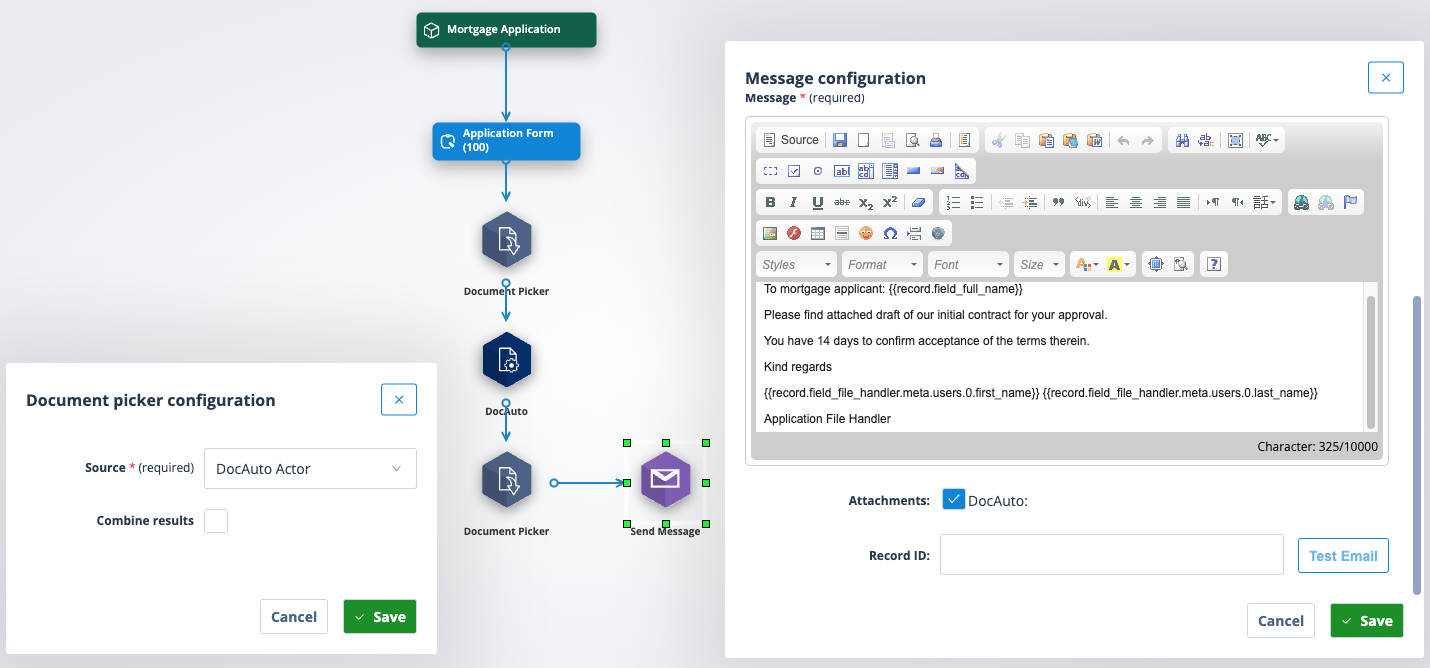
The document can be populated with data from the Mortgage Application record or any related record at this point so long as it contains the appropriate Jinja merge fields.
The final Document Picker actor takes the document from the DocAuto and makes it available to be selected as an attachment in the Send Message actor.
Further reading
This article will provide further information about Automatic Document Generation.
This article has a section which explains how the Combine Results feature in a Document Picker works. You will need to scroll about half way down.