
Authentication Objects List
The Authentication Objects list shows all authentication objects configured in your Autologyx system. These objects store the credentials used by integrations and API calls, allowing them to authenticate securely without embedding usernames and passwords throughout your configuration.
Like all lists in Autologyx, this page supports filtering, sorting, column configuration and bulk list features. For an overview of these common functions, see List Pages.
Default columns
By default, the list displays the following columns:
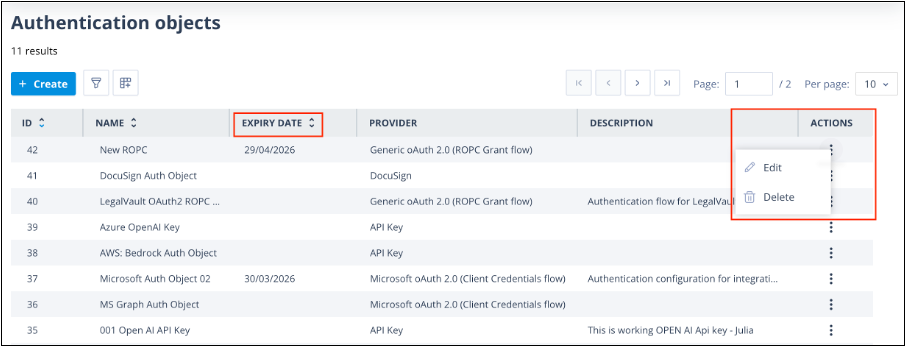
- ID - the unique identifier for the Authentication Object.
- Name - the name given to the Authentication Object.
- Provider - the authentication provider associated with the object.
- Description - an optional description to help identify its purpose.
- Actions - available actions for the Authentication Object, depending on your permissions.
Additional columns
Using the Column configuration option, you can add additional information to the list.
Available columns include:
- Created - the date and time the Authentication Object was created.
- Created By - the user who created the Authentication Object.
- Expiry Date - an optional expiry date configured for the Authentication Object. This column can be sorted to help identify credentials that may require renewal.
- Last Edited - the date and time of the most recent update.
- Last Edited By - the user who last edited the Authentication Object.
- Usage - the number of API Call actors currently using the Authentication Object.
These additional columns are particularly useful when auditing integrations or reviewing credentials that may need updating.
Actions
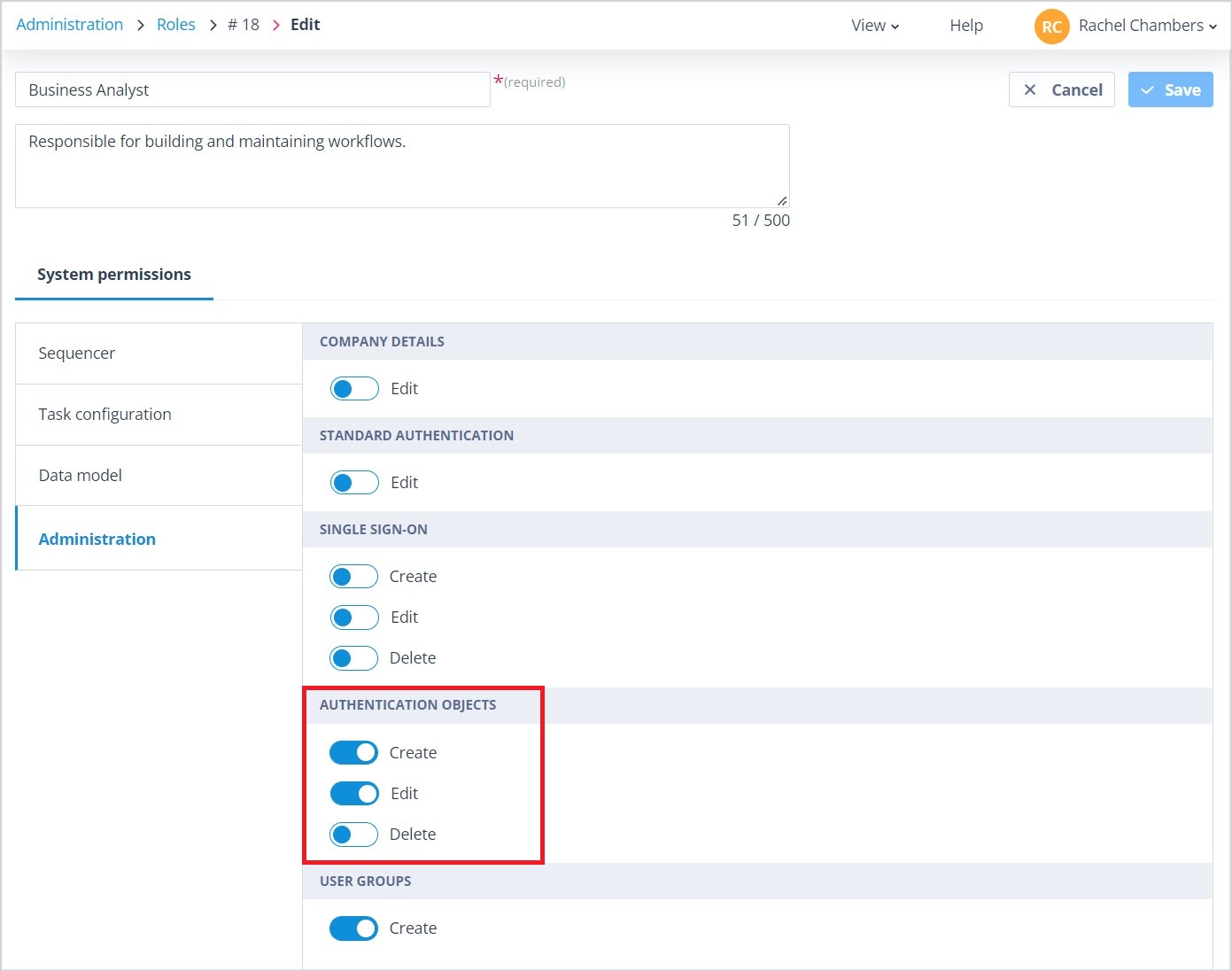
Users with a Super Admin account type, or users whose Role includes the appropriate Authentication Object permissions, can access the following actions.
Edit
The Edit action allows you to update an existing Authentication Object.
For example, if the username, password or authentication credentials change, you can update them in one place without having to edit every API Call actor that references the Authentication Object.
Delete
Authentication Objects can only be deleted when they are no longer being used.
The Delete option is available only when:
- the Usage column displays 0
- no API Call actors reference the Authentication Object
If the Authentication Object is still in use, the Delete option is hidden to prevent integrations from being broken accidentally.
Note: Users with Role-based Administration permissions can edit Authentication Objects but cannot delete them. Deleting Authentication Objects is restricted to Super Admin users.
Related articles
To learn more about Authentication Objects, see:
- What is an Authentication Object and how do I configure it?
- What happens if I edit an Authentication Object?
- Using an Authentication Object in an API call
Things to remember
- Updating an Authentication Object automatically updates every API Call actor that uses it.
- Authentication Objects cannot be deleted while they are in use.
- The Usage column helps identify where an Authentication Object is referenced.
- Additional columns can be enabled to help monitor credential ownership, expiry dates and usage.