
Why do Users need Roles?
Roles control which areas of Administration and System Configuration a user can access and what actions they can perform within those areas.
Roles are assigned to users with the Config Admin account type. They allow you to delegate configuration responsibilities without granting unrestricted access to the entire system.
For example, one Config Admin might be responsible for maintaining Task Templates, while another manages Sequences or configures Single sign-on. Roles make it possible to give each user only the permissions they require.
What do Roles control?
Roles determine whether a Config Admin can create, edit or delete items within specific areas of the platform.
Examples include:
System Configuration
Roles can grant permission to manage:
Administration
Roles can also control access to Administration features, including:
Roles do not control access to records or tasks.
Access to business data is managed separately using:
A Config Admin will often have both a Role (to configure the system) and one or more Permission Sets (to work with records and tasks).
The Roles list
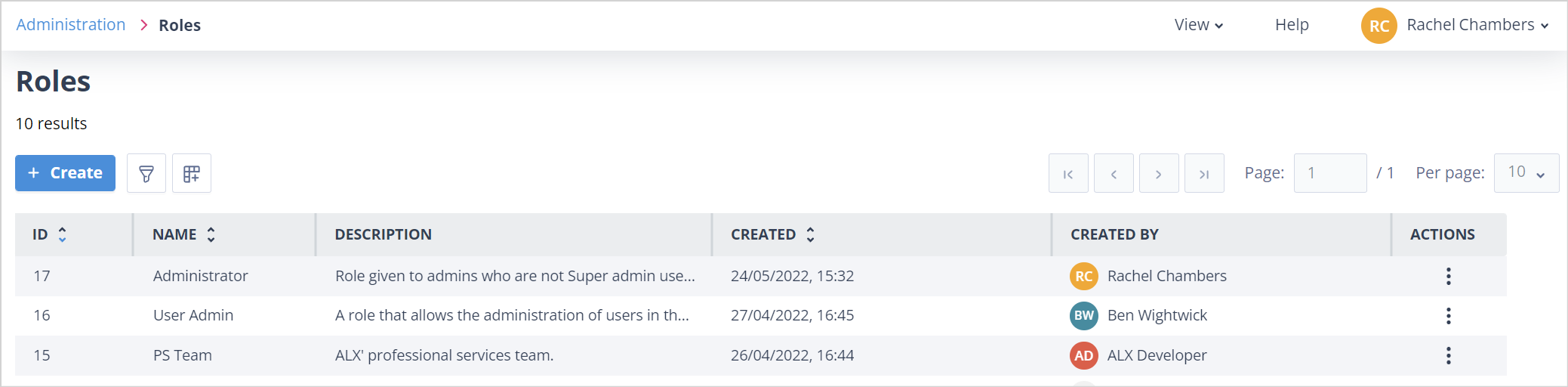
The Roles list displays all configured Roles.
By default, the list shows the key information required to identify each Role.
Additional columns are available through Column configuration, including:
- Created
- Created by
- Last edited
- Last edited by
Your chosen column configuration is remembered the next time you sign in.
Managing Roles
Users with the appropriate permissions can create, edit and delete Roles from the Roles list.
For more information, see:
You can also find out more about the common features available on list pages:
Things to remember
- Roles apply only to users with the Config Admin account type.
- Roles control access to Administration and System Configuration—not business records or tasks.
- Record access is managed separately using Object Class, Record and User Group Permission Sets.
- A user can be assigned multiple Roles. Where permissions overlap, the most permissive access is applied.
- Your Catalyst system can contain up to 5,000 Roles.