
What can I edit in an Object class?
When you select Edit in the Actions menu of an Object class, what you can edit depends on what you have already configured.
When you create an Object class, you are only required to complete one field: the Object class Name. You may also have added a description.
Both of these fields can be amended. The change will take immediate effect; there is no additional save button. However, it is important to note that the Object class Name must be unique.
What you can edit
Beyond this, the edit page has five tabs:
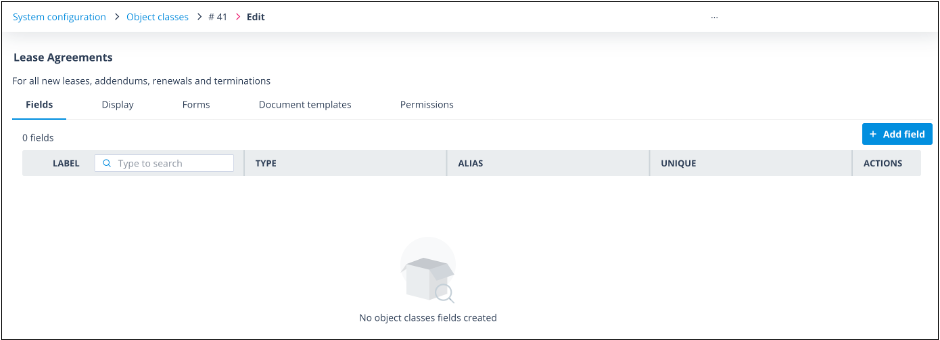
- Fields — here you can add, configure and amend the fields to be used for data capture on the Object records belonging to the Object class. View a detailed explanation of field types, uses and their attributes. View help on editing Object class fields.
- Display — here you can configure how Object records will be shown in the list view (create/edit), the card view and summary view.
- Forms — here you can configure forms to be used specifically for record creation. The URL for a form can be hosted elsewhere, but users will be prompted to log in and they must have the Create record permission for the Object class to be able to add records. Find out more about creating a standalone form.
- Document Templates — here you can create and edit document templates from which documents can be generated for records via the sequencer or manually in the side panel of the record. View a separate section with several articles which will explain how to create your templates and use them in the system.
- Permissions — here you can add permission sets for the Object class itself and for the records and tasks associated with it. Users are assigned a permission set which will determine what they can see and do.
Who can edit an Object class
Only the following users will be able to edit an Object class:
- Those who have the Super admin account type
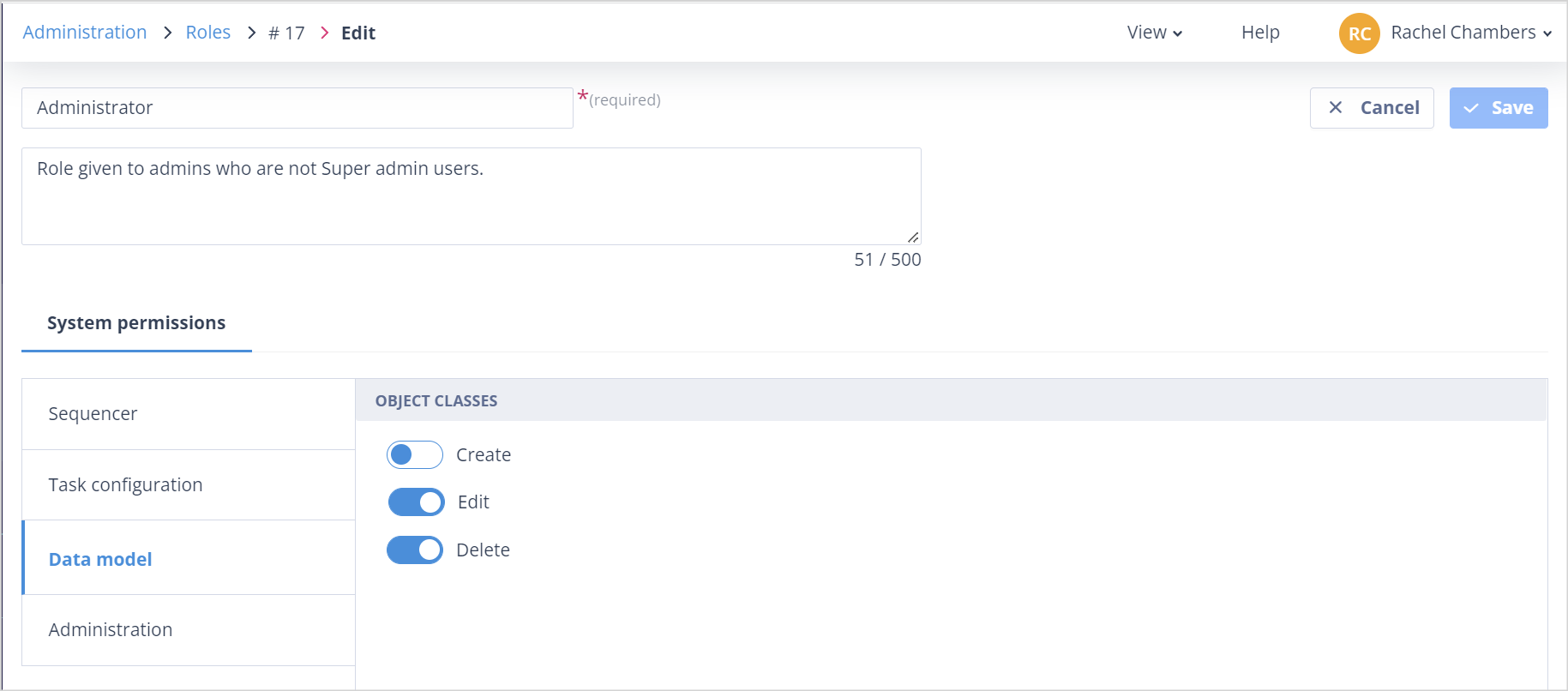
- Those who have the Edit permission against Object Classes in their Role (this will allow the user to edit all Object classes)
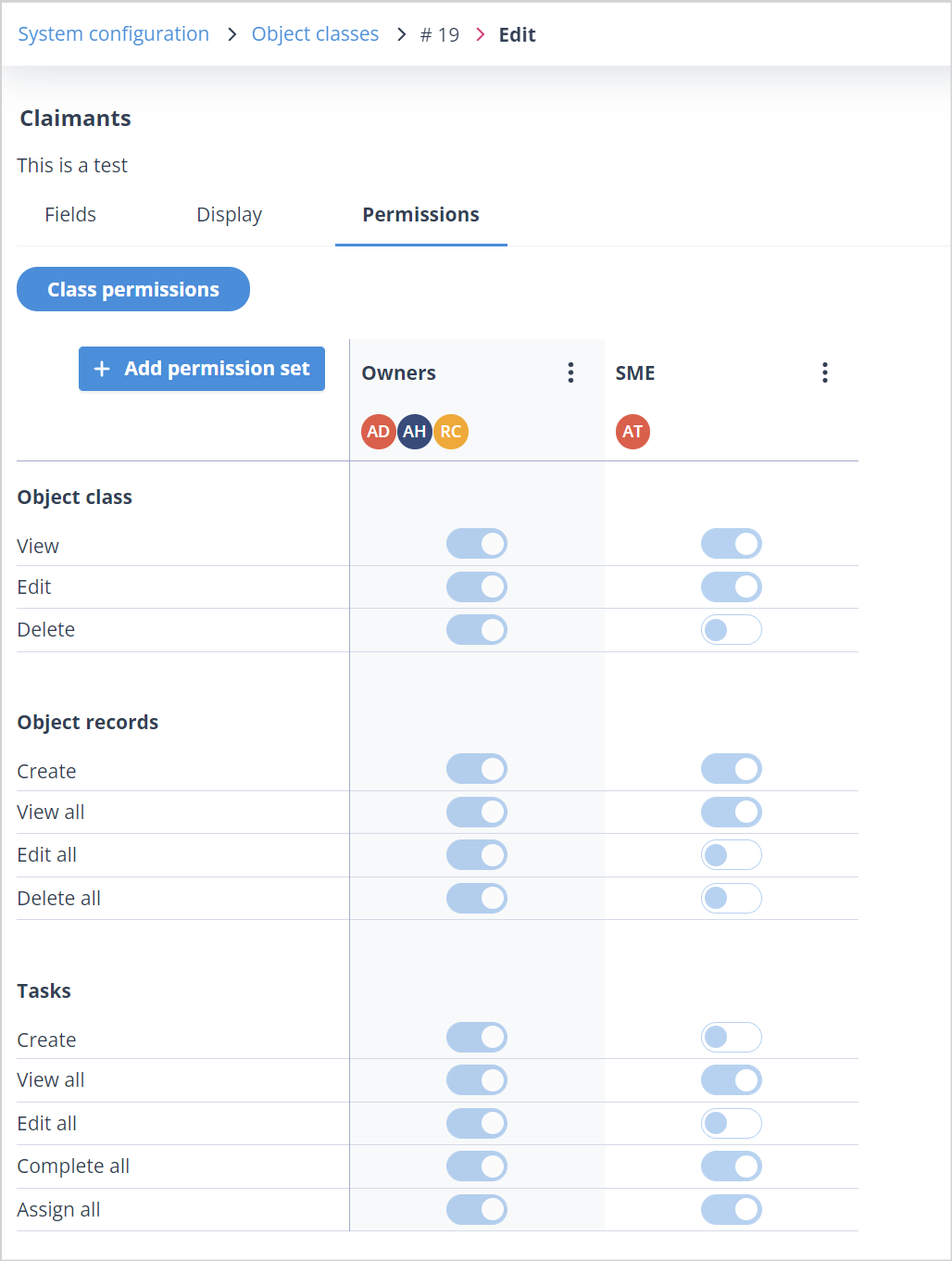
- Owners of the Object class. NB: You will automatically become the owner of any Object class which you create.
- Users who have a permission set for the Object class which allows them to edit it, as shown below in the Permission set called SME
Useful info
- Rather than selecting Edit in the Actions menu of the Object class, double-click on its row in the list to be taken to the edit screen.
- You can configure up to 100 stand alone forms for an Object class.